
Human Resource Planning: Process, Steps, and Workforce Decisions
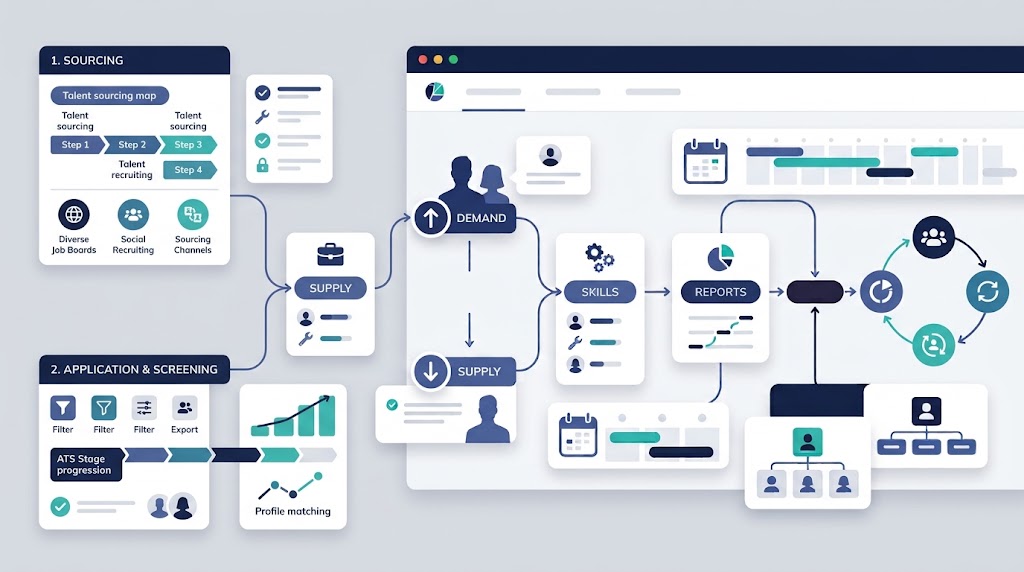
Human resource planning estimates future workforce needs and compares them with expected supply. It covers roles, skills, capacity, locations, and timing.
HR planning turns that comparison into actions, owners, assumptions, approvals, and review triggers. Workforce planning often describes the same discipline.
This guide explains the process without treating a forecast as a promise. It places planning within wider Human Resource Management.
What is human resource planning?
Human resource planning is a structured process for matching future work with available workforce capacity and capability. It supports informed people decisions.
The plan should answer seven practical questions:
- Which work may need completion?
- Which roles and skills may be required?
- How much capacity may be needed?
- When and where will that capacity be needed?
- Which workforce supply may be available then?
- Which gaps require a response?
- Who will act, approve, and review?
A useful plan produces more than a target headcount. It records assumptions, options, tradeoffs, owners, dependencies, and decision points.
A forecast is a decision aid, not a guarantee. Leaders should update it when facts or operating conditions change.
The importance of HRM explains the broader business value of managing people well. This page focuses on future workforce decisions.
Human resource planning versus related workforce activities
Related activities overlap, but they do not answer the same question. Clear boundaries prevent duplicated plans and conflicting ownership.
| Activity | Main question | Primary output |
| Human resource planning | What people and capabilities may the business need? | Requirements, supply estimates, gaps, scenarios, actions, and triggers |
| Workforce planning | How should roles, skills, capacity, location, and timing match demand? | Often the same output as human resource planning |
| Strategic Human Resource Management | Which workforce outcomes support business direction? | Priorities, tradeoffs, ownership, and investment choices |
| Headcount planning | How many positions fit the approved operating and financial plan? | Position quantities and related budgets |
| Succession planning | Who could provide continuity for selected roles? | Readiness, development, and continuity actions |
| Employee Lifecycle | How are people supported through employment stages? | Stage experiences, handoffs, records, and responsibilities |
| Human Resource Management Process | How does recurring HR work reach completion? | Triggers, steps, approvals, handoffs, records, and controls |
Strategic management sets workforce direction. Human resource planning translates that direction into detailed needs and response choices.
Headcount planning covers quantity and budget. Human resource planning also considers capability, readiness, location, and timing.
Succession planning addresses continuity for selected roles. It is one possible part of a wider workforce plan.
Why human resource planning matters
Business plans depend on people who can perform required work at the right time. Planning makes that dependency visible before action begins.
Good planning can help leaders:
- Connect workforce choices with approved business priorities.
- Detect capacity and capability gaps before they disrupt work.
- Compare hiring with development, movement, redesign, or external support.
- Give finance and operations a shared set of assumptions.
- Name owners for staffing actions and workforce risks.
- Revisit decisions when demand or supply changes.
Objectives of HRM describes common workforce outcomes. Planning selects the capacity and capability needed to pursue them.
Planning cannot remove uncertainty. It makes uncertainty easier to see, test, and manage.
Inputs needed before HR planning begins
Start with information that supports a defined business decision. More data does not automatically create a better plan.
| Input area | Questions to answer | Reliability check |
| Business direction | Which approved priorities, commitments, or changes may affect work? | Separate approved choices from proposals |
| Work demand | Which products, services, customers, projects, or workloads drive workforce needs? | Record the source and date |
| Current workforce | Which employees, positions, roles, skills, statuses, and locations exist now? | Check completeness and ownership |
| Current capacity | How are availability, schedules, assignments, and attendance organized? | Identify missing periods and local exceptions |
| Expected supply changes | Which hires, departures, transfers, or development actions are expected? | Separate confirmed events from estimates |
| Operating constraints | Which equipment, process, manager, site, or timing limits affect the plan? | Name the constraint owner |
| Financial limits | Which budgets or approval limits govern possible responses? | Record approval status |
| Decision rights | Who recommends, approves, executes, and reviews each action? | Resolve gaps before commitment |
| Planning risk | Which assumption could change the workforce requirement most? | Add confidence and a review trigger |
Classify each material input as a fact, estimate, assumption, or approved decision. Keep each label visible within a combined estimate.
Use compatible units for demand and supply. Compare hours with hours, positions with positions, or capability levels with matching requirements.
Data quality also needs a visible owner. Record gaps rather than silently filling them with convenient estimates.
Nine steps in the human resource planning process
The human resource planning process links future work with accountable workforce action. These HR planning steps also create a decision history.
Step 1: Define the business scope and planning period
Begin with the business decision the plan must support. Name the included teams, roles, sites, and workforce groups.
Choose a planning period that matches the decision. Avoid copying a standard period without testing its usefulness.
Record the sponsor, decision owners, approval limits, and review schedule. Mark any important item that still lacks approval.
Required output: A documented scope, decision list, planning period, and approval structure.
Step 2: Build the current workforce baseline
Create a dated view of current workforce supply. Include positions, employees, roles, skills, status, locations, and reporting lines.
Add availability, schedules, assignments, and attendance where they affect capacity. Separate authorized positions from people filling them.
Record missing, old, or disputed information. The baseline should show its limits as clearly as its totals.
Use only workforce data needed for the planning decision. Limit access and sharing to authorized roles.
Required output: A current workforce baseline with data sources, dates, and reliability notes.
Step 3: Identify demand drivers and assumptions
List the business conditions that may change required work. Drivers could include orders, commitments, roadmaps, operating changes, or technology.
For each driver, record the expected effect, timing, owner, source, and confidence. Label it as confirmed, estimated, or assumed.
Do not turn an early proposal into a staffing commitment. Link workforce action to the approval status of its driver.
Required output: A demand register with drivers, assumptions, owners, timing, and confidence.
Step 4: Estimate future workforce demand
Estimate the roles, skills, capacity, locations, and timing required under each scenario. Begin with required work, not preferred headcount.
Use ranges when exact quantities lack support. Record productivity, coverage, readiness, and workload assumptions beside the estimate.
Demand should reflect capability as well as quantity. Ten available people cannot fill ten specialized roles without suitable skills.
Required output: Workforce demand estimates by scenario, period, role, capability, and location.
Step 5: Estimate future workforce supply
Estimate which people, skills, and capacity may be available when needed. Include internal movement, development, hires, departures, and availability changes.
Include internal supply and documented assumptions about external talent availability.
Distinguish a planned hire from an accepted offer or active employee. Recruitment status changes the confidence of the supply estimate.
Consider time to competence, not only a start date. A person may need training, access, equipment, and supported practice.
Required output: A supply forecast with timing, readiness, status, and confidence notes.
Step 6: Analyze workforce gaps
Compare forecast demand with available supply. Review capacity, capability, location, timing, leadership, and continuity separately.
Rank gaps by business effect, urgency, dependency, and confidence. A low-confidence estimate may require validation before a major commitment.
A matching headcount can still hide weak coverage or missing skills. Do not close a gap using quantity alone.
Required output: A prioritized gap register with evidence, causes, effects, and decision needs.
Step 7: Compare response scenarios
Compare several responses before defaulting to recruitment. Options include development, movement, retention, work redesign, scheduling, and approved external support.
Test each option for timing, cost, readiness, dependencies, operational effects, and employee effects. Record which assumptions make it workable.
Some gaps need combined actions. A new hire may still require manager capacity, onboarding, equipment, or process changes.
Required output: A scenario comparison with options, tradeoffs, risks, and decision conditions.
Step 8: Build the approved workforce action plan
Convert selected responses into approved actions. Give each action an owner, due date, dependency, budget status, measure, and trigger.
Connect every action to a documented gap. Separate approved work from proposals still awaiting a decision.
Coordinate actions across Functions of Human Resource Management. Recruitment, learning, rewards, records, and communication may support one response.
Required output: An accountable action plan linked with approved workforce decisions.
Step 9: Monitor, reforecast, and adapt
Compare actual demand, supply, gaps, and action progress with the plan. Review assumptions as carefully as completed tasks.
Reforecast when a material driver or trigger changes. Do not wait for a calendar review when the plan has become outdated.
Keep earlier estimates and explain important variances. That history improves later assumptions and management discussions.
Required output: An updated plan with recorded changes, decisions, owners, and reasons.
Workforce demand, supply, and gap analysis
Demand estimates what the business may require. Supply estimates what workforce capacity and capability may be available at that time.
The basic quantity formula is:
Workforce gap = forecast demand – forecast available supply
| Result | Basic interpretation | Next check |
| Positive | Additional capacity may be needed | Test capability, timing, location, and response options |
| Negative | Expected supply may exceed planned demand | Test redeployment, development, work changes, and assumptions |
| Zero | Estimated quantities match | Test skills, readiness, coverage, leadership, and timing |
The formula is useful only when both sides use matching units. It also cannot represent every qualitative gap.
Run separate comparisons for material roles, capabilities, sites, periods, or shifts. One total can hide a shortage behind unrelated surplus.
Separate capacity from capability
Capacity describes how much work the workforce can support. Capability describes whether people have the required skills, knowledge, and readiness.
A plan needs both views. Extra capacity in one role does not solve a specialized capability shortage elsewhere.
Separate timing from eventual supply
A future hire or development action may increase supply later. It cannot close an earlier need without another response.
Record when capacity becomes usable. Include recruitment, notice, onboarding, access, training, and supported practice where relevant.
Separate availability from assignment
An employee can appear available while already committed to other work. Confirm schedules, assignments, leave, and local coverage requirements.
Do not count the same capacity twice. Shared roles need clear allocation assumptions across teams or projects.
Scenario planning without false precision
One forecast can imply more certainty than the business has. Conditional scenarios show how workforce needs may change under different assumptions.
Many teams can begin with three planning views:
| Scenario | Purpose | Required record |
| Expected demand | Represents the current working assumption | Drivers, supply, gaps, actions, and confidence |
| Higher demand | Tests added workload or earlier timing | Capacity limits, decision lead times, and trigger |
| Lower demand | Tests delayed or reduced workload | Flexibility options, commitments, and trigger |
These labels do not assign probabilities. They help leaders compare actions across plausible operating conditions.
For every scenario, record the assumptions, workforce effect, proposed response, decision point, and trigger. Add an owner for each assumption.
Prefer conditional wording over unsupported precision. State what changes the estimate and when leaders must decide.
Workforce planning decision ledger
The workforce planning decision ledger keeps facts, estimates, assumptions, and choices in one reviewable record. Use one row per material decision.
| Business driver | Role or capability | Required condition or quantity | Timing | Current supply | Expected changes | Gap | Proposed response | Owner | Confidence | Review trigger |
| Approved production change | Technical operator capability | Document the required capability and capacity | Record the required period | Confirm current skilled capacity | List hires, movement, or development | Record quantity, skill, and timing gaps | Compare development, movement, hiring, or work changes | Name one accountable owner | State the evidence quality | Define the condition requiring review |
| Product commitment under review | Engineering and support capacity | Record the proposed workload requirement | Link timing to approval | Confirm current assignments and skills | List expected availability changes | Mark gaps as provisional | Prepare conditional responses | Name the decision owner | Mark assumptions clearly | Trigger review at approval or scope change |
Use the ledger in six steps:
- Create one row for each material workforce decision.
- Mark each input as a fact, estimate, assumption, or decision.
- Record capability gaps separately from numerical gaps.
- Give every proposed response an accountable owner.
- Add a trigger that forces a timely review.
- Keep replaced assumptions for decision history.
Do not bury uncertainty in general notes. Place confidence and triggers beside the affected decision.
The ledger supports review, but it does not approve action. Use the organization’s normal budget and employment decision controls.
Who owns human resource planning?
HR can coordinate the process, but it cannot own every demand assumption. Business leaders must own the work their plans create.
| Role | Planning responsibility | Decision or evidence owned |
| Executive sponsor | Sets direction and resolves major conflicts | Priorities, risk limits, and major commitments |
| Business or operations leader | Defines work demand and operating constraints | Demand drivers, timing, capacity needs, and delivery effects |
| Human resources | Coordinates HR planning and workforce information | Baselines, process discipline, options, records, and review preparation |
| Department manager | Tests local capability, coverage, and feasibility | Role needs, assignments, readiness, and operational evidence |
| Finance | Reviews affordability and approved funding | Budget assumptions, commitments, and financial controls |
| Employee or data owner | Confirms relevant workforce information | Skills, availability, status, and record accuracy |
| Named action owner | Delivers an approved response | Progress, dependencies, issues, and completion evidence |
Small companies do not need a large planning committee. They still need named owners, recorded assumptions, and clear approvals.
Workforce decisions affect several functions. Keep accountability with one owner while documenting every required contributor.
Human resource planning examples by business context
The planning method stays consistent across industries. The drivers, capabilities, constraints, and response options will differ.
Small business example
A small company plans another location. Leaders first define expected work, opening conditions, coverage needs, and manager responsibilities.
They compare those needs with current roles, skills, availability, and recruitment progress. The plan links each action to an opening trigger.
HR Management for Small Business covers lean ownership, essential records, and basic controls in more detail.
Manufacturing example
A manufacturer plans a production change. Operations identifies required operator, maintenance, quality, and supervisory capability by period.
HR compares current skills, shifts, assignments, development, and hiring activity. Leaders then test several responses against operating constraints.
Packaging example
A packaging business expects changing order patterns. The team reviews line capability, shift coverage, quality support, and scheduling flexibility.
Scenarios identify which demand trigger requires redeployment, development, schedule changes, or approved additional capacity.
Textile and apparel example
A textile or apparel company reviews future product requirements. It maps technical skills, line leadership, quality needs, and site timing.
The supply estimate includes current readiness, internal movement, learning actions, and expected staffing changes.
Software and SaaS example
A software company compares product commitments with engineering, delivery, and customer support capacity. It also reviews specialized skills and assignments.
Conditional plans show what changes after scope approval, delay, or reprioritization. Each response has an owner and decision trigger.
Measures and review triggers
Measures should help leaders decide whether to continue, change, pause, or close an action. Activity counts alone give an incomplete view.
| Measure area | What it helps assess | Interpretation warning |
| Workforce data completeness | Whether the baseline supports planning | Complete records can still contain outdated information |
| Demand variance | How actual work differs from the estimate | Variance does not prove that one owner caused the change |
| Supply variance | How available capacity differs from the estimate | Availability may differ from usable capability |
| Gap exposure | Which roles, capabilities, sites, or periods remain affected | Combined totals can hide local shortages |
| Time to readiness | When capacity or capability becomes usable | A start date does not prove competence |
| Action progress | Whether approved responses reach milestones | Completion does not prove the gap closed |
| Trigger status | Whether a defined reforecast condition occurred | Triggers need owners and timely review |
Use People Analytics for deeper metric design and interpretation. Each measure should support a named decision.
Review triggers may include approved scope changes, demand shifts, delayed staffing actions, changed availability, or important supply variance.
Assign every trigger an owner and response time. Record the resulting decision, even when the plan remains unchanged.
How OryxBlue supports human resource planning
Human resource planning needs a reliable current-state view. OryxBlue can support that baseline through workforce profiles and records.
Its described scope includes roles, skills, departments, locations, employee status, availability, schedules, assignments, and attendance.
Recruitment information can show which staffing actions are underway. Requests and approvals can help teams track authorized actions.
Payroll visibility, dashboards, and reports can support plan reviews. The value depends on complete, current, and correctly governed records.
| Planning question | OryxBlue support | Business-owned decision |
| Who is employed and where? | Profiles, records, departments, locations, and status | Future role and location requirements |
| Which roles and skills exist? | Roles, skills, and employee profiles | Demand forecasts and capability priorities |
| How is current capacity allocated? | Availability, schedules, assignments, and attendance | Future capacity assumptions and staffing scenarios |
| Which staffing actions are underway? | Recruitment records, requests, and approvals | Budgets, hiring choices, and employment decisions |
| How is execution reviewed? | Payroll visibility, dashboards, and reports | Measures, review triggers, corrections, and plan approval |
OryxBlue can support current-state information, workflow visibility, and reviews. It does not determine future workforce requirements.
Leaders still own forecasts, assumptions, budgets, scenarios, role quantities, and employment decisions. Verify current product scope before configuration, publication, or selection.
HR Management Software covers the wider technology category. HR Automation explains rules-based routing and task support.
Common human resource planning failures
Planning usually weakens when assumptions, decisions, and ownership become unclear. These failures deserve an early check:
- Headcount-only planning. Quantity replaces capability, readiness, location, coverage, and timing.
- Unclear business drivers. Staffing actions begin before leaders confirm the work assumption.
- Incompatible units. Demand and supply use different periods, quantities, or capability definitions.
- Old workforce records. The baseline misses recent status, skill, assignment, or availability changes.
- False certainty. Teams present one precise estimate without its assumptions or confidence.
- Single-scenario thinking. The plan cannot adapt when demand rises, falls, or moves.
- Double-counted capacity. Several teams claim the same shared role or employee availability.
- Start-date supply. The forecast ignores onboarding, access, training, and time to competence.
- Recruitment default. Hiring begins before leaders compare development, movement, redesign, or scheduling.
- Missing owners. Actions exist, but nobody answers for decisions, dependencies, or results.
- No review trigger. The plan continues after its central assumption changes.
- Software-first planning. A system decision begins before the workforce question is defined.
Correct the plan in a short sequence:
- Restate the approved business decision.
- Confirm the work and workforce assumptions.
- Rebuild compatible demand and supply views.
- Separate quantity, capability, location, and timing gaps.
- Compare responses and record tradeoffs.
- Assign an owner, approval, measure, and trigger.
Human resource planning audit checklist
Use this checklist before approval and during each plan review:
- Is the business decision clear?
- Are the scope and planning period documented?
- Are included roles, sites, and workforce groups named?
- Does every demand driver have a source and owner?
- Are facts, estimates, assumptions, and decisions separated?
- Is the workforce baseline dated and checked?
- Are planning data access and sharing limited to authorized roles?
- Do demand and supply use compatible units?
- Are capacity and capability assessed separately?
- Are timing, readiness, location, and coverage visible?
- Are confirmed staffing actions separated from proposals?
- Does each material assumption have a confidence level?
- Were different demand scenarios considered?
- Were several workforce responses compared?
- Are important dependencies and employee effects recorded?
- Does each approved response have one accountable owner?
- Are budget and approval statuses visible?
- Does every action connect with a documented gap?
- Do measures support named decisions?
- Does each material change have a review trigger?
- Does the plan retain a useful decision history?
Turn every “no” answer into an owner, action, due point, and review decision.
Frequently asked questions about human resource planning
What is human resource planning?
Human resource planning compares future workforce demand with expected supply. It guides actions involving roles, skills, capacity, locations, and timing.
What are the main HR planning steps?
Define scope, build the baseline, identify drivers, estimate demand and supply, analyze gaps, compare responses, act, and reforecast.
Is workforce planning the same as human resource planning?
Many organizations use both terms for the same discipline. Some use workforce planning for a stronger focus on capacity and roles.
How do you calculate a workforce gap?
Subtract forecast available supply from forecast demand using matching units. Then check capability, timing, location, readiness, and coverage.
Can a zero headcount gap still require action?
Yes. Total quantities may match while skills, locations, shifts, leadership, or readiness remain misaligned.
Who is responsible for human resource planning?
Business leaders own demand assumptions and major choices. HR coordinates planning, while managers, finance, and action owners supply evidence.
How often should a workforce plan be reviewed?
Use a regular review schedule and event-based triggers. Reforecast when important demand, supply, timing, or approval assumptions change.
What data is needed for HR planning?
Use business drivers, workforce records, roles, skills, capacity, availability, staffing changes, constraints, approvals, and reliable timing.
Can software forecast workforce needs automatically?
Some software can generate forecast estimates from configured data and assumptions. Leaders must validate inputs, scenarios, budgets, and employment decisions.
How can a small business start workforce planning?
Start with one approved business decision and its required work. Compare current supply, record gaps, assign actions, and define triggers.
Where to go next
Use strategic workforce alignment when the business direction remains unclear. Use process design when an approved staffing action needs reliable execution.
Use analytics when evidence needs stronger interpretation. Use software only after defining the records, decisions, owners, and controls required.