
Common HR Mistakes: How to Find and Prevent Them
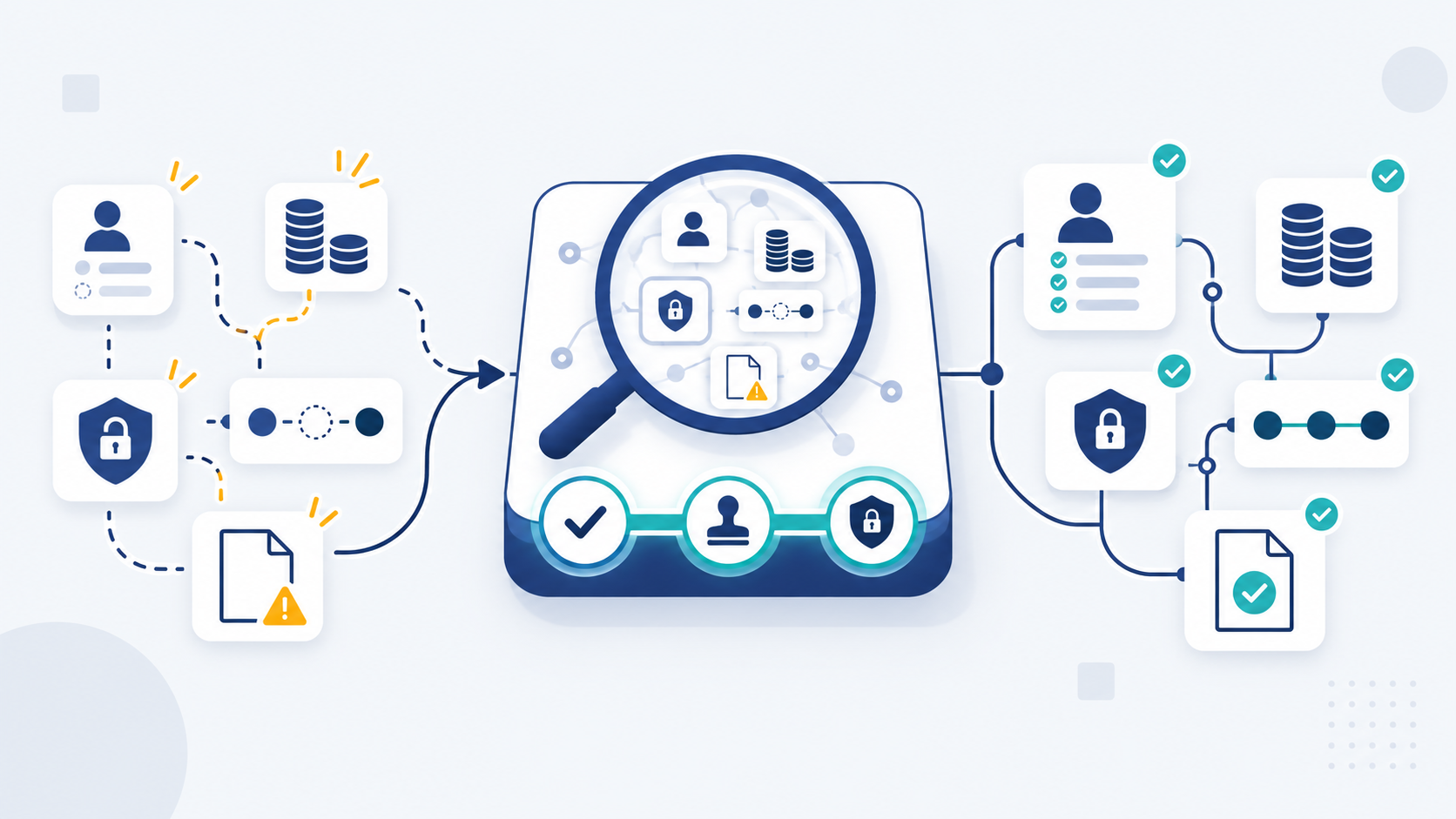
Common HR mistakes affect hiring, onboarding, policies, records, payroll, performance, managers, communication, data access, and automation. A missing control can allow one error to recur or spread across several processes.
Good controls prevent mistakes, detect them early, and guide correction. Employment duties and penalties vary by worker location, so local experts should review legal decisions.
This guide provides general operational guidance, not legal advice.
Which HR mistakes should you fix first?
Fixing every weakness at once is rarely practical. Rank each problem by impact, likelihood, and how quickly your team can detect it.
Score business and employee impact
A high-impact mistake can affect pay, safety, privacy, employment status, or access to essential systems. It may also damage trust across the workforce.
Record both business and employee effects. A small accounting error may create a serious problem for the employee receiving the wrong pay.
Check how often the failure can occur
Frequency changes priority. A weak control in a weekly payroll process deserves faster attention than a rare administrative inconvenience.
Review both past incidents and current exposure. A process may be risky even when no one has reported harm yet.
Ask whether the problem is detected before harm spreads
Detectability measures how soon a team sees a failure. A missing approval caught before payroll is safer than an error found afterward.
Look for leading indicators, such as overdue tasks, unmatched records, repeated exceptions, or unauthorized access. These signs appear before wider damage.
Prioritize payroll, safety, access, and employee-relations warning signs
Repeated pay errors, safety concerns, data exposure, and unresolved grievances need prompt escalation. Delayed action can increase employee harm and business risk.
Local rules affect the required response. Involve qualified advisers when classification, discipline, accommodations, or termination enters the issue.
HR mistake priority matrix
The sample ratings below are illustrative. Re-score every row using your own exposure, controls, workforce, and local requirements.
| Failure area | Example severity | Example likelihood | Example detectability | Employees affected | Responsible owner | First corrective action |
| Incorrect payroll input | Critical | Recurring | Medium | One employee or a whole pay group | Payroll owner | Isolate affected entries, reconcile inputs, and protect the lawful pay deadline |
| Unremoved system access | Critical | Event-based | Low without alerts | Departing employee and data subjects | Security owner | Disable access and review recent activity |
| Inconsistent policy decision | High | Recurring | Low | Comparable employee groups | HR owner | Pause the decision and compare prior cases |
| Missing onboarding task | Medium to high | Frequent | High | New hires | Hiring manager | Assign the task and confirm role readiness |
| Incomplete employee record | Medium | Frequent | Medium | Affected employee and process users | HR operations owner | Validate required fields and source documents |
| Delayed performance feedback | Medium | Frequent | Low | Employee and manager | People manager | Hold a clear conversation and record follow-up |
Adapt the matrix to your processes and worker locations. Never treat a general severity label as legal advice.
Common HR mistakes across the employee lifecycle

HR failures often begin in one process and spread into another. The diagnostic below connects each warning sign with its control gap and owner.
The human resource management guide explains how these employee-lifecycle processes connect.
Hiring without clear roles, criteria, or worker-status checks
Vague job requirements create inconsistent screening and unclear expectations. Missing worker-status checks can also create legal or payroll problems.
Warning sign: Interviewers use different standards, or approvals appear after a candidate is selected.
Likely root cause: The team started recruitment without an approved role, criteria, decision owner, or local status review.
Downstream effect: Candidate comparisons become harder, offers may be delayed, and onboarding starts with unclear duties.
Controls:
- Preventive: Approve the job description, selection criteria, budget, and decision roles before posting.
- Detective: Review interview notes and approvals before any offer is issued.
- Corrective: Pause the decision, resolve missing evidence, and repeat affected steps consistently.
Accountable owner: The hiring manager owns role requirements. HR owns process consistency and escalation.
Evidence that it worked: Approved criteria, completed interview records, signed authorization, and documented worker-status review where required.
Worker classification depends on local facts and law. Qualified local counsel should review uncertain arrangements.
Treating onboarding and offboarding as paperwork
Onboarding should prepare someone to perform the role. Offboarding should protect employees, company data, equipment, and service continuity.
Warning sign: New hires lack access or equipment, while former employees keep active accounts.
Likely root cause: No owner controls tasks across HR, the manager, IT, payroll, and facilities.
Downstream effect: Work starts late, records remain incomplete, and unauthorized access may continue.
Controls:
- Preventive: Use role-based checklists with owners, due dates, access needs, and required acknowledgments.
- Detective: Review incomplete tasks before the start date and planned departure time.
- Corrective: Finish missing tasks, remove access, recover assets, and examine any exposure.
Accountable owner: HR coordinates the process. Managers and system owners complete their assigned actions.
Evidence that it worked: Completed task records, policy acknowledgments, equipment confirmation, access logs, and final handoff notes.
Using HR policies without an owner or review process
A policy becomes unreliable when nobody owns its approval, communication, application, and review. Old copies can produce conflicting decisions.
Warning sign: Managers use different policy versions or cannot explain who approved the current rule.
Likely root cause: The policy lacks purpose, scope, owner, version number, effective date, and review trigger.
Downstream effect: Employees receive mixed instructions, while managers improvise answers and create inconsistent records.
Controls:
- Preventive: Use a controlled template with approval, ownership, version, scope, and review fields.
- Detective: Audit published copies, employee acknowledgments, and overdue review dates.
- Corrective: Withdraw old versions, approve the current rule, and explain changes to affected employees.
Accountable owner: The named policy owner manages content. HR or leadership controls final approval.
Evidence that it worked: One approved version, a publication record, acknowledgments, training evidence, and a scheduled review.
Use the nine-step process for creating HR policies to establish these controls.
Applying workplace rules inconsistently
Consistency does not mean ignoring context. It means comparing similar cases and recording why different treatment was justified.
Warning sign: Employees receive different outcomes for similar behavior without a documented reason.
Likely root cause: Managers have broad discretion but lack criteria, training, case review, and escalation routes.
Downstream effect: Trust falls, employee relations worsen, and legal risk may increase.
Controls:
- Preventive: Define decision criteria, approval levels, confidentiality rules, and escalation triggers.
- Detective: Compare current decisions with similar past cases before final approval.
- Corrective: Reassess the outcome, document the reason, and repair inconsistent manager guidance.
Accountable owner: HR owns process consistency. Managers supply facts and apply approved decisions.
Evidence that it worked: Comparable-case review, decision notes, required approvals, and completed manager training.
Local law may require specific procedures. Seek qualified advice before sensitive discipline or termination decisions.
Relying on incomplete or scattered employee records
Scattered files create duplicate data, missing evidence, and unclear access. They also make audits and employee changes harder.
Warning sign: HR, payroll, and managers hold different values for the same employee field.
Likely root cause: No source of truth, data owner, required-field rule, retention schedule, or access standard exists.
Downstream effect: Changes may reach one system but miss payroll, benefits, leave, or reporting.
Controls:
- Preventive: Define one source for each field, required documents, permissions, and retention rules.
- Detective: Reconcile key fields and review access against current roles.
- Corrective: Resolve duplicates, confirm the valid source, update connected systems, and record the correction.
Accountable owner: HR operations owns employee data. Security owns access standards and incident support.
Evidence that it worked: Matching records, completed access reviews, correction logs, and retained source documents.
Skipping payroll, attendance, and leave reconciliation
Payroll depends on approved employee changes, time data, leave records, and pay rules. One unchecked input can affect many people.
Warning sign: Pay corrections repeat, totals change late, or attendance and leave balances do not match payroll inputs.
Likely root cause: Cutoffs, approvals, change checks, exception queues, and final reconciliation are unclear.
Downstream effect: Employees may receive incorrect pay or balances. Finance may also receive unreliable totals.
Controls:
- Preventive: Set input cutoffs, approval rules, field validation, and controlled change access.
- Detective: Compare HR, attendance, leave, and payroll records before release.
- Corrective: Isolate and correct affected entries while paying undisputed lawful wages by the deadline.
Escalate to local payroll or legal experts before delaying any payment.
Accountable owner: Payroll owns calculation and release controls. HR and managers own accurate approved inputs.
Evidence that it worked: Approved change reports, resolved exceptions, reconciliation sign-off, and correction records.
Payroll and employment requirements vary by location. Local payroll or tax experts should review uncertain cases.
Delaying performance feedback and difficult conversations
Delayed feedback allows a fixable issue to become a larger performance or relationship problem. Employees also lose a fair chance to improve.
Warning sign: Reviews contain unexpected criticism, or managers discuss concerns privately without speaking to the employee.
Likely root cause: Managers lack clear expectations, confidence, time, documentation habits, or HR support.
Downstream effect: Standards remain unclear, evidence weakens, and later corrective action feels sudden.
Controls:
- Preventive: Set role expectations, regular check-ins, feedback guidance, and escalation routes.
- Detective: Review overdue check-ins, unresolved goals, and repeated informal complaints.
- Corrective: Hold a clear conversation, agree next steps, and schedule documented follow-up.
Accountable owner: The manager owns timely feedback. HR supports fairness, documentation, and difficult escalations.
Evidence that it worked: Meeting notes, agreed expectations, support actions, progress evidence, and follow-up dates.
Asking managers to make people decisions without training
Managers shape hiring, attendance, leave, performance, communication, and employee relations. Untrained managers may apply rules differently or expose private information.
Warning sign: HR repeatedly repairs manager decisions, missing records, or confidential messages.
Likely root cause: The company promoted managers without practical training, tools, approval boundaries, or support.
Downstream effect: Employees receive inconsistent treatment, while HR spends more time correcting avoidable problems.
Controls:
- Preventive: Train managers on policy use, records, feedback, confidentiality, approvals, and escalation.
- Detective: Review repeated exceptions, complaints, missing notes, and unusual decisions by manager.
- Corrective: Coach the manager, reassess affected decisions, and limit authority until capability improves.
Accountable owner: HR owns the manager-control framework. Each senior leader owns manager performance.
Evidence that it worked: Training completion, knowledge checks, fewer exceptions, and properly approved decisions.
Ignoring employee feedback and change communication
Silence does not mean employees understand or accept a change. They may lack a safe route to raise concerns.
Warning sign: Rumors spread, questions repeat, participation falls, or employees learn changes from different managers.
Likely root cause: No communication owner, listening route, response promise, or decision feedback loop exists.
Downstream effect: Trust weakens, adoption slows, and early warning signs remain hidden.
Controls:
- Preventive: Assign communication ownership, explain decisions, and provide safe feedback routes.
- Detective: Track repeated questions, unresolved concerns, participation, and manager message differences.
- Corrective: Clarify the change, answer known concerns, correct false information, and report follow-up actions.
Accountable owner: The change owner controls the message. HR manages listening and employee-relations escalation.
Evidence that it worked: Published communications, manager briefings, question logs, responses, and completed follow-up actions.
Automating broken workflows without validation or human review
Automation repeats the rules it receives. It can move bad data or weak decisions faster across connected systems.
Warning sign: Completion times improve, but corrections, exceptions, or access problems increase.
Likely root cause: The team automated before simplifying the process, checking data, or assigning exception owners.
Downstream effect: Errors scale, records diverge, and employees struggle to reach a responsible person.
Controls:
- Preventive: Map the workflow, clean data, limit permissions, and define human approval points.
- Detective: Monitor failures, exceptions, overrides, access changes, and record differences.
- Corrective: Pause the workflow, restore valid data, repair rules, and retest difficult cases.
Accountable owner: The HR process owner and system owner share responsibility. Security controls access and incident response.
Evidence that it worked: Approved process maps, test records, resolved exceptions, access reviews, and accurate synchronized data.
Learn where HR automation needs human oversight.
Why HR problems keep repeating
Repeated HR problems usually point to a control gap. Fixing the latest incident alone leaves the same failure path open.
People failures: unclear roles or missing capability
Employees cannot control work when ownership is vague. Managers also need the skills and authority required by their decisions.
Name one accountable owner and necessary backup. Then confirm both understand the process, evidence, and escalation route.
Policy failures: vague, outdated, or conflicting rules
Policies fail when language, scope, ownership, or effective dates are unclear. Conflicting versions make consistent application impossible.
Remove outdated copies and publish one approved source. Schedule review when law, locations, systems, or working practices change.
Process failures: missing triggers, approvals, or handoffs
A good process identifies what starts work and who acts next. It also defines approval, exceptions, completion evidence, and escalation.
Map handoffs across HR, managers, payroll, security, and finance. Unowned handoffs are common failure points.
Data failures: inaccurate, duplicated, or inaccessible records
Data can fail through poor entry, delayed updates, duplicate sources, or excessive access. Each field needs an owner and valid source.
Reconcile critical data before payroll and major employee changes. Review permissions when roles change or employment ends.
Technology failures: weak configuration, integration, or permissions
Software cannot repair unclear rules by itself. Poor settings can automate the wrong step or expose sensitive data.
Test workflows with normal and exceptional cases. Include failed integrations, role changes, corrections, and human escalation.
Root-cause worksheet
Use this sequence after any HR incident:
- Incident: What happened, when, and who was affected?
- Cause: Which people, policy, process, data, or technology factor allowed it?
- Control gap: Which preventive or detective control was missing or failed?
- Owner: Who can change and maintain that control?
- Change: What exact correction will close the gap?
- Proof: What evidence will show the change works?
Publish real incidents only after verification and anonymization. Keep unverified examples out of the article.
What HR software can and cannot prevent
HR software can support process consistency, but it cannot own every decision. The company must still define rules, owners, and review points.
Software can support records, reminders, approvals, and permissions
An HRMS can centralize employee records and route repeatable tasks. It can also support reminders, approvals, self-service, and role-based permissions.
These features can improve visibility and control evidence. Their value depends on correct settings and reliable data.
Software still needs clean data, owners, controls, and exception handling
A workflow needs accurate inputs, named owners, and clear completion rules. It also needs a safe path when normal rules do not fit.
Review failed tasks, overrides, access, and integrations. A green status alone does not prove the process worked correctly.
Policy, leadership, sensitive decisions, and legal advice remain human-led
People should own policies, grievances, accommodations, performance judgment, discipline, and termination. Qualified local advisers should review legal uncertainty.
Software can store records or route approvals. It should not become the unreviewed decision-maker for sensitive employment outcomes.
Software-supported, human-led, or specialist-review matrix
| HR process | Software-supported work | Human-led decision | Specialist review trigger |
| Employee records | Required fields, reminders, permissions, change history | Resolve disputed facts and access needs | Privacy incident or uncertain retention duty |
| Onboarding and offboarding | Task lists, documents, reminders, access requests | Role readiness and handoff decisions | Security exposure or local notice requirement |
| Payroll inputs | Data validation, approvals, exception queues | Approve changes and final release | Repeated errors, tax issue, or local rule uncertainty |
| Leave | Requests, balances, routing, reminders | Sensitive exceptions and workforce decisions | Statutory leave or accommodation uncertainty |
| Performance | Goals, notes, review reminders | Feedback, evaluation, support, and fair escalation | Dispute, protected issue, or proposed formal action |
| Grievances | Secure intake, task routing, controlled records | Listening, investigation, judgment, and remedy | Serious allegation, conflict, or legal exposure |
| Accommodations | Secure requests and document controls | Individual discussion and workable response | Medical, disability, or legal uncertainty |
| Discipline and termination | Approval routing and document control | Context, fairness, final decision, and communication | Qualified local legal review |
| Worker classification | Store contracts and review evidence | Assess role facts and business model | Local legal, payroll, or tax review |
Minimum HR controls for a small team
Small teams do not need enterprise bureaucracy. They do need ownership, approvals, controlled records, reconciliation, access reviews, and scheduled checks.
Assign one owner for every recurring HR process
List each process and name one accountable person. Add a backup for payroll, access removal, and time-sensitive employee issues.
Set approval and escalation rules
Define which decisions need HR, manager, finance, security, or leadership approval. State when local professional advice becomes required.
Keep controlled employee and policy records
Use one approved location for current records and policies. Restrict access by role and remove outdated policy copies.
Reconcile payroll, attendance, and leave data
Compare approved employee changes with time, leave, and payroll inputs before release. Record every resolved exception and final approval.
Review access when roles change or people leave
Trigger an access review after transfers, promotions, long absences, and departures. Remove rights that no longer match the role.
Schedule policy, process, and compliance checks
Set review dates and event-based triggers. Location changes, legal updates, system changes, and incidents should start an extra review.
30-day minimum-control checklist
Week 1: Assign ownership
- List hiring, records, onboarding, payroll, leave, performance, and offboarding processes.
- Name an owner, backup, approval level, and escalation route for each process.
Week 2: Control records and access
- Identify the approved source for employee and policy information.
- Review permissions and remove access that does not match current roles.
Week 3: Test high-risk workflows
- Reconcile one payroll cycle against HR, attendance, and leave records.
- Test onboarding and offboarding tasks, including equipment and system access.
Week 4: Fix and schedule reviews
- Rank gaps by severity, likelihood, and detectability.
- Assign corrective actions, evidence requirements, owners, and review dates.
Keep local legal requirements outside this general checklist. Verify them through official sources and qualified local advice.
How to audit HR processes before problems grow
A process audit compares expected work with actual evidence. It should reveal workarounds, missing approvals, weak records, and unresolved exceptions.
1. Map each employee-lifecycle process
List hiring, onboarding, records, attendance, leave, payroll, performance, changes, and offboarding. Draw the complete path across teams and systems.
2. Identify the owner, trigger, system, approval, and exception
Every process needs a clear start, accountable owner, working system, approval point, and exception route. Record missing elements as control gaps.
3. Sample recent records and test completion evidence
Select recent examples across different teams and employee groups. Check whether each required step has reliable evidence.
Do not assume a checked box proves completion. Compare the record with the actual result.
4. Ask employees and managers where workarounds occur
Employees and managers often know where systems fail or delays begin. Ask what they do when the normal route does not work.
Record the workaround and its cause. Do not blame the user before testing the process.
5. Rank gaps by impact, likelihood, and detectability
Use the priority matrix from this guide. Give faster action to high-impact failures that can spread without early detection.
6. Assign corrective actions and review dates
Each action needs an owner, due date, expected evidence, and review point. Close the task only after the control passes a test.
HR process self-audit template
Copy these five fields for every sampled process:
- Expected step: What should happen under the approved process?
- Actual evidence: What record proves the step occurred?
- Exception: What differed, and why did it differ?
- Owner: Who must correct and maintain the control?
- Due date: When will the change and retest be complete?
When to involve HR, payroll, security, or legal experts
Escalation is a control, not a sign of failure. A team creates risk when it continues beyond its knowledge or authority.
Escalate repeated pay, attendance, or benefits errors
Repeated errors may indicate bad data, weak approvals, incorrect rules, or broken integrations. Payroll and finance specialists should review the complete input path.
Get local legal advice for classification, accommodations, discipline, or termination
These decisions depend on facts and local law. Seek qualified advice before taking action when duties or process requirements remain uncertain.
Involve security after unauthorized access or employee-data exposure
Security should control containment, evidence preservation, access review, and incident response. Privacy or legal teams may also need involvement.
Bring in HR expertise when managers apply rules inconsistently
An HR specialist can compare cases, review policy, guide communication, and retrain managers. Serious disputes may also require local legal advice.
Escalation triggers by owner
- HR: Repeated inconsistent decisions, grievances, missing records, or manager capability gaps.
- Payroll: Incorrect pay, unresolved balances, failed reconciliation, or unclear payroll treatment.
- Security: Unauthorized access, exposed employee data, unusual downloads, or delayed account removal.
- Finance: Unapproved payments, unexplained totals, funding issues, or material reconciliation differences.
- Qualified local counsel: Classification, accommodations, discipline, termination, privacy, or legal process uncertainty.
Route detailed legal checks through the HR compliance checklist.
Frequently asked questions about HR mistakes
What are the most common HR mistakes employers make?
Common HR mistakes include weak hiring, onboarding, policies, records, payroll checks, feedback, and manager training. Inconsistent decisions and broken automation also create risk.
Each problem needs an owner, control, and completion record.
Why is proper documentation important in HR?
Documentation shows what happened, who approved it, and which rule applied. It supports consistent decisions, payroll checks, audits, and employee follow-up.
As a practical control, keep records accurate, relevant, secure, and limited to authorized access. Apply local retention and access rules.
How do you avoid inconsistent policy enforcement?
Define decision criteria and train managers before issues occur. Compare similar cases and record relevant differences.
Require approval for sensitive outcomes. Seek qualified local advice when legal uncertainty remains.
What HR mistakes do small businesses make?
Small businesses often leave HR ownership informal. Common gaps include missing approvals, scattered records, and weak payroll reconciliation.
Delayed access removal also creates risk. A named owner and short checklist can prevent repeat failures.
Can HR software prevent payroll and recordkeeping mistakes?
Software can validate fields, route approvals, store records, limit access, and flag exceptions. It cannot fix unclear policy or weak ownership alone.
Payroll still needs accurate inputs, reconciliation, approval, and human review.
When should a company get professional HR or legal help?
Get specialist help when errors repeat or exceed the team’s knowledge. Sensitive employment, payroll, and security issues often need professional review.
Escalate before making an irreversible decision.
Build controls that prevent the next HR mistake
Conclusion: The strongest fix does more than correct one incident. It closes the control gap that allowed the problem to repeat.
Take three steps now:
- Select one high-risk HR process.
- Assign its accountable owner.
- Test the evidence that proves completion.
OryxBlue supports documented workflows for employee records, recruitment, onboarding, attendance, leave, and related HR administration. Review the product documentation and map one process before choosing a system.