
Free vs Paid Payroll Management Software: Which Is Right for Your Business?
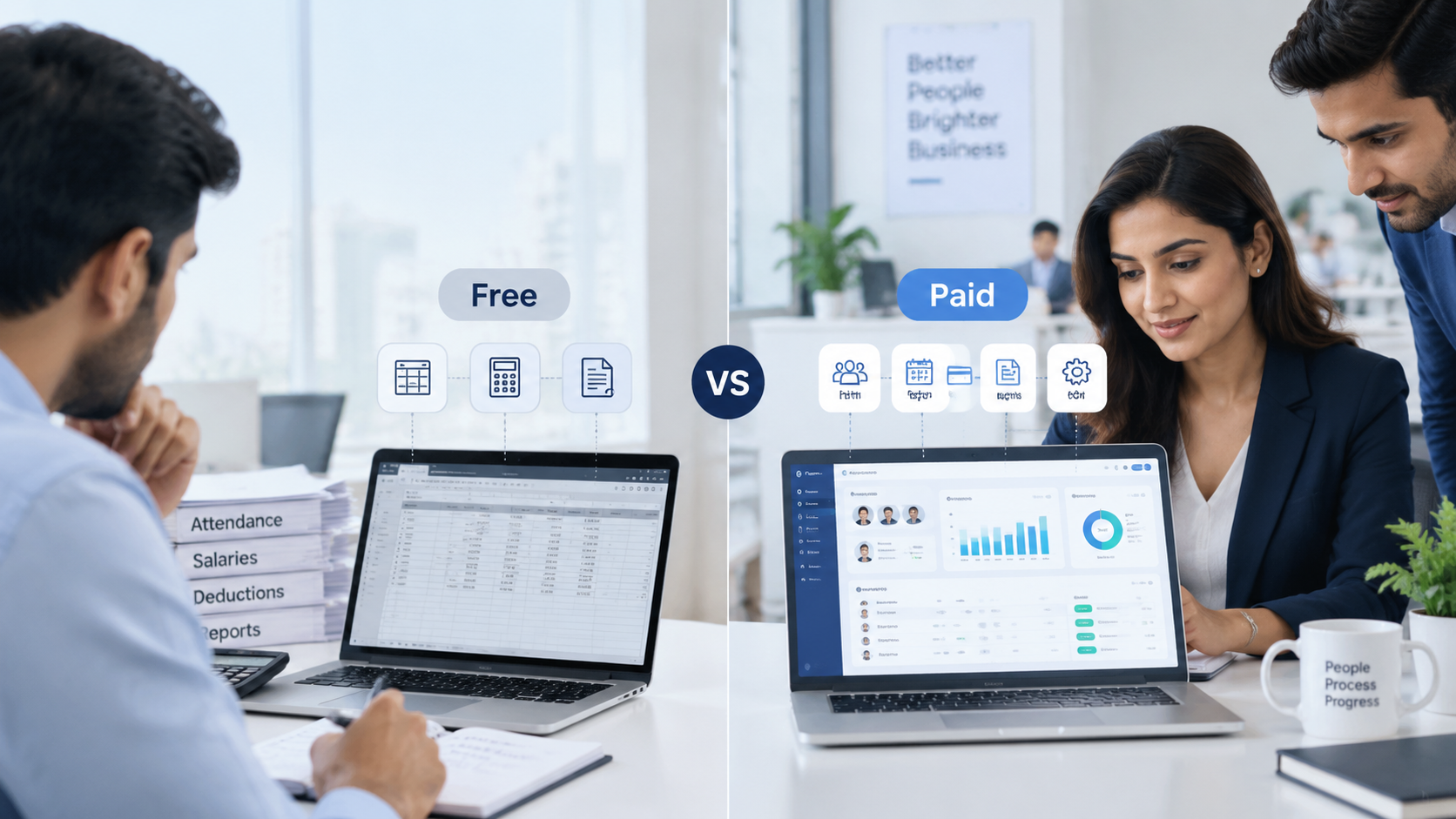
Payroll is one of the most important recurring processes in any business. Employees need to be paid accurately and on time, while businesses need reliable records, correct deductions, and processes that can keep up as the workforce grows.
Payroll management software can simplify this work, but choosing between a free and paid solution is not always straightforward.
Free payroll software can reduce software costs and provide basic tools for calculating wages, deductions, and employee payments. Paid payroll systems generally provide broader automation, reporting, integrations, security controls, compliance-related functionality, and support.
The right choice depends on your workforce size, payroll complexity, budget, compliance requirements, and how much of the process you want to automate.
What Is Free Payroll Management Software?
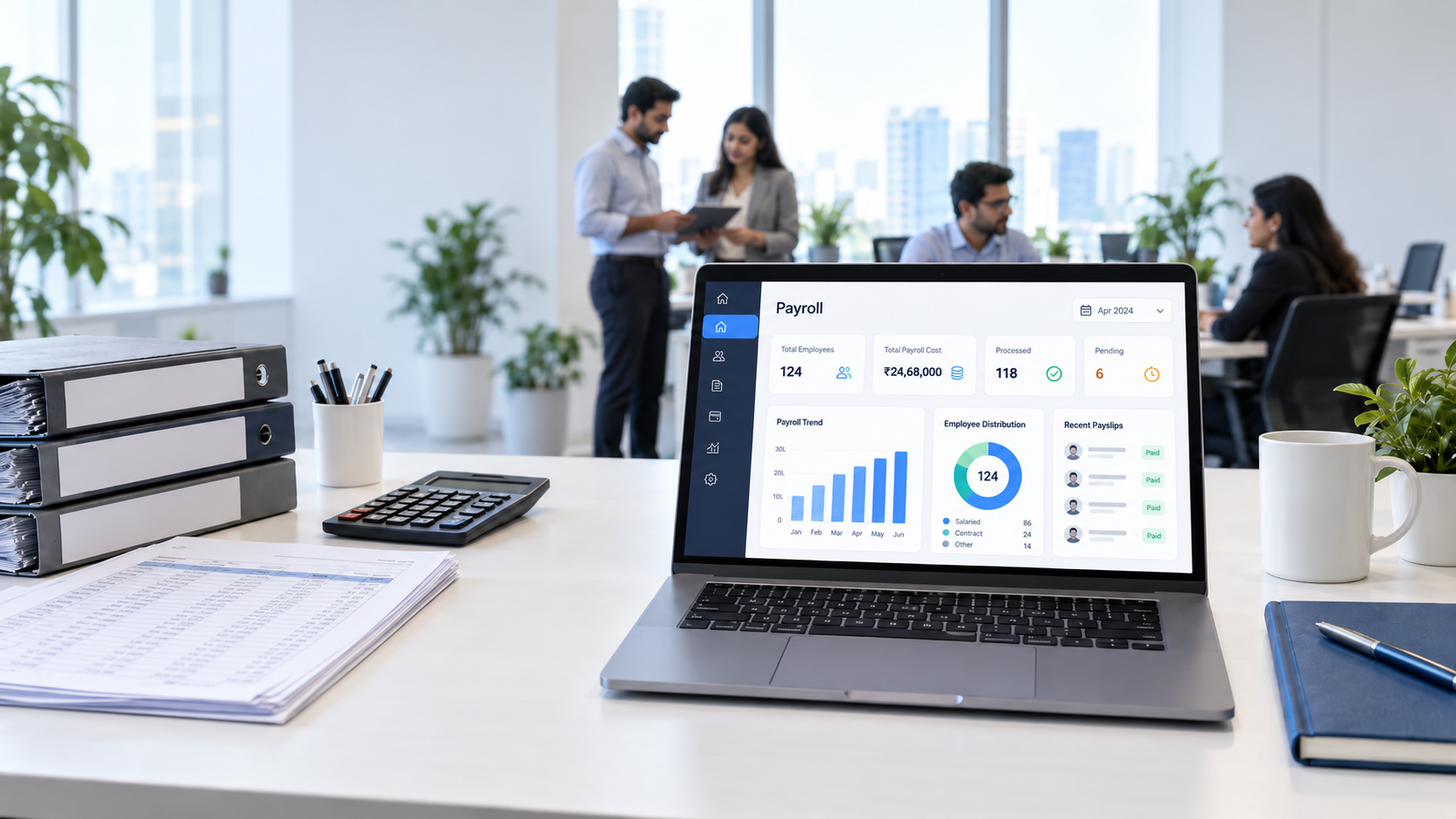
Free payroll management software refers to tools that allow businesses to perform some payroll tasks without paying a recurring software subscription.
However, “free” does not always mean the same thing. A product may be completely free, offer a free plan with limited features, provide a free tier for a small number of employees, or provide a spreadsheet or template that businesses use to calculate payroll manually.
Typical features of free payroll tools can include:
- Automated calculations: Calculates wages, deductions, and other payroll amounts.
- Payment records: Helps businesses record employee payments and maintain payroll history.
- Employee self-service: Some platforms allow employees to view payslips or update basic information.
- Basic reporting: Provides payroll summaries, expense records, or payment history.
- Attendance information: Some tools can connect working hours or attendance data to payroll calculations.
The exact features vary significantly between providers, so businesses should check what is actually included before treating a tool as a complete payroll solution.
Benefits of Free Payroll Software
The main attraction of free payroll software is straightforward: businesses can digitize basic payroll processes without adding a monthly software subscription.
1. Lower Software Costs
A free solution can eliminate subscription costs, which may be useful for startups, small businesses, or teams with very simple payroll requirements.
However, businesses should consider the total cost of payroll, including staff time, manual administration, compliance work, corrections, and record keeping.
2. Lower Administrative Work
Even basic payroll software can reduce repetitive calculations and record keeping.
Instead of maintaining every calculation manually, a digital system may automate parts of the payroll process and organize employee information in one place.
3. Digital Payroll Records
Free payroll tools can replace some paper-based processes with digital payroll records, making it easier to retrieve previous payroll information and payslips.
4. Basic Payroll Automation
Some free tools can automate repetitive calculations, deductions, or payroll records. This can be particularly useful when a business is moving away from spreadsheets.
5. Employee Self-Service
Depending on the software, employees may be able to access payslips, payroll information, or personal details themselves.
This can reduce the number of routine requests handled manually by HR or payroll staff.
Limitations of Free Payroll Software
Free software can be useful, but businesses should understand its limitations before relying on it for increasingly complex payroll operations.
1. Limited Features
Free plans often provide only core functionality. Advanced tax handling, automated filing, integrations, analytics, workflow automation, or sophisticated reporting may be unavailable or restricted.
This can leave businesses dependent on spreadsheets or manual processes for tasks outside the software’s capabilities.
2. More Manual Work
When important payroll functions are unavailable, employees may need to move information between spreadsheets, attendance systems, HR tools, accounting software, and payroll tools.
The software may be free, but the additional administrative work still has a cost.
3. Compliance Limitations
Payroll requirements vary by jurisdiction and can change over time. A free tool may not provide all the updates, calculations, records, or compliance-related workflows a business needs.
Businesses remain responsible for verifying that payroll is processed according to applicable requirements.
4. Scalability Issues
A free tool that works for a small team may become less practical as the number of employees, payroll rules, departments, or locations increases.
Businesses may eventually need to move to a more comprehensive system.
5. Limited Support
Free products may provide fewer support options than paid plans. When payroll needs to be processed on time, limited support can become a practical issue.
6. Security Considerations
Payroll data contains sensitive employee and financial information. Businesses should evaluate how a free product stores, protects, accesses, and transfers payroll data rather than choosing a solution based on price alone.
What Is Paid Payroll Management Software?
Paid payroll software is a subscription-based or licensed system that provides payroll functionality beyond basic calculations and record keeping.
Depending on the platform, paid systems may combine payroll with employee management, attendance, leave, reporting, accounting integrations, employee self-service, security controls, and other HR workflows.
The main difference is not simply that one system costs money and the other does not. The difference is usually the depth of automation, functionality, integration, support, and scalability available to the business.
Advantages of Paid Payroll Software
1. Greater Time Efficiency
Paid payroll platforms can automate more of the recurring payroll process.
Instead of repeatedly entering information manually, businesses may be able to connect employee records, attendance, time tracking, deductions, and payroll calculations.
Automation can also reduce repetitive administrative work. McKinsey research has found substantial automation potential across HR activities, including payroll-related work, although the actual results depend on the processes and technology being implemented.
2. Improved Payroll Accuracy
Automated calculations and validation checks can reduce some common data-entry and calculation errors.
For example, a connected payroll workflow can reduce the need to manually transfer attendance information into a payroll spreadsheet.
However, automation does not eliminate the need for human review. Payroll rules, exceptions, employee changes, and unusual cases still require appropriate oversight.
For more information, see our guide to common payroll mistakes.
3. Broader Compliance Support
Paid payroll platforms may provide features such as updated tax information, compliance-related workflows, payroll records, reporting, and filing support.
The exact functionality varies by provider and jurisdiction, so businesses should verify which regulations and payroll requirements a particular product actually supports.
4. Employee Self-Service
A comprehensive payroll system can give employees direct access to information such as:
- Payslips
- Payroll history
- Personal information
- Leave information
- Tax-related documents
- Payment details
This reduces routine administrative requests and gives employees greater visibility into their own payroll information.
5. Better Security and Access Control
Paid HR and payroll platforms may provide features such as role-based access, encryption, audit records, and controlled permissions.
These features are particularly important because payroll systems contain sensitive employee and financial information.
6. Integrations
Businesses rarely manage payroll in isolation.
Payroll often depends on information from attendance, employee management, leave, accounting, and time-tracking systems.
Integrations can reduce duplicate data entry and help keep information synchronized across systems.
7. Scalability
Paid payroll software is generally designed to support businesses as their workforce and operational requirements increase.
Instead of replacing the system every time the business becomes more complex, a scalable platform can provide additional functionality as requirements change.
Free vs Paid Payroll Software: Key Differences
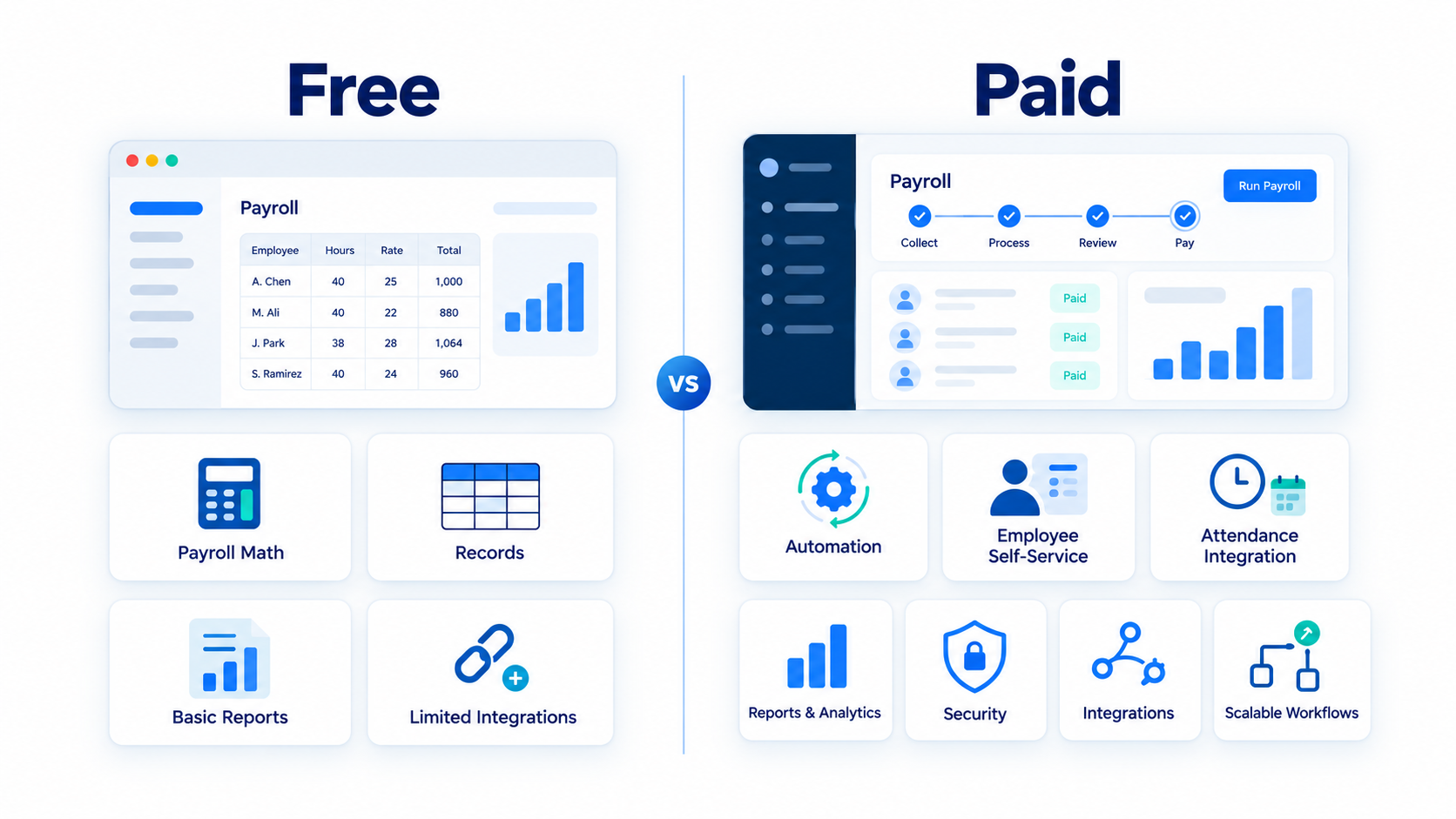
The following comparison can help businesses identify the practical differences.
| Factor | Free Payroll Software | Paid Payroll Software |
| Cost | Usually no recurring software subscription | Recurring subscription or licensing cost |
| Basic calculations | Often available | Usually available |
| Automation | Basic to moderate | Often more comprehensive |
| Tax/compliance features | May be limited | Typically broader |
| Reporting | Basic reports may be available | Usually more advanced |
| Employee self-service | Depends on provider | Often more comprehensive |
| Integrations | May be limited | Usually broader |
| Security controls | Varies by provider | Often more advanced |
| Customer support | May be limited | Usually broader |
| Scalability | May become restrictive | Generally designed for growth |
| Best fit | Simple payroll requirements | Growing or complex payroll operations |
Neither category automatically fits every business. The important question is whether the software can handle the payroll processes your business actually needs.
Can You Run Payroll for Free?
Yes, a business can run payroll using free tools, spreadsheets, templates, or a free software plan.
Whether that approach is practical depends on the size and complexity of the payroll process.
A very small business with a straightforward workforce may be able to manage basic payroll calculations using a spreadsheet or free tool.
As the business grows, however, payroll can involve more employees, attendance records, deductions, leave, approvals, reporting, compliance requirements, and employee requests.
At that point, the question becomes less about whether payroll can be done for free and more about whether the additional manual work is worth the savings in software fees.
How to Create Payroll for Free
If you are starting payroll manually or using a free tool, the basic process usually involves these steps:
1. Collect Employee Information
Maintain accurate employee records, including the information required to calculate and process pay.
2. Collect Approved Pay Data
Gather salary information, working hours, overtime, leave, allowances, reimbursements, and other relevant payroll inputs.
3. Calculate Gross Pay
Determine each employee’s gross earnings based on their salary, hours, overtime, and applicable earnings.
4. Apply Deductions
Calculate applicable deductions and withholdings according to the employee’s circumstances and applicable rules.
For a deeper explanation, read our guide to payroll deductions.
5. Calculate Net Pay
A basic payroll calculation can be represented as:
Net Pay = Gross Pay − Employee Deductions
The exact calculation can be more complex depending on taxes, benefits, contributions, adjustments, and local requirements.
6. Review Payroll
Check employee information, calculations, deductions, attendance, and unusual changes before approving the payroll.
7. Pay Employees
Process payments using the method available to your business, such as bank transfer or another supported payment method.
8. Maintain Payroll Records
Keep appropriate payroll records so previous calculations and payments can be reviewed when necessary.
For a more detailed process, see our guide on how to run payroll.
When Does Free Payroll Software Stop Being Practical?
There is no universal employee count at which a free payroll tool stops working.
Instead, look for operational warning signs.
Free payroll software may become less practical when:
- Payroll requires extensive spreadsheet work.
- HR repeatedly enters the same employee information.
- Attendance must be manually transferred into payroll.
- Payroll calculations require frequent corrections.
- Employees regularly ask HR for payslips or payroll information.
- Reporting takes significant manual effort.
- The business needs multiple integrations.
- Payroll rules are becoming more complex.
- Different users need different levels of access.
- The business needs stronger auditability and workflow controls.
- Payroll processing is becoming difficult to complete on schedule.
At this point, paying for software may be less about adding another business expense and more about reducing administrative work and managing growing operational complexity.
Free vs Paid Payroll Software: Which Should You Choose?
The right choice depends on your business requirements.
Free Payroll Software May Make Sense If:
- You have a very small workforce.
- Your payroll structure is straightforward.
- You have limited payroll requirements.
- You are comfortable handling some tasks manually.
- You do not need many integrations.
- You are testing whether digital payroll fits your business.
Paid Payroll Software May Make Sense If:
- Your workforce is growing.
- Payroll takes significant administrative time.
- Attendance and payroll need to work together.
- You need more detailed reporting.
- HR and payroll data need to be connected.
- You require stronger access controls.
- You need broader automation.
- You expect payroll requirements to become more complex.
The decision should be based on the total operational value of the system, not simply the monthly subscription price.
Key Considerations When Choosing Payroll Software
Before choosing a payroll system, evaluate these factors.
1. Budget
Look beyond the subscription price.
Consider implementation, employee training, administrative time, integrations, support, and the potential cost of payroll errors.
2. Features
Identify the features you actually need.
Consider payroll calculations, deductions, attendance, employee self-service, reporting, integrations, approvals, and record keeping.
3. Scalability
Ask whether the software can support additional employees and more complex workflows as your business grows.
4. Compliance
Check whether the platform supports the payroll rules and requirements relevant to your location and workforce.
Do not assume that every payroll platform provides the same compliance functionality.
5. Support
Consider how you will get help if payroll fails or an important issue occurs near a payroll deadline.
6. Security
Review access controls, encryption, data storage, permissions, backups, and other security practices.
7. Integrations
Check whether payroll can connect with the HR, attendance, accounting, or time-tracking systems you already use.
8. Employee Self-Service
Consider whether employees can independently access payslips, update information, and handle routine requests.
9. Reporting
Look for the payroll reports your HR, finance, and management teams actually need.
10. Ease of Use
A feature-rich system is not useful if your team cannot operate it efficiently.
Free Payroll Software vs an Affordable HR Platform
There is also a middle ground between manually managing payroll and purchasing a complex enterprise payroll system.
For small and growing businesses, an HR platform that combines employee management, attendance, payroll, leave, and reporting can reduce the need to manage separate systems.
For example, OryxBlue provides payroll processing alongside employee management, leave management, time tracking, analytics, and employee self-service. Its public pricing currently includes a free plan for up to eight users, while paid plans add capabilities such as advanced reporting, taxation handling, and additional HR automation.
That model can be useful for businesses that want to start with a low-cost HR system and expand their capabilities as their requirements grow.
Looking for payroll and HR software without starting with a large implementation?
OryxBlue combines employee records, attendance, payroll processing, leave management, time tracking, reporting, and employee self-service in one cloud-based platform.
Start with OryxBlue →
Do You Need Payroll Software?
Not every business needs a sophisticated payroll platform.
A small business with a few employees and straightforward payroll may be able to manage its process with a spreadsheet or basic free tool.
But payroll software becomes increasingly useful when the business needs to coordinate employee records, attendance, payroll calculations, deductions, approvals, reporting, and employee access.
The goal is not to automate payroll simply because automation is available. The goal is to make payroll more consistent, manageable, traceable, and efficient.
If you are evaluating HR software more broadly, see our guide on the benefits of HR software.
You can also learn how to choose HR software based on your organization’s requirements.
Frequently Asked Questions
Which free payroll software is best?
There is no single free payroll system that is best for every business. Compare employee limits, payroll features, deductions, compliance support, integrations, reporting, security, and customer support against your specific requirements.
Which payroll software is free?
Some payroll products offer free plans or limited free functionality. Others provide free templates or spreadsheet-based payroll tools. Always check what the free version actually includes and whether important payroll functions require an upgrade.
What is the best free HR software for payroll?
The right option depends on your workforce size and requirements. If you need payroll alongside employee records, attendance, leave, and other HR processes, an integrated HR platform may be more useful than a standalone payroll calculator.
Which software is mostly used for payroll?
Payroll software usage varies by country, company size, industry, and payroll requirements. There is no single system that is universally used by every business.
Can I run payroll for free?
Yes. You can use a spreadsheet, payroll template, or free payroll software where available. However, you should account for the time required for calculations, reviews, records, compliance checks, and corrections.
How can I create payroll for free?
Start by collecting employee and attendance information, calculate gross pay, apply applicable deductions, determine net pay, review the results, process payments, and maintain records. A spreadsheet or free payroll tool can help organize these steps.
Do I need payroll software?
You may not need dedicated payroll software if your workforce and payroll process are very small and simple. As payroll becomes more complex or time-consuming, software can reduce repetitive administrative work and centralize payroll information.
Is there free payroll software that can be downloaded in Excel?
Excel payroll templates can be used to organize calculations and records, but Excel itself is not a dedicated payroll compliance platform. Businesses remain responsible for ensuring calculations and applicable requirements are correct.
How do beginners do payroll?
Beginners should start by understanding employee pay information, attendance, earnings, deductions, taxes or other applicable withholdings, payment schedules, approvals, and record keeping. A documented payroll checklist can make each pay run more consistent.
What is the most used payroll software?
There is no universally most-used payroll platform across all countries and business types. The appropriate choice depends on factors such as location, company size, payroll complexity, integrations, and compliance requirements.
Will payroll be replaced by AI?
AI is likely to automate more payroll tasks, but automation does not necessarily mean that human responsibility disappears. Current research points toward increasing automation across HR, while human oversight remains important for policies, exceptions, approvals, and unusual payroll situations. McKinsey’s 2026 HR research describes payroll as an example where technology can execute workflows while humans retain responsibility for policies, outcomes, and exceptions.
Final Thoughts: Free or Paid Payroll Software?
Free payroll software can be a practical starting point for businesses with simple payroll requirements and limited budgets.
Paid payroll software becomes more relevant when a business needs broader automation, integrations, reporting, security controls, scalability, and support.
The most important question is therefore not simply:
“Is free or paid payroll software better?”
Instead, ask:
“Which payroll system can handle our current requirements while reducing unnecessary manual work as we grow?”
For businesses that want to connect payroll with broader HR processes, an integrated HR platform can provide another option. OryxBlue combines payroll processing with employee management, attendance, leave, time tracking, reporting, and employee self-service, with a free plan available for smaller teams.
Ready to simplify payroll and HR management? Explore OryxBlue and start with the plan that fits your team.