
Manual Payroll vs Payroll Software: What’s the Difference?
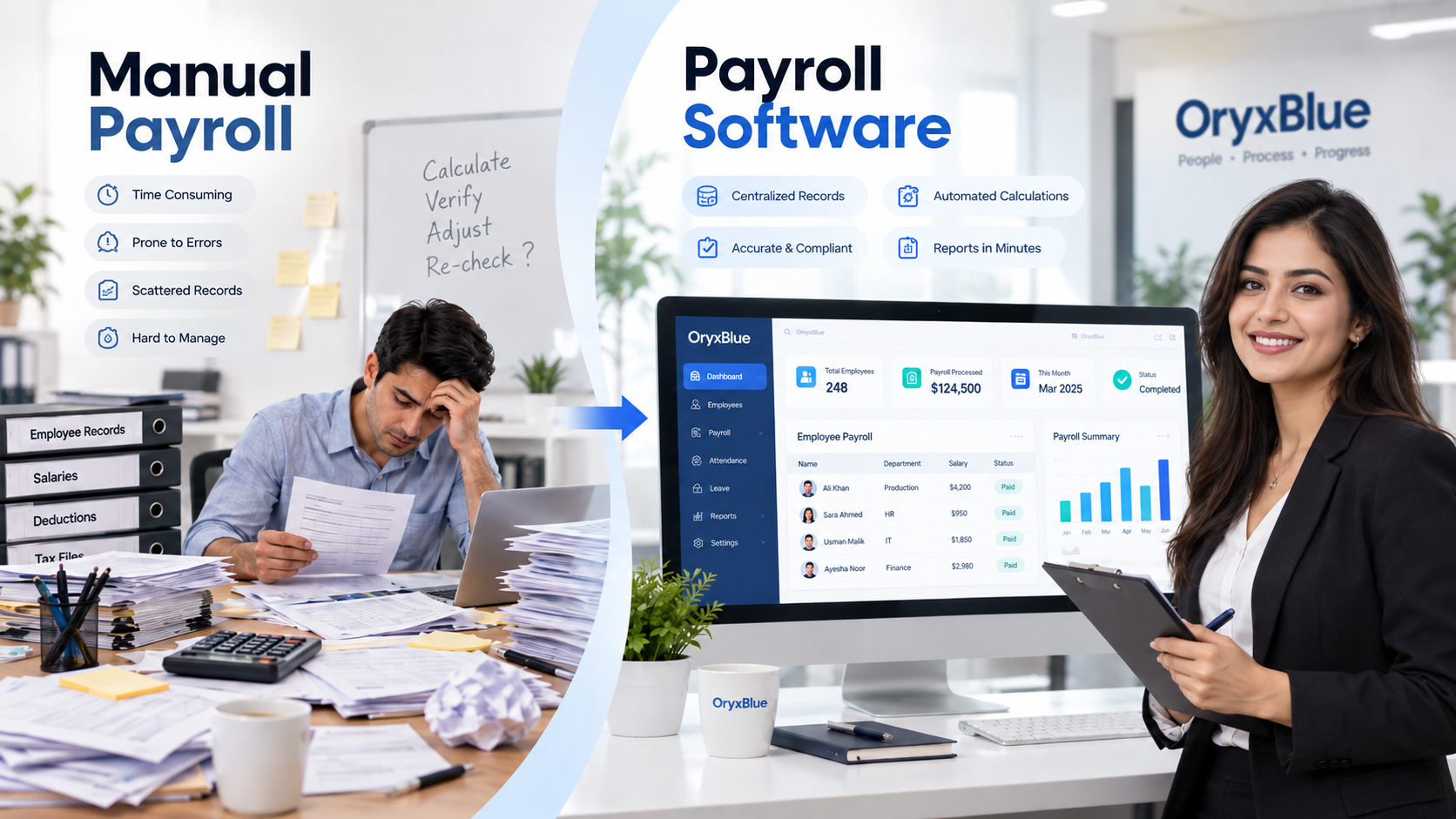
Payroll is one of the most important recurring processes in any business. Employees need to be paid accurately and on time, while HR and finance teams need reliable records, calculations, deductions, and reports.
Businesses can manage payroll manually using spreadsheets and other records, or they can use payroll software to organize and automate recurring payroll tasks.
The main difference is how much of the process is handled manually. Manual payroll depends heavily on people entering data, performing calculations, checking records, and preparing reports. Payroll software uses a centralized system to manage payroll information and automate repetitive calculations and processes.
For growing businesses, understanding the difference can help determine whether a manual process is still practical or whether payroll software makes more sense.
What Is Manual Payroll and How Does It Work?
Manual payroll is a payroll process in which HR, finance, or payroll staff calculate employee pay and maintain payroll records without dedicated payroll automation.
A business may use spreadsheets, calculators, paper records, or a combination of different tools.
A typical manual payroll process includes:
- Collecting employee salary and employment information
- Reviewing attendance and working hours
- Checking leave and other payroll-related changes
- Calculating gross pay
- Calculating deductions
- Calculating net pay
- Reviewing calculations for errors
- Preparing payroll records or payslips
- Approving payroll
- Generating reports and maintaining records
For example, if an employee’s salary, attendance, leave, bonus, or deduction changes, the payroll team may need to update several spreadsheet cells or records manually.
This can work for a small workforce with relatively simple payroll requirements. However, the amount of manual work generally increases as employee numbers and payroll complexity increase.
For a broader explanation of payroll processes and terminology, see our guide to what payroll is and how payroll systems work.
How to Calculate Payroll Hours and Minutes Manually
Calculating payroll hours manually usually starts with the employee’s start and end times.
For example:
- Start time: 9:00 AM
- End time: 5:30 PM
- Break: 30 minutes
The total working time is:
8 hours
If the employee works different schedules throughout the pay period, each day’s hours need to be calculated and added together.
For example:
| Day | Start | End | Break | Total |
| Monday | 9:00 AM | 5:30 PM | 30 min | 8 hrs |
| Tuesday | 9:00 AM | 6:00 PM | 30 min | 8.5 hrs |
| Wednesday | 9:00 AM | 5:30 PM | 30 min | 8 hrs |
The payroll team then needs to apply the relevant pay rate and account for approved leave, overtime, deductions, or other changes.
The calculation itself may be simple. The challenge is maintaining accurate records across an entire payroll cycle and ensuring that every employee’s information is correctly transferred into the final payroll calculation.
This is where connected attendance, employee, and payroll records can reduce repeated data entry.
Manual Payroll Advantages and Disadvantages
Manual payroll can be appropriate when a business has a small number of employees and relatively straightforward payroll requirements.
Advantages of manual payroll
Lower initial software cost: Businesses do not need to purchase or subscribe to dedicated payroll software.
Simple to start: A basic spreadsheet can be created without implementing a new system.
Direct control: Payroll staff can see and modify individual calculations directly.
Suitable for simple payrolls: A very small business with few employees may find manual processing manageable.
Disadvantages of manual payroll
Time-consuming: Payroll staff need to enter and review information manually during each payroll cycle.
Higher risk of data-entry errors: Repeated calculations and copying information between records create opportunities for mistakes.
Difficult to scale: More employees mean more records, calculations, changes, and reviews.
Reporting takes additional work: Payroll reports may need to be created manually from spreadsheets and other records.
Employee information can become fragmented: When records are stored across multiple files, maintaining one consistent source of information becomes more difficult.
More administrative effort: Every recurring payroll task requires staff involvement.
The issue is not that manual payroll is always inaccurate. Rather, it creates more opportunities for human error and requires stronger checking procedures.
What Is Payroll Software?
Payroll software is a digital system designed to help businesses manage employee payroll information, calculations, deductions, records, and related payroll processes.
Instead of repeatedly creating calculations in spreadsheets, payroll staff enter or maintain information within a centralized system.
Depending on the software, payroll systems may support functions such as:
- Employee salary information
- Salary structures
- Bonuses and deductions
- Payroll generation
- Payroll records
- Payroll reports
- Payslips or payroll documents
- Attendance and employee information connections
OryxBlue’s documented Payroll Management module includes salary structure setup, bonus and deduction management, advance salary and loan tracking, payroll generation for any period, salary encryption, and PDF payroll invoice generation.
This makes payroll part of a broader HR environment rather than an isolated spreadsheet-based process.
How Does Payroll Automation Work?
Payroll automation reduces the amount of repetitive manual work involved in processing payroll.
A typical automated workflow looks like this:
Employee information → Payroll inputs → Calculations → Review → Payroll generation → Reports/records
Instead of manually repeating calculations for every employee, the system uses stored information and configured payroll data to process the payroll.
For example, employee salary information can be maintained in the system while relevant bonuses and deductions are recorded against the employee.
The payroll team can then generate payroll for the required period and review the resulting information.
Automation does not mean that businesses should remove human review. Payroll still requires accurate employee information, appropriate approvals, and checks before payment.
OryxBlue’s payroll documentation specifically describes payroll generation for any period and payroll information connected to employee profiles and attendance.
For a practical overview of the process, read our guide on how to run payroll.
Payroll Software Advantages and Disadvantages
Advantages of payroll software
Saves administrative time: Repetitive calculations and payroll preparation can be handled more efficiently.
Reduces repeated data entry: Employee and payroll information can be maintained within a centralized system.
Improves consistency: The same configured payroll process can be applied across payroll cycles.
Faster reporting: Digital payroll systems can generate payroll information and reports without rebuilding spreadsheets.
Better record organization: Payroll information can be stored alongside relevant employee information.
Supports business growth: A digital process can be easier to manage as the number of employees and payroll transactions increases.
Potential disadvantages
Software cost: Businesses need to consider subscription or implementation costs.
Setup and training: Employees need to understand how the system works and how payroll information should be maintained.
Data still matters: Incorrect employee or payroll information can still produce incorrect results.
Technology dependency: Payroll becomes dependent on the availability and proper configuration of the software.
Implementation effort: Moving from spreadsheets to software requires planning, data preparation, and process changes.
For more detail, see the benefits of payroll software and payroll automation.
Payroll Software vs Manual Payroll: A Direct Comparison
| Factor | Manual Payroll | Payroll Software |
| Data entry | Mostly manual | Centralized digital records |
| Salary calculations | Manually calculated | System-assisted/automated |
| Payroll processing | Repeated manual work | More automated processing |
| Employee records | Spreadsheets/files | Digital employee records |
| Reporting | Often prepared manually | Reports can be generated digitally |
| Error risk | More opportunities for manual errors | Reduces repetitive calculation and entry errors |
| Scalability | Becomes harder with more employees | Designed to handle larger volumes |
| Initial cost | Usually lower | Requires software investment |
| Setup | Simple to begin | Requires implementation and configuration |
| Review | Manual checking required | Review and approval remain important |
The biggest difference is therefore not simply “spreadsheet versus software.” It is the amount of repetitive payroll work that the business needs to perform manually during every payroll cycle.
Manual Payroll vs Automated Payroll: Which Processes Change?
Consider a business that needs to process monthly payroll.
With manual payroll, the team may need to:
- Open employee records
- Check attendance
- Review leave
- Update salary changes
- Calculate bonuses
- Calculate deductions
- Calculate net pay
- Check calculations
- Prepare payroll documents
- Create reports
With payroll software, much of the recurring information can be maintained within one system.
For example, OryxBlue connects payroll with employee profiles and attendance information. Its payroll module also supports salary structures, bonuses, deductions, advances, loans, payroll generation, and payroll invoices.
This does not eliminate the need for payroll review. Instead, it can reduce the amount of repetitive work required before that review.
Does Payroll Automation Reduce Payroll Errors?
Payroll software can reduce certain types of errors, particularly those caused by repeated manual calculations and duplicate data entry.
However, automation does not guarantee error-free payroll.
Errors can still occur when:
- Employee information is incorrect
- Salary information is outdated
- Payroll inputs are missing
- A deduction is entered incorrectly
- Attendance or leave records are incorrect
- Payroll rules are configured incorrectly
- Required reviews are skipped
A good payroll process therefore combines automation with data validation and human review.
Our guide to common payroll mistakes and how to avoid them covers common problems that can occur during payroll processing.
How Much Time Does Payroll Automation Save?
The amount of time saved depends on the size of the workforce, payroll complexity, number of payroll changes, and how much work was previously performed manually.
A business processing payroll for a small team may not spend a large amount of time on each cycle. However, manual work can increase as the organization adds employees, salary changes, deductions, attendance records, and reporting requirements.
Payroll software can reduce repetitive tasks such as:
- Re-entering employee information
- Rebuilding calculations
- Preparing payroll records
- Creating recurring reports
- Maintaining separate payroll spreadsheets
The important question is not simply how many minutes software saves during one payroll run. Businesses should consider the total administrative workload across every payroll cycle.
Is Payroll Automation Worth It for Small and Mid-Sized Businesses?
There is no single answer for every business.
A small business with very few employees and simple payroll may find manual processing manageable.
Payroll software becomes more relevant when the business has:
- A growing number of employees
- Multiple salary structures
- Regular bonuses or deductions
- Frequent employee changes
- Attendance and leave data that affects payroll
- Increasing reporting requirements
- Multiple people involved in payroll processing
For small and mid-sized businesses, the decision should consider both software cost and the administrative time required to maintain manual payroll.
Businesses should also consider whether their payroll process can continue working efficiently as the workforce grows.
Payroll Management in Pakistan
Businesses operating in Pakistan need to consider the payroll requirements that apply to their employees and business structure.
Payroll may involve salary calculations, deductions, tax requirements, and other applicable statutory obligations. These requirements can change, so businesses should verify current rules with the relevant authorities or qualified payroll and tax professionals.
Payroll software can help organize payroll information and calculations, but using software does not transfer legal responsibility for payroll compliance to the software provider.
For Pakistan-based businesses evaluating a payroll management system, it is therefore important to assess:
- Salary and payroll calculation capabilities
- Employee records
- Deductions
- Payroll reporting
- Attendance and leave connections
- Data access and security
- Payroll review and approval processes
- Support for the business’s applicable compliance requirements
Manual Payroll vs Payroll Software: What Should You Consider?
Before moving from manual payroll to software, consider these factors:
1. Number of employees
The more employees you manage, the more payroll records and calculations you need to maintain.
2. Payroll complexity
Consider bonuses, deductions, advances, loans, attendance, leave, salary changes, and other payroll inputs.
3. Administrative time
Calculate how much HR or finance staff time is spent preparing, checking, correcting, and reporting payroll.
4. Accuracy requirements
Consider how your business identifies and corrects payroll errors before employees are paid.
5. Reporting requirements
Determine how frequently you need payroll reports and how much effort is required to prepare them.
6. Data management
Consider whether employee and payroll information is stored in one controlled location or across multiple spreadsheets and files.
7. Future growth
A payroll process that works for 10 employees may require significant changes when the workforce reaches 50, 100, or more employees.
Moving From Manual Payroll to Payroll Software
Switching from spreadsheets to payroll software should be planned carefully.
A practical transition can include:
- Review your current payroll process.
- Identify all employee and payroll data currently being maintained.
- Clean and verify the data.
- Define payroll responsibilities and approval steps.
- Configure employee salary and payroll information.
- Test the payroll process.
- Compare test results against the existing process.
- Train the people responsible for payroll.
- Run the first payroll with appropriate checks.
- Continue reviewing payroll results after implementation.
The goal should not be to automate every step without review. The goal is to create a more organized payroll process while maintaining appropriate controls.
For a recurring process, a payroll checklist can also help teams organize pre-payroll, payroll, and post-payroll checks.
How OryxBlue Helps With Payroll Management
OryxBlue brings payroll into a broader HR management environment.
Its documented payroll capabilities include:
- Employee salary structure setup
- Bonus and deduction management
- Advance salary and loan tracking
- Payroll generation for any period
- Salary encryption
- PDF payroll invoice generation
Payroll is also connected with employee profiles and attendance information, helping businesses manage payroll-related information within the same HR platform.
This broader connection can be useful when payroll depends on information maintained elsewhere in HR.
For example, attendance and leave information can affect payroll inputs, while employee records provide the underlying workforce information needed to manage compensation.
You can also explore OryxBlue’s HRM platform to see how payroll fits alongside other HR processes.
Frequently Asked Questions
What is the main difference between manual payroll and payroll software?
Manual payroll relies heavily on spreadsheets, manual calculations, and repeated data entry. Payroll software centralizes payroll information and automates many recurring calculations and processes.
Is manual payroll cheaper than payroll software?
Manual payroll usually has a lower direct software cost because it does not require dedicated payroll software. However, businesses should also consider staff time, error correction, reporting work, and scalability when comparing total costs.
What are the benefits of payroll software?
Common benefits include reduced repetitive work, centralized payroll information, faster reporting, more consistent calculations, and easier management of payroll records.
Is payroll software suitable for small businesses?
It can be. The value depends on employee numbers, payroll complexity, budget, reporting needs, and how much administrative work the business currently spends on payroll.
Can payroll software eliminate payroll errors?
No. Software can reduce certain manual calculation and data-entry errors, but incorrect inputs, configuration problems, or missing reviews can still cause payroll errors.
What should I look for in payroll software?
Consider payroll calculation capabilities, employee records, deductions, reporting, attendance and leave connections, security, permissions, scalability, and the payroll requirements applicable to your business.
Can payroll software manage payroll for employees in Pakistan?
Payroll software can help organize and process payroll for businesses operating in Pakistan, but businesses should verify that their chosen system supports their applicable local payroll and compliance requirements.
Final Thoughts
The choice between manual payroll and payroll software depends on the business’s workforce, payroll complexity, available resources, and future needs.
Manual payroll can be workable for a small and simple payroll process. As employee numbers and payroll requirements grow, however, repeated data entry, calculations, record management, and reporting can create more administrative work.
Payroll software can automate repetitive payroll tasks, organize employee information, speed up reporting, and reduce opportunities for manual calculation errors.
The important consideration is not simply whether payroll should be manual or automated. Businesses should evaluate how their current payroll process works, where the administrative workload occurs, and whether a centralized payroll system can make that process easier to manage.
OryxBlue connects payroll with employee and attendance information and provides documented payroll capabilities for salary structures, bonuses, deductions, advances, loans, payroll generation, and payroll invoices.