
Benefits of Payroll Software: How Payroll Automation Improves Payroll Processing
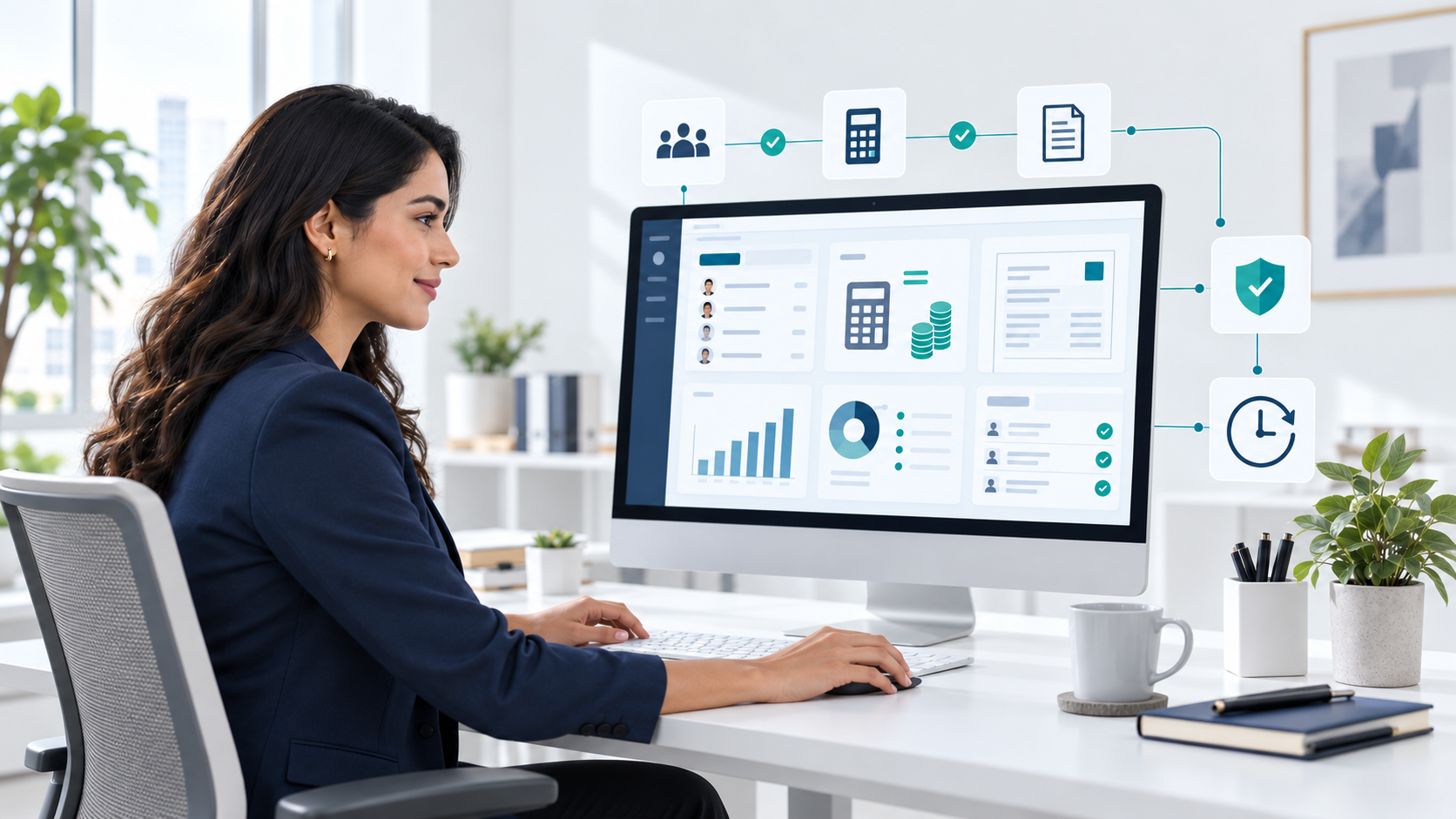
Managing payroll involves more than calculating employee salaries. Businesses also need to track working hours, apply deductions, maintain payroll records, prepare reports, and make sure employees are paid correctly and on time.
When these tasks are handled manually, payroll teams can spend significant time entering data, checking calculations, and correcting errors. Payroll software can automate many of these repetitive tasks and bring payroll information into one system.
The benefits of payroll software include improved accuracy, time savings, better data security, easier reporting, and a more organized payroll process.
What Is Payroll Automation Software?
Payroll automation software is a system that helps businesses manage payroll processes with less manual work. Instead of calculating and recording every payroll detail manually, the software can automate tasks such as salary calculations, deductions, payroll records, payslips, and reporting.
Depending on the system, payroll software may also connect with other HR processes, such as employee records, attendance, leave, and time tracking.
Understanding how payroll works can help explain where payroll automation fits into the overall process.
The main purpose of payroll automation is not simply to process payroll faster. It is to create a more consistent and organized payroll process while reducing the amount of repetitive work required from HR and payroll teams.
Who Needs Payroll Software?
Payroll software can be useful for businesses of different sizes. The need usually becomes greater as the number of employees, payroll rules, and administrative tasks increases.
Small Businesses
Small businesses may initially manage payroll using spreadsheets or manual calculations. As employees are added, keeping payroll information accurate and up to date can become more difficult.
Payroll software can help small businesses organize employee payroll information and reduce repetitive calculations.
Growing Businesses
Growing companies often have more employees, departments, working schedules, and payroll records to manage. Automation can help standardize payroll processes as the business grows.
Medium and Large Businesses
Larger organizations may need to manage payroll for many employees while handling different deductions, pay structures, locations, and reporting requirements. A centralized payroll system can make these processes easier to manage.
HR and Payroll Teams
HR professionals, payroll administrators, and accountants can use payroll software to reduce manual data entry and spend less time on repetitive payroll tasks.
Types of Payroll Software
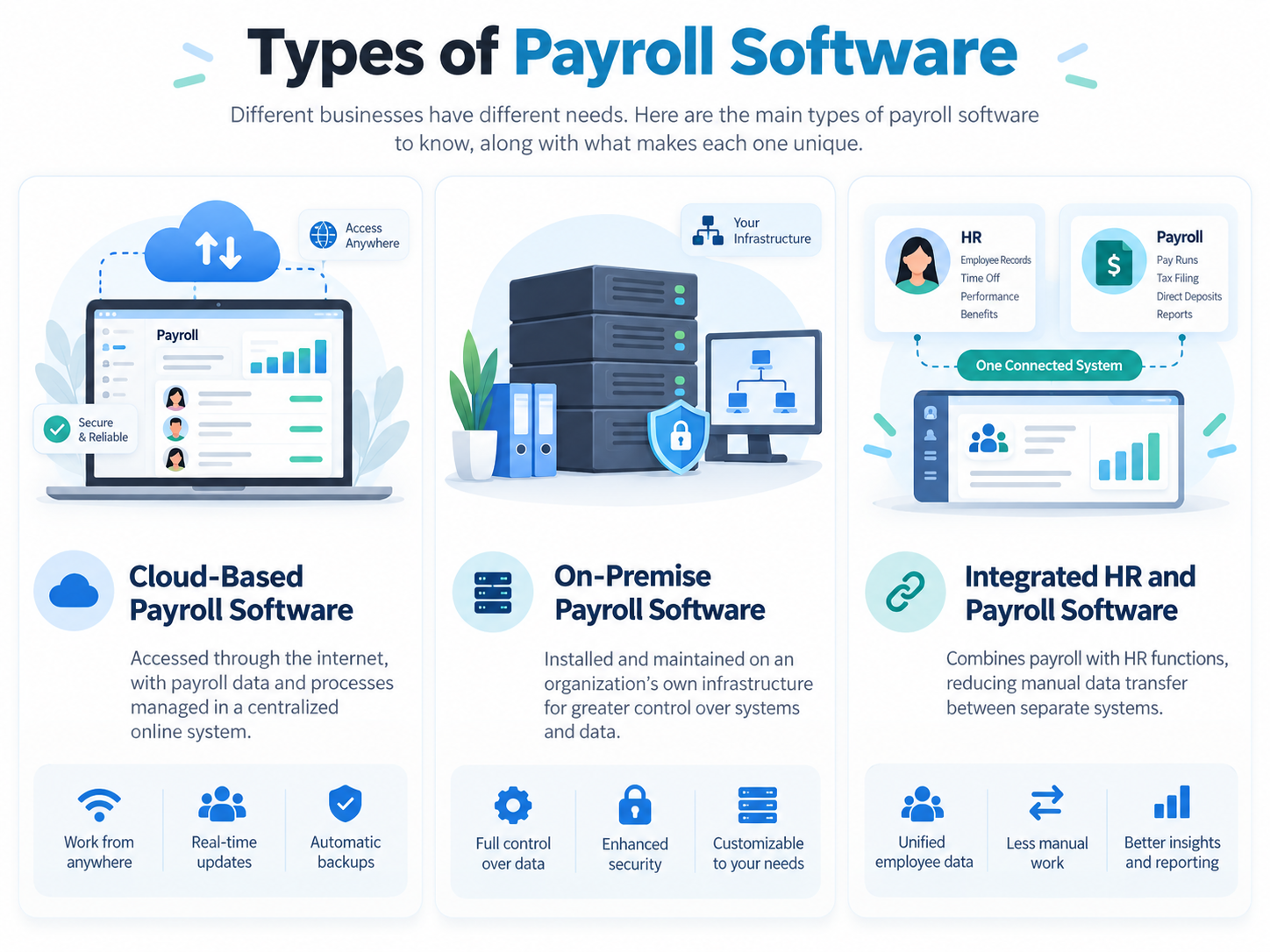
Payroll software can be available in different forms depending on how a business manages its systems.
Cloud-Based Payroll Software
Cloud-based payroll software is accessed through the internet. Payroll data and processes can be managed through a centralized online system rather than relying on software installed on individual computers.
On-Premise Payroll Software
On-premise payroll software is installed and maintained on an organization’s own infrastructure. Businesses may choose this approach when they want greater control over their internal systems and data environment.
Integrated HR and Payroll Software
Some systems combine payroll with other HR functions. This can reduce the need to move employee information manually between separate systems.
For businesses looking for a broader HR management platform, an integrated HRM system can connect payroll with other employee-related processes.
Common Challenges in Payroll Processing Without Automation
Before looking at the benefits of payroll software, it is useful to understand why manual payroll becomes difficult to manage.
Manual Calculation Errors
Payroll involves many calculations. A small data-entry or calculation mistake can result in an incorrect employee payment.
Businesses can learn more about these issues in common payroll mistakes and the ways they can be prevented.
Repetitive Data Entry
Payroll teams may repeatedly enter employee information, working hours, deductions, and other payroll data. Repetitive entry also creates more opportunities for mistakes.
Time-Consuming Payroll Processing
When payroll processes depend heavily on spreadsheets and manual calculations, employees may spend considerable time preparing, checking, and correcting payroll.
Understanding the payroll cycle can help businesses identify the different stages where manual work takes place.
Difficulty Maintaining Records
Keeping payroll information across multiple spreadsheets, files, or paper records can make it harder to find accurate and current information.
Payroll Compliance Challenges
Payroll often involves taxes, deductions, reporting requirements, and employment regulations. Managing these requirements manually can increase the administrative burden.
Understanding the different payroll components involved can also help businesses identify which parts of payroll require accurate calculations and record keeping.
Limited Employee Access
With manual payroll processes, employees may need to contact HR whenever they want to check a payslip or ask about their payroll information.
How Payroll Automation Enhances Business Operations
Payroll automation can improve business operations by reducing repetitive work and creating a more consistent process for managing employee pay.
1. Improved Payroll Accuracy
One of the biggest benefits of payroll software is improved accuracy.
Manual payroll requires employees to enter and calculate information repeatedly. This creates opportunities for mistakes in salaries, deductions, working hours, or other payroll data.
Payroll software can automate calculations and apply predefined rules consistently.
This can help businesses:
- Reduce manual calculation errors
- Reduce incorrect payments
- Apply deductions consistently
- Minimize duplicate data entry
- Reduce the need for payroll corrections
Automation does not remove the need for human review, but it can reduce the amount of manual calculation involved in payroll.
2. Saves Time on Payroll Processing
Payroll teams often spend time on repetitive activities such as entering employee information, calculating pay, checking deductions, and preparing payroll records.
Payroll software can automate many of these activities.
Instead of manually calculating every employee’s payroll information, a payroll system can process available data according to configured rules.
This allows HR and payroll teams to spend less time on repetitive administration and more time reviewing payroll results and handling tasks that require human judgment.
Businesses that want to understand the practical steps involved in payroll can also refer to how to run payroll.
3. Reduces Repetitive Data Entry
Repeatedly entering the same employee information into different spreadsheets or systems can be inefficient.
An HRM or payroll system can centralize employee information and reduce unnecessary re-entry.
For example, when payroll is connected with relevant employee or attendance data, payroll teams may not need to manually transfer the same information between different records.
This can make the overall payroll workflow more organized.
4. Supports Payroll Compliance
Payroll compliance can involve taxes, deductions, employee records, reporting, and other legal requirements. Managing these requirements manually can be difficult, particularly as a business grows.
Payroll software can support compliance by helping businesses:
- Apply configured payroll rules consistently
- Calculate relevant deductions
- Maintain payroll records
- Generate payroll reports
- Keep payroll information organized
However, businesses should not assume that every payroll system automatically keeps up with every country’s tax and labor regulations. The compliance capabilities of a system depend on its features, configuration, and supported jurisdictions.
5. Improves Payroll Data Security
Payroll contains sensitive information such as employee salaries, deductions, bank details, and personal information.
Managing this information through paper files or unsecured spreadsheets can create additional security risks.
Payroll software can provide features such as:
- User access controls
- Permission-based access
- Centralized employee records
- Digital payroll records
- Controlled access to sensitive information
These controls can help businesses limit payroll information to authorized users.
6. Improves the Employee Experience
Payroll affects every employee, so the payroll process also influences the employee experience.
Employees often need access to information such as:
- Payslips
- Salary details
- Deductions
- Payroll history
- Payment information
Payroll software can provide digital access to this information, particularly when employee self-service features are available.
Instead of contacting HR for every payroll-related question, employees may be able to access their own information directly.
This can also reduce the number of routine payroll questions handled by HR teams.
7. Reduces Payroll Administration Costs
Payroll software can help reduce administrative costs by reducing the amount of manual work involved in payroll.
The savings can come from:
- Less manual data entry
- Fewer payroll corrections
- Reduced paperwork
- Less time spent preparing payroll
- Fewer repetitive administrative tasks
The actual cost savings depend on the size of the business, payroll complexity, software costs, and how much manual work the business previously performed.
8. Provides Better Payroll Visibility
Manual payroll processes can make it difficult to get a clear view of payroll information when records are spread across multiple files.
A centralized payroll system can make payroll information easier to organize and review.
Payroll reports can help businesses understand information such as:
- Total payroll costs
- Employee payments
- Deductions
- Payroll history
- Other payroll-related data
Better visibility can help HR and finance teams review payroll information and identify issues more easily.
9. Makes Payroll Easier to Scale
Payroll becomes more complex as a business grows.
A company with a small number of employees may be able to manage payroll using spreadsheets. However, adding more employees also means more records, calculations, deductions, working schedules, and payroll questions.
Payroll software can provide a standardized process that can be used as the organization grows.
This makes automation particularly useful for businesses that expect their workforce and payroll requirements to expand.
Benefits of a Payroll System at a Glance
| Benefit | How Payroll Software Helps |
| Accuracy | Automates calculations and reduces manual errors |
| Time savings | Automates repetitive payroll tasks |
| Compliance | Supports payroll calculations, records, and reporting |
| Security | Centralizes data with access controls |
| Employee experience | Provides digital payslips and self-service access |
| Cost control | Reduces administrative workload and corrections |
| Visibility | Provides payroll reports and records |
| Scalability | Handles growing amounts of payroll data |
Payroll Software vs. Manual Payroll
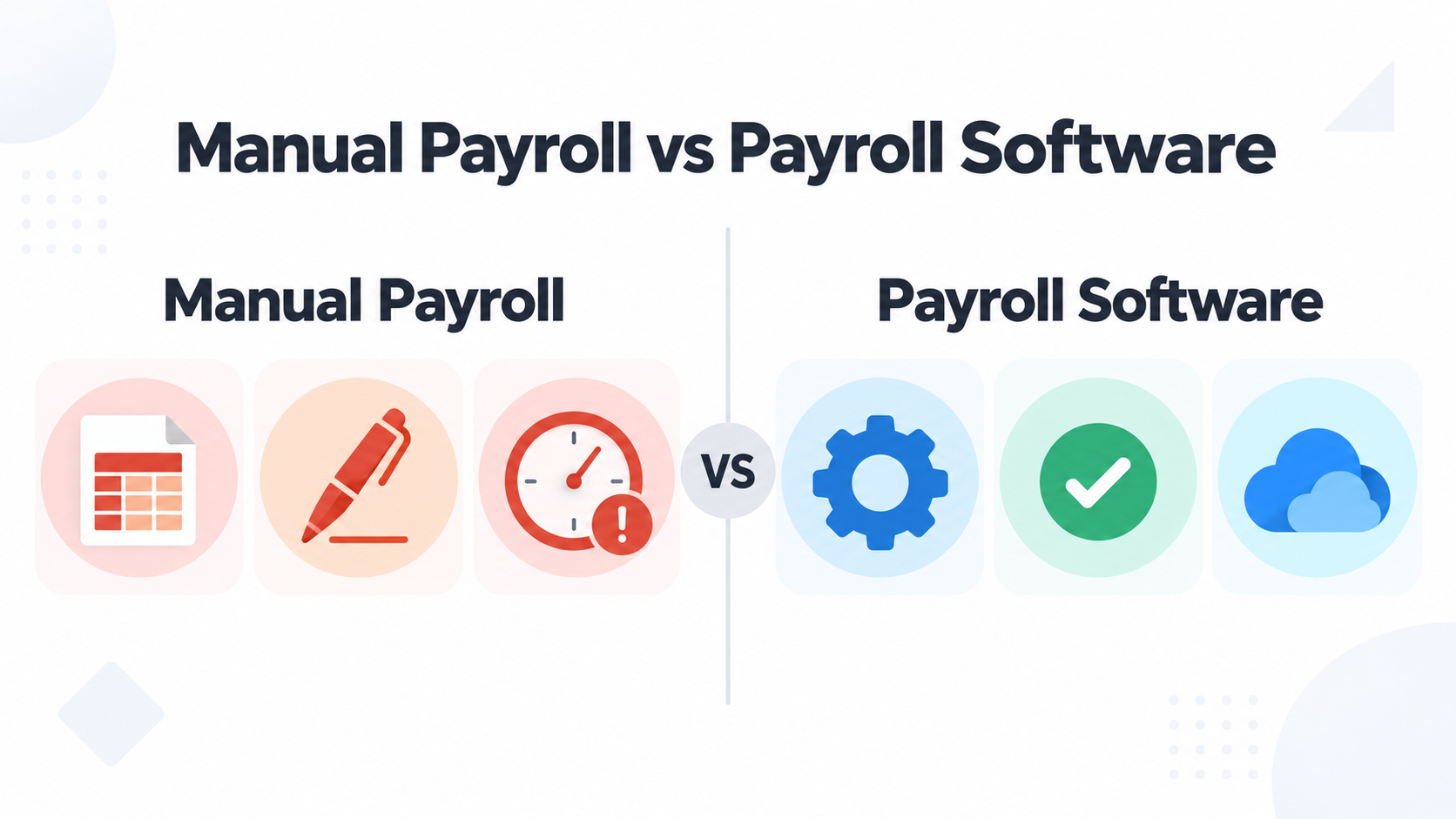
The difference between manual payroll and payroll software is mainly the amount of repetitive work handled by the system.
| Manual Payroll | Payroll Software |
| Calculations are often performed manually | Calculations can be automated |
| More repetitive data entry | Reduces repetitive entry |
| Payroll records may be spread across files | Centralized payroll information |
| Manual payslip preparation may be required | Digital payslips can be generated |
| Reports may require manual preparation | Payroll reports can be generated from system data |
| More time spent checking calculations | Automation reduces routine checking |
| Harder to scale with growing payroll | Designed to handle larger amounts of payroll data |
The goal is not necessarily to eliminate human involvement. Instead, payroll software allows people to spend less time performing repetitive calculations and more time reviewing payroll information and managing exceptions.
How to Choose the Right Payroll Software
The right payroll software depends on the size and requirements of the business. Before choosing a system, businesses should consider:
Payroll Features
Check whether the software supports the payroll calculations, deductions, payslips, records, and reports your organization needs.
Employee Self-Service
If reducing routine HR questions is important, look for employee self-service features that allow employees to access relevant payroll information.
HR and Attendance Integration
Integration with employee records, attendance, leave, or time tracking can reduce duplicate data entry.
Security and Access Control
Because payroll contains sensitive employee information, review how the system manages user permissions and access.
Reporting
Check whether the software provides the payroll reports needed by HR, finance, and management.
Scalability
Choose a system that can support the organization’s expected growth rather than only its current employee count.
Ease of Use
Payroll teams should be able to understand and use the system without unnecessary complexity.
Frequently Asked Questions
What are the main benefits of payroll software?
The main benefits include improved payroll accuracy, time savings, reduced manual data entry, better organization, stronger access controls, easier reporting, and improved employee access to payroll information.
How does payroll software reduce payroll errors?
Payroll software can automate calculations and apply configured payroll rules consistently. This reduces the amount of manual calculation and data entry involved in processing payroll.
Does payroll software save time?
Yes. Payroll software can automate repetitive activities such as calculations, data processing, payroll record management, and report generation, depending on the system’s features.
Is payroll software useful for small businesses?
Yes. Small businesses can use payroll software to organize payroll records, reduce manual calculations, and create a more consistent payroll process as they grow.
Is payroll software better than spreadsheets?
Payroll software and spreadsheets serve different needs. Spreadsheets can work for simple payroll processes, while dedicated payroll software provides automation, centralized records, access controls, reporting, and other payroll-specific capabilities.
Can payroll software improve the employee experience?
Yes. Payroll software with employee self-service features can give employees easier access to payslips and other payroll information, reducing the need to contact HR for routine questions.
Conclusion
Payroll is an important business process, but managing it manually can become time-consuming and difficult as an organization grows. Payroll software helps businesses automate repetitive payroll tasks, reduce manual work, organize payroll information, and provide employees with easier access to their payroll records.
The biggest value of payroll automation is not simply processing payroll faster. It is creating a more consistent, organized, and scalable payroll process that allows HR and payroll teams to spend less time on repetitive administration and more time on work that requires human attention.