
How to manage payroll without an HR team

You can manage payroll without an HR team by assigning clear owners and using a fixed process. Software or a payroll provider can handle selected tasks.
Your business still needs correct inputs, human approval, reconciliation, and local advice.
This guide shows how to build that process. It does not give tax, employment, accounting, or legal advice.
Payroll rules differ by country, state, province, worker type, and industry.
Assign payroll ownership before choosing software
One person must own payroll, even when another person prepares it. Without an owner, missing inputs and late approvals become everyone’s problem.
Finance or operations may own payroll in a small business. An accountant, bookkeeper, or payroll provider may prepare the calculations.
A second authorized person should review each run when staffing allows. Dual verification can help catch errors and suspicious changes before payment.
| Payroll role | Main responsibility | Practical backup |
| Process owner | Maintains the calendar, gathers inputs, and tracks completion | A named operations or finance lead |
| Preparer | Enters data and prepares the payroll register | An accountant, bookkeeper, or provider |
| Reviewer and approver | Checks totals, changes, and payment instructions | A director or another authorized manager |
| Backup owner | Runs the documented process during absence | Someone with approved system access |
| External adviser | Explains local filing, tax, and employment requirements | A qualified local payroll or tax professional |
Small teams may need one person to hold several roles. Still, avoid letting one person change data, approve totals, and release payments alone.
Write a name beside every role today. Also record who takes over during leave or illness.
Build a payroll calendar around fixed deadlines
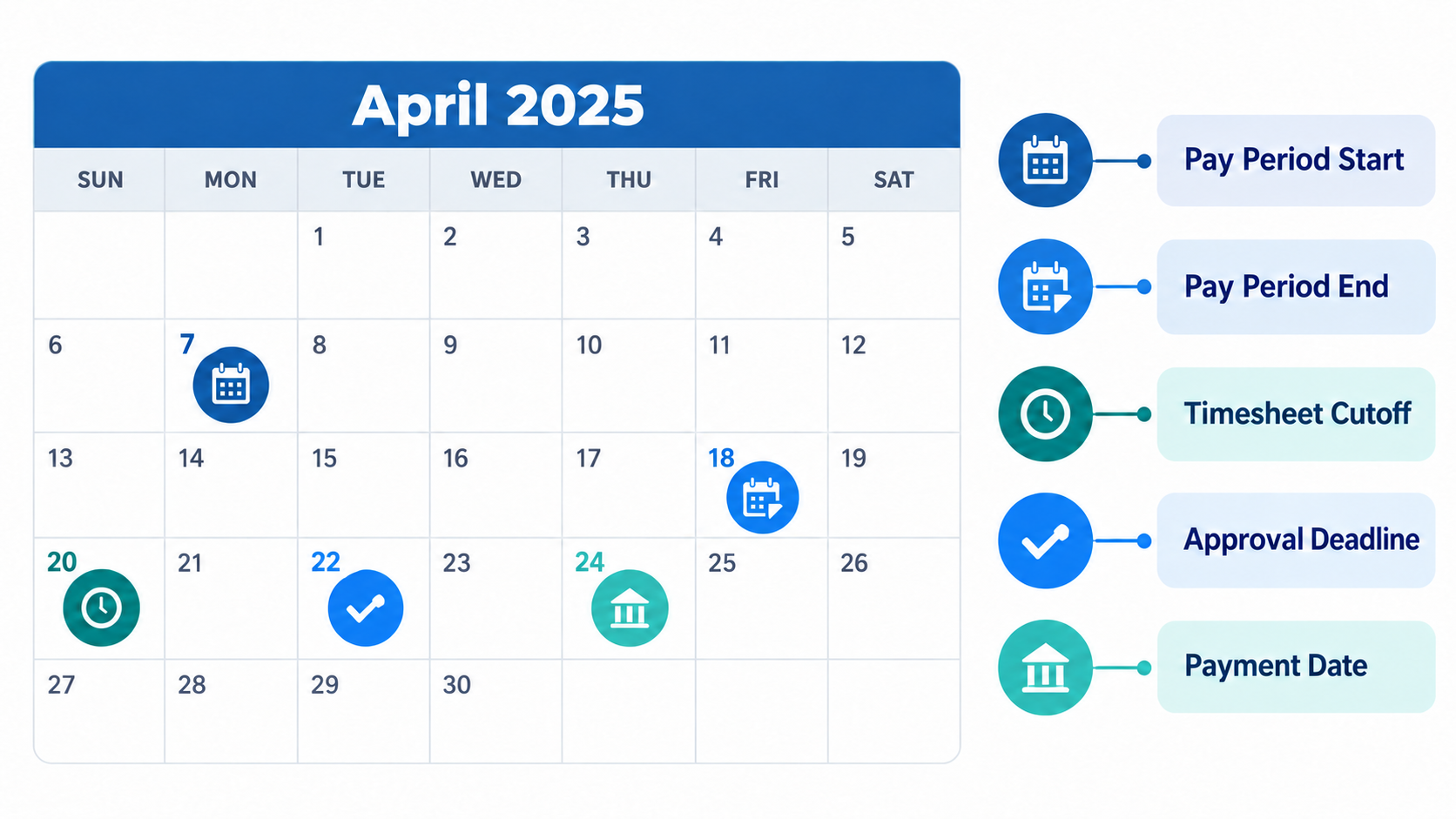
A payroll calendar turns scattered tasks into a repeatable cycle. It defines when data arrives, who checks it, and when payment happens.
Start with your pay period and payment date. Then work backward to create enough time for review and correction.
Your calendar should include these points:
- Pay period start and end dates
- Timesheet and attendance cutoff
- New hire and termination cutoff
- Salary, bonus, commission, and deduction cutoff
- Payroll preparation date
- Review and approval deadline
- Employee payment date
- Filing and remittance dates
- Reconciliation date
- Record storage date
Deadlines must come from official sources for each work location. Do not copy another country’s calendar or assume one rule covers everyone.
Use this short template for every pay cycle:
- Pay period: [start date] to [end date]
- Input cutoff: [date and time]
- Preparation: [owner and date]
- Approval: [approver and deadline]
- Payment: [method and date]
- Required filings: [owner and dates]
- Reconciliation: [owner and date]
Store the calendar where every payroll contributor can see it. Send reminders before the input and approval cutoffs.
Run the same small business payroll process each time
A reliable payroll process follows the same order every cycle. The details may change, but the control points should remain stable.
1. Collect controlled payroll inputs
Gather approved changes through one secure channel. Inputs may include hours, overtime, leave, bonuses, commissions, salary changes, and deductions.
Each change needs an employee, effective date, source, and approver. Reject unclear messages or undocumented verbal requests.
2. Validate employee and time data
Check employee status, worker classification, pay rate, bank details, and work location. Compare attendance and leave data with approved records.
Worker classification affects payroll duties in many jurisdictions. Ask a qualified local adviser when the correct status is unclear.
3. Prepare and review calculations
The preparer calculates gross pay, taxable pay, deductions, withholding, and net pay. Software may automate selected calculations.
Automation still depends on correct settings and inputs. Compare the draft payroll register with the last approved run.
Investigate unexpected changes before approval, especially for new, departing, or one-time cases.
4. Approve payment and required filings
The reviewer confirms totals, employee changes, bank instructions, and available funds before an authorized person releases payment.
Complete tax filings and remittances under local rules. A software subscription does not remove the employer’s responsibility for payroll accuracy.
5. Reconcile and retain records
Reconciliation compares the payroll register with bank payments and payroll liabilities. It also checks the related general ledger entries.
Resolve every difference and record the explanation. Keep payslips, approvals, reports, and filings for the required local period.
Control hires, pay changes, bank updates, and exits
Most payroll problems begin before the calculation step. A missing start date or late pay change can affect the whole run.
New hires and worker classification
Confirm the legal name, start date, pay terms, work location, and classification. Collect required documents through a restricted system.
Do not let an incomplete onboarding record enter payroll silently. Escalate missing details before the cutoff date.
The employee lifecycle guide can help map hiring, active work, and departure events. Connect each event to a payroll owner and deadline.
Variable pay and salary changes
Require written approval for bonuses, commissions, overtime, and salary changes. Record the amount, reason, effective date, and approver.
Apply the same rule to corrections and back pay. This creates a traceable audit record for later review.
Bank changes and terminations
Verify bank-detail changes through a separate, known contact channel. Restrict who can view or edit salary and banking information.
Termination pay and final deadlines differ by location. Confirm the required method and timing with a qualified local adviser.
Choose a payroll operating model that fits your risk
Small businesses can use a do-it-yourself, software, provider, or hybrid model. The right choice depends on complexity and internal skill.
Do it yourself. This may suit a simple payroll with stable inputs. You still need current rules, secure records, and an independent review.
Use payroll software. Software can automate selected calculations, records, payments, or filings. Confirm exactly which tasks the product performs in your countries.
Use a payroll service. A provider may prepare payroll and handle agreed tasks. Your contract should define inputs, approvals, deadlines, corrections, and escalation.
Use a hybrid model. Your team can own employee data and approvals. A provider or accountant can handle specialist calculations and filings.
Ask these questions before choosing:
- Do you have employees, contractors, or both?
- How many countries and work locations are involved?
- Does pay include overtime, bonuses, commissions, or complex leave?
- Who understands the relevant payroll rules?
- Who reviews the provider or software output?
- Can someone run payroll when the main owner is absent?
- Can you export complete employee and payroll records?
Compare any provider choice with the benefits of HR software. Software can reduce manual work, but it cannot supply missing judgment.
Prepare for missed payroll and incorrect payments
Every payroll process needs a recovery plan. Waiting for the next normal run may worsen an employee’s problem.
Use this response sequence:
- Record the reported issue and time received.
- Confirm the affected worker, amount, period, and payment status.
- Check the permitted correction method with your local adviser.
- Tell the employee what happened and explain the next step.
- Make the approved correction through a controlled payment process.
- Update the payroll register, liabilities, ledger, and audit record.
- Find the root cause and change the related control.
Do not promise a correction date before confirming the payment route. Local wage and reporting rules may limit your options.
Add emergency contacts for your bank, provider, accountant, and approver. Keep these details beside the payroll calendar.
Protect employee payroll data
Payroll records contain salary, bank, tax, and identity information, so access should match each person’s job.
Give users only the permissions they need. Remove access promptly when a user’s role changes.
Use approved channels for payroll files and employee changes. Avoid sharing bank details through open chat groups or personal email.
Keep an audit log for edits and approvals. Test backups and document how payroll continues during a system outage.
Retention and privacy rules vary across jurisdictions. Use the HR compliance checklist as a planning aid, then confirm local duties.
Use this payroll approval and reconciliation checklist
Copy this checklist into every pay-run record. Add local checks required by your payroll adviser.
Before approval
- All expected workers appear on the payroll register.
- New hires and departures match approved employee records.
- Hours, leave, overtime, bonuses, and commissions have approval.
- Pay and bank changes have independent verification.
- Gross pay, deductions, withholding, and net pay look reasonable.
- Large differences from the last run have explanations.
- The approver has reviewed the payment total and funding.
After payment
- Bank payments match the approved payroll register.
- Payroll liabilities match the related records.
- General ledger entries match approved totals.
- Required filings and remittances have owners and evidence.
- Payslips and employee notices have been delivered securely.
- Exceptions and corrections have been logged.
- Records have been stored under the local retention policy.
Connect upstream HR data without blurring boundaries
Payroll needs accurate employee records, attendance, leave, and approved pay changes. One controlled source can reduce duplicate entry and unclear ownership.
OryxBlue’s indexed positioning covers employee records, attendance, leave, onboarding, recruitment, and payroll-related work. This does not prove statutory payroll calculation, payment, tax filing, or remittance.
Confirm each boundary in the current product documentation. Label every step as native, connected, manual, or provider-managed before purchase.
The HR automation guide explains where rules can support repeatable work. Keep payroll approval and exception handling under named human owners.
FAQs
Can I handle payroll myself without an HR department?
Yes, a small business can manage payroll without a separate HR department. It still needs clear ownership, local expertise, secure records, review, and backup coverage.
Who should own payroll in a small business?
Finance or operations often owns the process when no HR team exists. Choose someone with authority, time, system access, and a trained backup.
Do I need payroll software or a payroll service?
Software may fit stable, rules-based payroll with internal expertise. A service may fit complex pay, multiple locations, or limited payroll knowledge.
What should I check before approving payroll?
Check worker status, approved inputs, pay changes, bank changes, totals, exceptions, and available funds. Compare the register with the previous approved run.
How should I correct an underpayment or missed payroll?
Confirm the issue, contact your local adviser, and choose a permitted correction method. Then update payments, records, filings, and the related control.
Conclusion
You do not need a full HR department to run a controlled payroll. You do need clear owners, fixed deadlines, careful approvals, and reliable local advice.
Use the checklist before your next pay run. Then review OryxBlue against it, while confirming which payroll steps remain external.