
What Is a Payroll Cycle? Types, Stages, and How to Choose the Right One
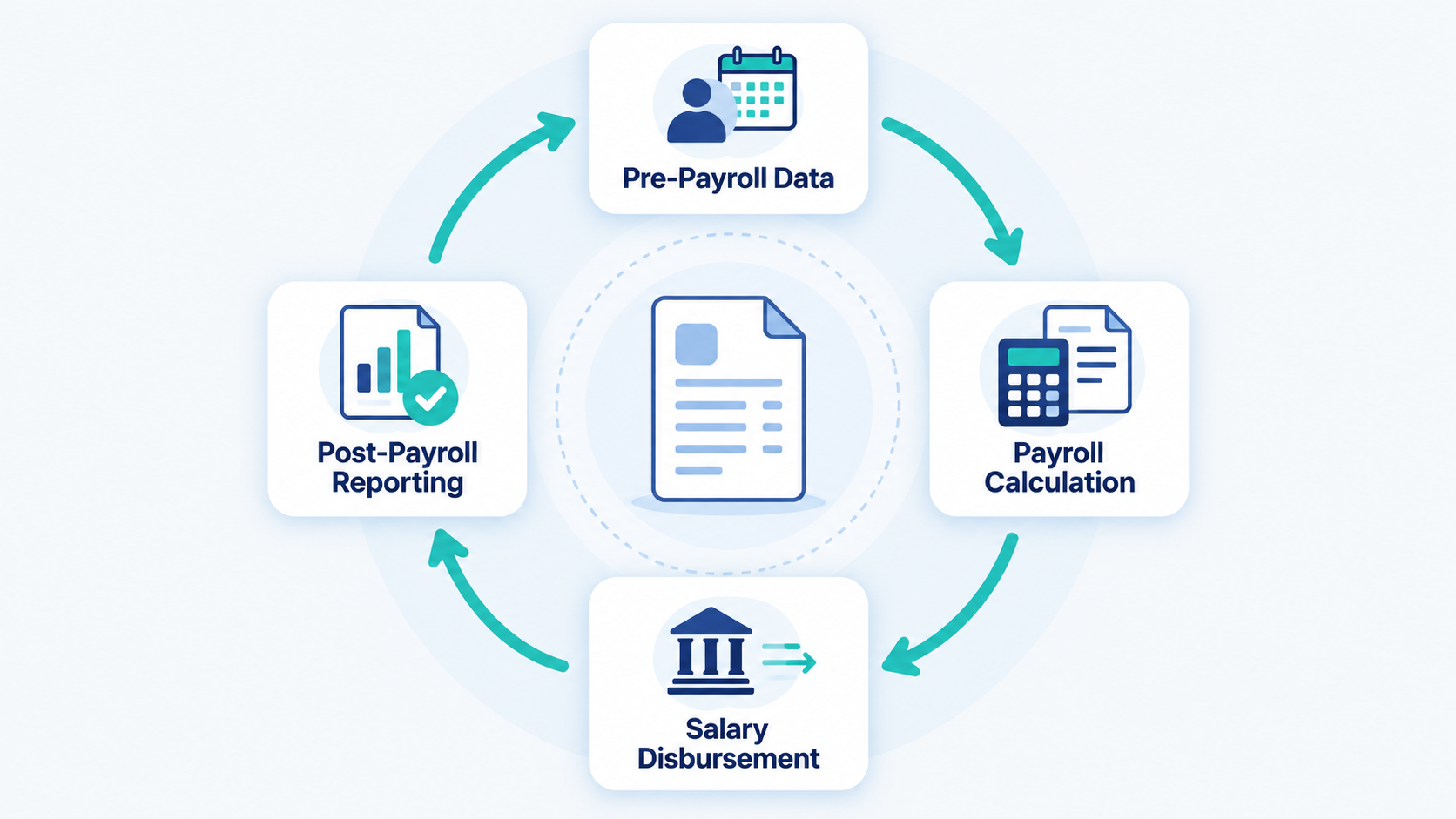
Payroll doesn’t run once and stays fixed. It repeats on a set schedule, with the same steps, every single time. That repeating schedule is called the payroll cycle, and getting it wrong doesn’t just annoy employees, it creates compliance risk, cash flow problems, and hours of rework for HR and finance teams.
This guide breaks down what a payroll cycle actually is, the different types businesses use, the stages every cycle goes through, where off-cycle payroll fits in, the mistakes that trip teams up, and how to manage the whole process without it eating your week.
What Is a Payroll Cycle?
A payroll cycle is the recurring time period between one payroll run and the next the fixed schedule a company follows to calculate, process, and pay employee wages. It defines how often employees get paid (weekly, monthly, etc.) and sets the start and end dates for the pay period being calculated.
For example, if a company runs payroll on the 1st of every month, its payroll cycle is monthly, and each cycle covers the previous full calendar month of work.
The payroll cycle isn’t just “payday.” It’s the entire loop from collecting attendance data to disbursing salaries to filing reports that repeats on a consistent rhythm.
Why Payroll Cycle Matters
The payroll cycle isn’t an administrative afterthought it directly affects three things most businesses care about:
- Cash flow planning. Knowing exactly when payroll runs lets finance teams forecast outgoing cash with precision instead of guessing.
- Compliance and legal standing. Many countries and states legally require a minimum pay frequency. Missing or delaying a cycle can trigger penalties.
- Employee trust. Inconsistent or late pay is one of the fastest ways to damage morale, regardless of how good the actual compensation is.
A well-defined payroll cycle turns payroll from a source of stress into a predictable, almost invisible background process which is exactly what it should be.
Types of Payroll Cycles
Not every business pays on the same schedule. The right cycle depends on workforce type, industry norms, and cash flow. The most common types are:
| Cycle Type | Frequency | Pay Periods/Year | Common For |
| Weekly | Every week | 52 | Hourly workers, construction, retail |
| Bi-weekly | Every 2 weeks | 26 | Mid-size companies, US private sector |
| Semi-monthly | Twice a month (fixed dates, e.g. 15th & last day) | 24 | Salaried staff, corporate offices |
| Monthly | Once a month | 12 | Startups, SMBs, many international markets |
Weekly cycles suit hourly and shift-based workforces where overtime needs frequent settlement. Bi-weekly is common in the US and balances administrative load with employee cash flow needs. Semi-monthly gives fixed dates (helpful for budgeting) but a varying number of workdays per period. Monthly is the most administratively light option and is standard across much of Asia, the Middle East, and Europe for salaried employees.
Key Stages of a Payroll Cycle
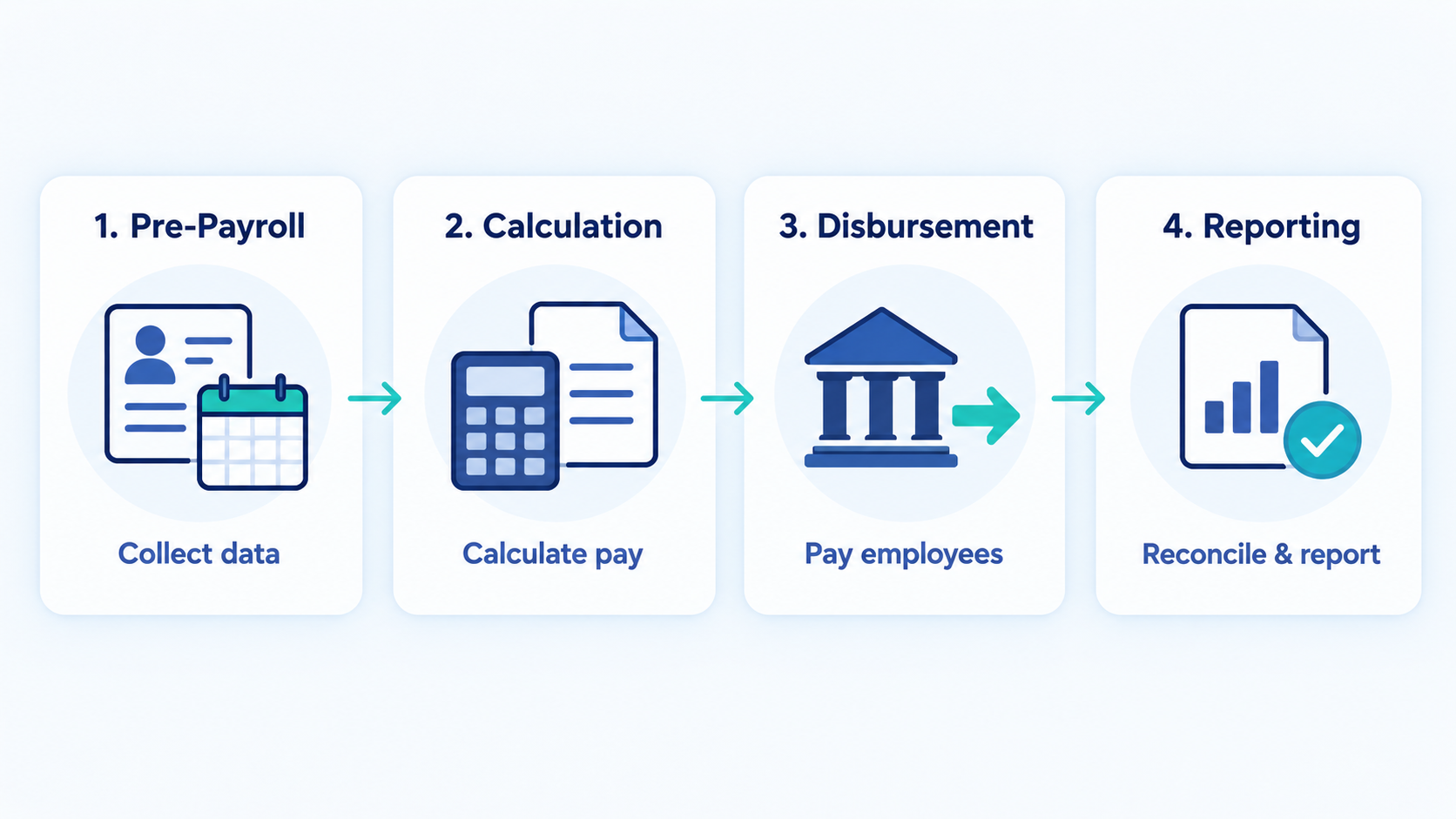
Regardless of frequency, every payroll cycle moves through the same four stages.
1. Pre-Payroll (Data Gathering)
This is the foundation stage. HR collects and verifies everything payroll depends on: attendance records, leave balances, overtime hours, new hires, exits, salary revisions, and any reimbursements or bonuses due for the period. Errors introduced here a missed leave deduction, an outdated salary figure carry through to every later stage.
2. Calculation (Processing)
With clean data in hand, gross pay is calculated, then deductions are applied: taxes, provident fund or retirement contributions, insurance premiums, loan repayments, and any other withholdings. What’s left is net pay the amount that actually lands in each employee’s account. This stage is where payroll software earns its keep, since manual calculation at scale is where most errors happen.
3. Disbursement (Payday)
Approved net pay amounts are transferred to employees, typically via direct bank deposit. This is also when payslips are generated and shared, giving employees a breakdown of earnings, deductions, and net pay for the period.
4. Post-Payroll (Reporting)
Payroll doesn’t end at disbursement. Employer contributions, tax filings, and statutory payments need to be processed and reported to relevant authorities. Payroll data is also reconciled with accounting records so it flows correctly into the company’s books. This stage is what keeps a business audit-ready.
Off-Cycle Payroll vs. Regular Payroll Cycle
A regular payroll cycle runs on a fixed, recurring schedule same dates, same process, every time. Off-cycle payroll is a one-off payment run outside that schedule, used to handle something that can’t wait for the next regular cycle.
Common triggers for off-cycle payroll include:
- Final settlement for an employee who has resigned or been terminated mid-cycle
- Correcting an underpayment or missed payment from a previous run
- Paying a one-time bonus or commission tied to a specific event
- Retroactive pay adjustments after a salary revision
Off-cycle runs solve real problems, but they add operational overhead each one is a manual exception that needs its own calculation, approval, and reconciliation. Frequent off-cycle payroll is often a signal that something in the regular cycle (usually pre-payroll data accuracy) needs fixing.
What to Consider When Choosing a Payroll Cycle
Picking a payroll cycle isn’t just a preference a few factors should drive the decision:
- Workforce composition. Hourly and shift workers often expect weekly or bi-weekly pay; salaried staff are comfortable with monthly.
- Legal minimums. Check local labor law many jurisdictions set a maximum gap allowed between pay periods.
- Cash flow and administrative capacity. More frequent cycles mean more processing overhead but smoother cash flow for employees; less frequent cycles reduce admin load but require employees to budget over longer stretches.
- Industry norms. Matching what competitors and peer companies offer can matter for retention, especially in hourly-wage sectors.
- Growth plans. A cycle that works for 8 employees on spreadsheets can break down fast at 50. Choosing a cycle your payroll process (and software) can scale with matters more than optimizing for today alone.
Common Payroll Mistakes (and How to Avoid Them)
Even well-intentioned teams repeat the same handful of payroll errors. Here are the ones that show up most often and what they cost.
Late or incorrect salary disbursement. Missed payment dates or wrong amounts erode employee trust fast, and in many regions can trigger statutory penalties. Fix: lock pre-payroll data at least 2–3 days before disbursement so there’s a buffer to catch errors.
Misclassifying employees (contractor vs. full-time). Treating a full-time employee as a contractor, or vice versa, misapplies tax withholding and benefits obligations. This is one of the most commonly flagged issues in labor audits, and back-pay plus penalties can be significant. Fix: review classification against local labor law criteria, not just convenience.
Tax miscalculation and compliance errors. Incorrect withholding whether under or over creates problems for both employer and employee at filing time. Fix: keep tax tables and statutory rates updated every cycle, not just annually, since rates and thresholds do change.
Manual data entry errors. Retyping hours, salaries, or deduction figures across spreadsheets is where transposition errors and duplicate entries creep in. Fix: reduce manual re-entry by pulling attendance and leave data directly from a single source system into payroll calculation.
Ignoring overtime and leave adjustments. Unpaid overtime or unaccounted leave-without-pay days quietly distort net pay every cycle. Fix: reconcile attendance and leave records against payroll inputs before calculation, not after.
Poor record-keeping for audits. Missing payslips, undocumented salary revisions, or scattered records make audits (internal or statutory) painful and risky. Fix: centralize payroll records in one system with a clear history, rather than across email threads and local files.
How to Manage Payroll
Managing a payroll cycle well comes down to a few consistent habits:
- Standardize your calendar. Fix cut-off dates for attendance, leave, and data submission for every cycle, and communicate them clearly to employees and managers.
- Centralize data sources. Attendance, leave, and employee records should feed payroll from one place, not multiple disconnected spreadsheets.
- Build in a review buffer. Never calculate and disburse on the same day leave time to catch and correct errors before money moves.
- Keep compliance current. Tax rates, statutory contributions, and labor law requirements change; review them each cycle rather than assuming last cycle’s numbers still apply.
- Document everything. Every adjustment, off-cycle payment, or correction should be logged with a reason, so records hold up under audit.
Using Payroll Software
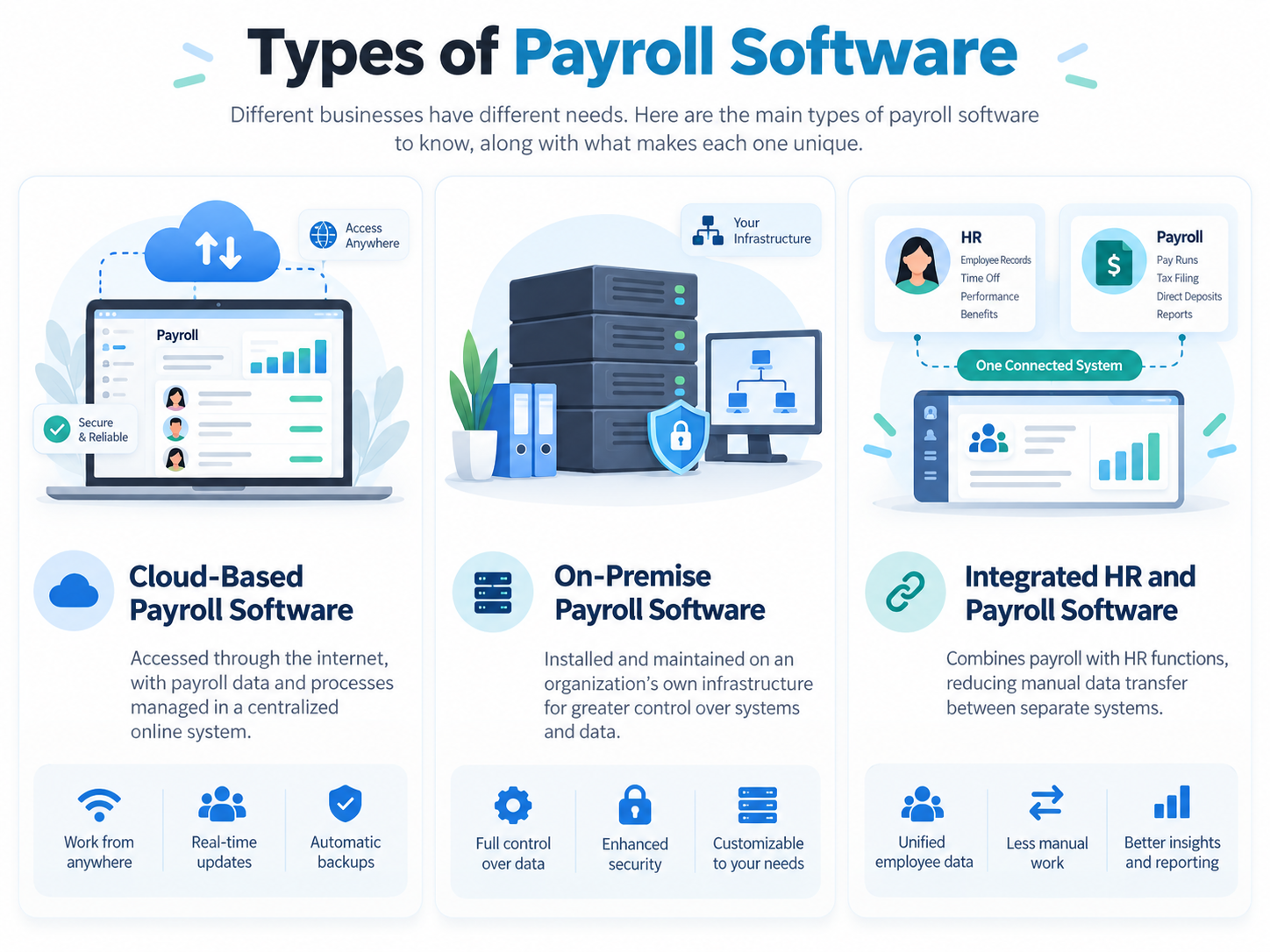
Manual payroll works at a small scale until it doesn’t. As headcount grows, the number of variables (leave, overtime, tax slabs, reimbursements) grows with it, and spreadsheet-based payroll becomes a liability rather than a convenience.
Payroll software removes the repetitive, error-prone parts of the cycle: it pulls attendance and leave data automatically, applies tax and statutory rules consistently, generates payslips without manual formatting, and keeps a clean audit trail for every run. This is exactly the gap platforms like OryxBlue HRM are built to close combining payroll processing with attendance, leave, and employee records in one system, so pre-payroll data doesn’t need to be chased down across five different tools before every cycle.
For startups and SMBs specifically, this matters because payroll mistakes at a small scale still carry full compliance and trust consequences; there’s no “too small to matter” exception in labor law.
FAQs
How often should a small business run payroll?
Most startups and SMBs use a monthly or semi-monthly cycle, since it balances administrative effort with predictable employee cash flow. Hourly or shift-heavy teams often need weekly or bi-weekly cycles instead.
Can a company change its payroll cycle?
Yes, but it should be done carefully with advance notice to employees, clear communication on how the transition period will be paid, and confirmation that the new cycle still meets local legal minimums for pay frequency.
What’s the difference between a pay period and a payroll cycle?
A pay period is the span of time being paid for (e.g., June 1–30). The payroll cycle is the recurring process including data gathering, calculation, disbursement, and reporting that runs for each pay period.
Is off-cycle payroll taxed differently?
No off-cycle payments are still subject to the same tax and statutory withholding rules as regular payroll. The difference is timing, not tax treatment.
What causes most payroll cycle delays?
Incomplete or inaccurate pre-payroll data missing attendance records, unapproved leave, or last-minute salary changes is the most common cause of delayed payroll runs.
Final Thought
A payroll cycle is only as reliable as its weakest stage and for most teams, that weak point is pre-payroll data, not calculation or disbursement. Fixing the schedule, centralizing the data, and building in a review buffer solves most payroll headaches before they start. For teams still stitching this together across spreadsheets, the right payroll software turns a recurring stress point into a process that just runs quietly, accurately, on time.