
HR software for small teams: What do small teams use to manage HR?
Small teams usually use one of five operating models. They may use spreadsheets with an accountant, several point tools, outside HR support, a lightweight HRIS, or one connected suite.
HR software for small teams is only one option. Choose it after defining the work, owner, and support your team needs.
The right choice depends on workforce type, country count, hiring pace, payroll complexity, and available admin time. Team size matters, but no single headcount creates a universal answer.
Choose the operating model first, then select tools that support it.
Start with the five common HR operating models
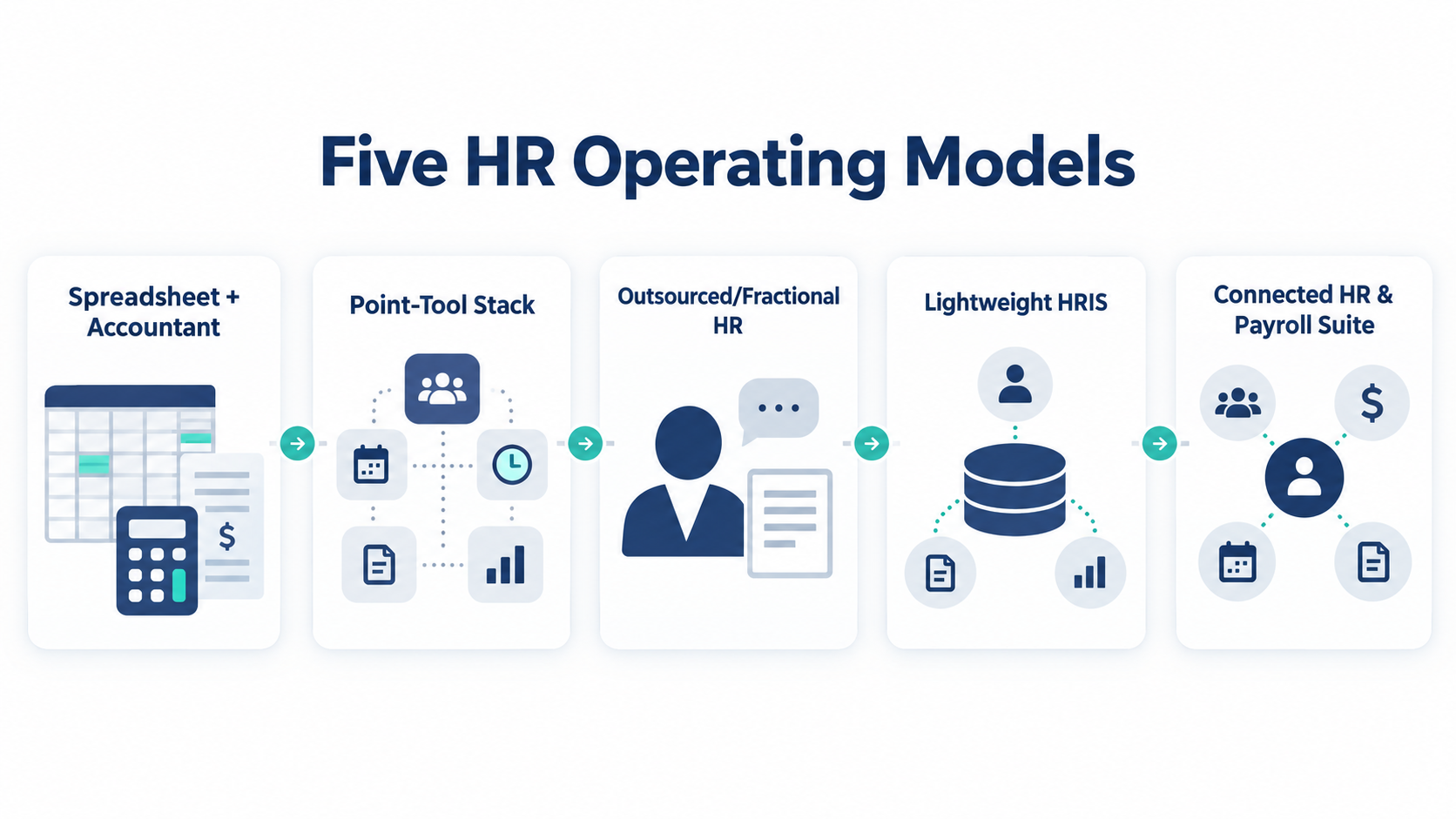
Identify the work first, then assign an owner and decide where outside help fits.
| Operating model | Best fit | Main strength | Breakpoint to watch |
| Spreadsheet, shared drive, and accountant | Simple workforce with a careful internal owner | Low setup effort and familiar tools | Version confusion, repeated data entry, and weak permissions |
| Point-tool stack | Teams with a few distinct needs | Each tool can solve one focused job | Data becomes split across several systems |
| Outsourced or fractional HR | Teams needing judgment or local expertise | Access to specialist guidance without a full-time hire | The business still needs an internal decision owner |
| Lightweight HRIS | Teams with repeatable employee processes | Central records, approvals, and self-service | Poor setup can copy a broken process into software |
| Connected HR and payroll suite | Teams wanting one operating workflow | Fewer handoffs between common HR jobs | Buyers may assume every module is native or complete |
These models can overlap. A lightweight HRIS may sit beside an accountant and an outside adviser.
Know when spreadsheets stop working well
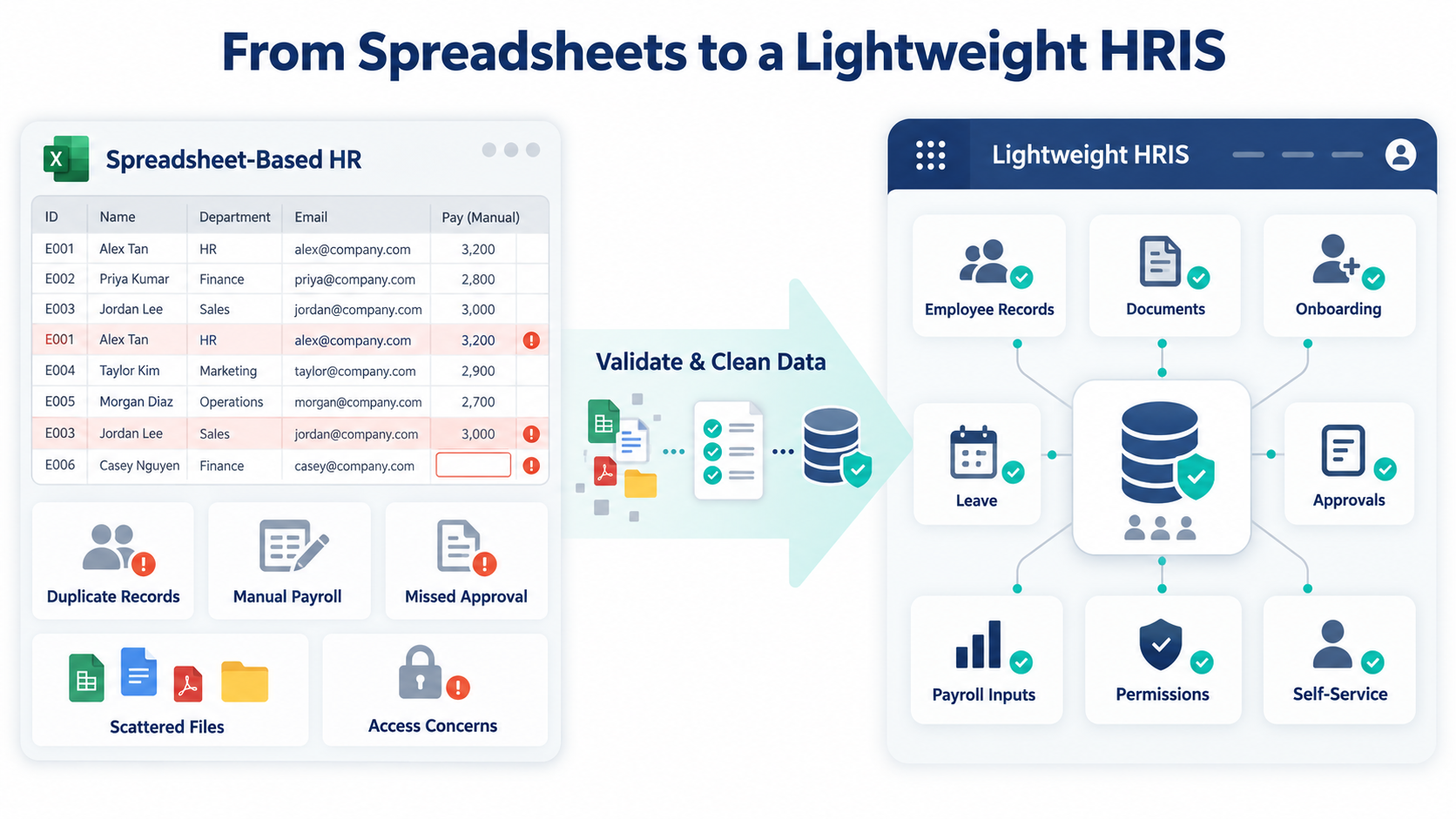
Spreadsheets can suit an early team because they are flexible, familiar, and easy to change.
Their weakness is manual control. A spreadsheet depends on one owner, careful permissions, current files, and consistent follow-up.
Do not switch at an arbitrary employee number; switch when the current process stops giving reliable answers.
Common spreadsheet breakpoints include:
- Two files show different employee details.
- Managers send leave requests through several channels.
- Payroll inputs need repeated copying and checking.
- New hires miss documents, tasks, or approvals.
- Departed workers keep access to shared records.
- The owner cannot find the latest signed document.
- Employees must ask for routine balances or records.
- Country, worker type, or pay complexity keeps growing.
- One administrator holds knowledge nobody else can follow.
Label the approved file and restrict editing. Keep a change record and name a backup owner.
Shared files may expose data too widely. Review who can view, edit, download, and share each record.
Move beyond spreadsheets when control costs exceed their simplicity. Use a readiness checklist instead of a fixed headcount rule.
Decide what a lightweight HRIS should handle
HRIS means human resources information system; lightweight versions centralize core employee data for smaller teams.
It should support current jobs, not force unused enterprise processes onto a small operation.
Must-have jobs for many small teams
Start with a small set of essential jobs:
- Maintain accurate employee and contractor records.
- Store documents with clear access controls.
- Track onboarding tasks and approvals.
- Record leave, attendance, or both when relevant.
- Prepare approved payroll inputs.
- Give employees suitable self-service access.
- Control roles and permissions.
- Export business data in a usable form.
Not every team needs each job; an hourly workforce may need attendance controls sooner. A contractor-led team may care more about documents and payment inputs.
Useful features for the next stage
Recruitment workflows can help when hiring becomes regular. Reporting can help when leaders need consistent workforce answers.
Automation can reduce repeated reminders and approvals.
These features are useful only when someone owns them; unused workflows add setup and review work.
Read the benefits of HR software against your current problems. Do not treat a general benefit as proof of product fit.
Enterprise functions that may be unnecessary
A complex suite may include workforce planning and broad talent modules. Those functions can exceed a small team’s current needs and admin capacity.
Avoid labelling any feature as universal overkill. A small multi-country team may need controls that a larger domestic team does not.
Use advisers for judgment-heavy HR work
Software records rules and moves approved work; it does not replace local knowledge or accountable decisions.
An external adviser can support policy, employee relations, or local employment questions. An accountant or payroll provider can support payroll work.
A fractional HR professional can help build processes and train managers.
The business still needs an internal owner who approves decisions, manages providers, and checks outcomes.
A useful small-team model divides work this way:
- The owner or operations lead controls priorities and final business decisions.
- Managers provide timely employee changes and approve team requests.
- The administrator keeps records, calendars, and routine workflows current.
- The accountant or payroll provider handles agreed payroll work.
- The HR adviser supports judgment-heavy or local questions.
- Employees review their own details and complete assigned tasks.
Write these responsibilities down. A vendor contract cannot fix missing ownership.
The HR compliance checklist can help identify work needing qualified review. Requirements vary by location, so use current local sources and advice.
Compare point tools with one HR system
Point tools solve specific jobs, such as recruitment, documents, leave, attendance, and payroll input.
This approach offers focused functions but can create duplicate records, more logins, and unclear data ownership.
One HR system can centralize employee records and repeatable approvals. Connected modules may also reduce manual handoffs.
Yet a shared interface does not prove every function uses one data source.
Ask these questions before choosing either model:
- Which system owns each employee field?
- How many times must an approved change be entered?
- Can managers and employees complete routine work themselves?
- Which tasks still require an adviser or accountant?
- Does payroll use native, connected, or manual steps?
- Can the team export records without specialist help?
- Who fixes errors and follows failed handoffs?
If you choose point tools, create a simple system map. Show each tool, its owner, and the data it receives.
If you choose one platform, test every claimed connection. A menu item is not proof of a complete workflow.
Name an HR owner before buying software
A small team may have no HR manager, but it still needs one accountable process owner.
This owner need not perform every task; they ensure tasks have deadlines, evidence, and escalation paths.
Choose someone with enough access and time, such as an owner, operations lead, finance lead, or administrator.
Create an ownership list for these jobs:
- Employee record changes
- New-hire documents and onboarding
- Leave and attendance approvals
- Payroll input collection and review
- Access changes during offboarding
- Adviser and vendor coordination
- Employee questions and escalations
- Data exports and system access reviews
Assign a backup for time-sensitive work. Review ownership after changes in countries, worker types, or hiring pace.
Choose HR software around real work
A product list cannot identify the best small-team fit by itself. Test each option with the same real jobs.
Define your current operating needs
List current records, requests, documents, payroll inputs, and reports; mark tasks causing missed steps or duplicate work.
Separate immediate needs from future needs; a long feature list should not decide the purchase.
Test repeatable workflows
Use the same sample workflow in every product; test a hire, leave request, employee change, and departure.
Watch the whole process. Check permissions, approvals, notifications, payroll handoffs, and records created after completion.
Only claim first-hand testing when the test was performed and recorded.
Compare the complete operating cost
Ask about limits, modules, minimums, add-ons, setup, support, and migration; include the internal time required.
Do not publish prices without a current vendor source and capture date.
Check security and support evidence
Ask for current information about permissions, encryption, audit logs, subprocessors, retention, and data location. Verify any named certification through current documentation.
Support also needs a practical test covering channels, coverage times, response commitments, and escalation.
Review the change process
Ask how the vendor handles setup, data migration, training, and later configuration changes. Name the internal owner for each step.
The human resource management process can help you map work before a demo. Use that map to test actual fit.
Protect your switching and data-export options
Your employee data must remain useful outside the chosen system; test export before signing.
Ask whether you can export these records:
- Employee and contractor profiles
- Documents and document indexes
- Leave balances and request history
- Attendance records
- Payroll inputs and approval history
- Recruitment and onboarding records
- Roles, permissions, and audit history
- Reports and field definitions
Check the format and field names. A download may still be difficult to use if links, dates, or identifiers lose meaning.
Also review attachments. An export may omit files or their connection to employee records.
Document notice steps, access periods, retention, and deletion evidence. These terms need current vendor proof.
Run a sample export during the trial or demo. Open the files and confirm another person can understand them.
Avoid common small-team HR mistakes
The most common mistake is buying a large feature list. Small teams need dependable ownership more than unused options.
Other avoidable mistakes include:
- Keeping spreadsheets after version control has failed.
- Adding point tools without naming a data source.
- Outsourcing work without an internal decision owner.
- Assuming payroll is included in every HR platform.
- Choosing a free plan without checking limits and support.
- Ignoring contractor, hourly, or multi-country needs.
- Skipping employee and manager workflow tests.
- Accepting security claims without current evidence.
- Waiting until exit to test data exports.
Fix the operating model before changing software. A new tool will otherwise copy the same ownership gaps.
FAQs
What do companies use before hiring an HR person?
Many use spreadsheets, shared folders, an accountant, and outside HR advice. One internal owner still coordinates records, deadlines, decisions, and providers.
When should a small team move beyond spreadsheets?
Move when versions conflict, approvals get missed, permissions become weak, or repeated data entry creates risk. Use process breakpoints, not a universal headcount.
Is a lightweight HRIS better than outsourced HR?
They solve different needs. An HRIS handles records and repeatable workflows.
An adviser supplies judgment or local expertise. Many teams use both.
What HR software features does a small team need?
Start with records, documents, onboarding, relevant leave or attendance, payroll inputs, permissions, self-service, and export. Add more only for real work.
Who should manage HR software without an HR manager?
Name one accountable owner, such as an operations lead or administrator. Managers, accountants, advisers, and employees can complete assigned parts.
Is free HR software enough for a growing team?
It may cover basic needs. Check plan limits, support, permissions, exports, add-ons, and migration before relying on it.
Conclusion
Small teams manage HR through mixed tools, owners, and advisers; the best model keeps decisions accountable.
If OryxBlue enters your shortlist, compare verified features and limits against real workflows. Request a data-export example before making a decision.