
What Is an AI Ticketing System?
An AI ticketing system is a help desk tool that uses artificial intelligence to sort, route, and automatically resolve support requests. It reads each incoming ticket, determines what it is about, and routes it to the right place without manual intervention.
If you are new to the term, this guide explains it in plain English. It covers what these systems do, how they differ from older tools, and where they help most.
A plain-English definition
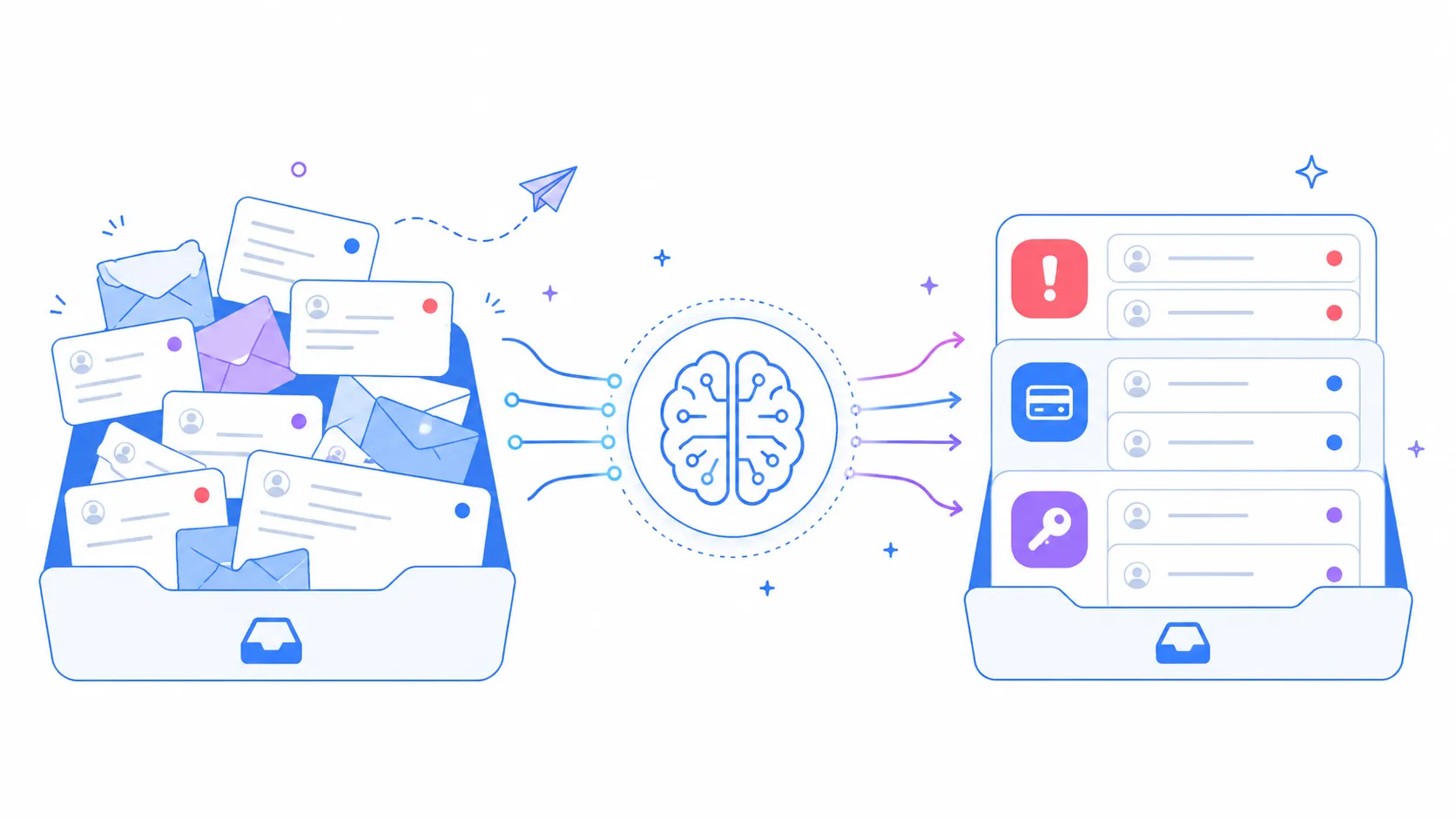
Think of a ticketing system as an organized inbox for support requests. Every question, complaint, or task becomes a “ticket” that can be tracked from start to finish.
An AI ticketing system adds a smart layer on top. Instead of a person reading and sorting each ticket, the software does it, using artificial intelligence to understand the request.
That understanding is the key difference. The system can tell an urgent outage from a simple question, and act accordingly.
How it differs from a normal ticketing system
A normal ticketing system is mostly a filing cabinet. It stores requests, assigns numbers, and tracks status, but a human does the thinking.
An AI ticketing system does some of that thinking automatically. It categorizes tickets, sets priority, routes them, and can even suggest answers.
The practical result is speed and consistency. Tickets reach the right person faster, and the same logic applies to every request, not just the ones an agent gets to first.
Core capabilities
A few features define what makes a ticketing system “AI-powered.” You will see these terms often.
- Auto-triage: the system tags each ticket by topic and urgency.
- Smart routing: it assigns the ticket to the right team or agent automatically.
- Suggested replies: it drafts answers for agents to review and send.
- Self-service: it points customers to help articles that answer common questions.
- Analytics: it turns ticket data into trends and insights for managers.
You do not need every feature on day one. Most teams start with triage and routing, then add more.
How AI ticketing works, in simple steps
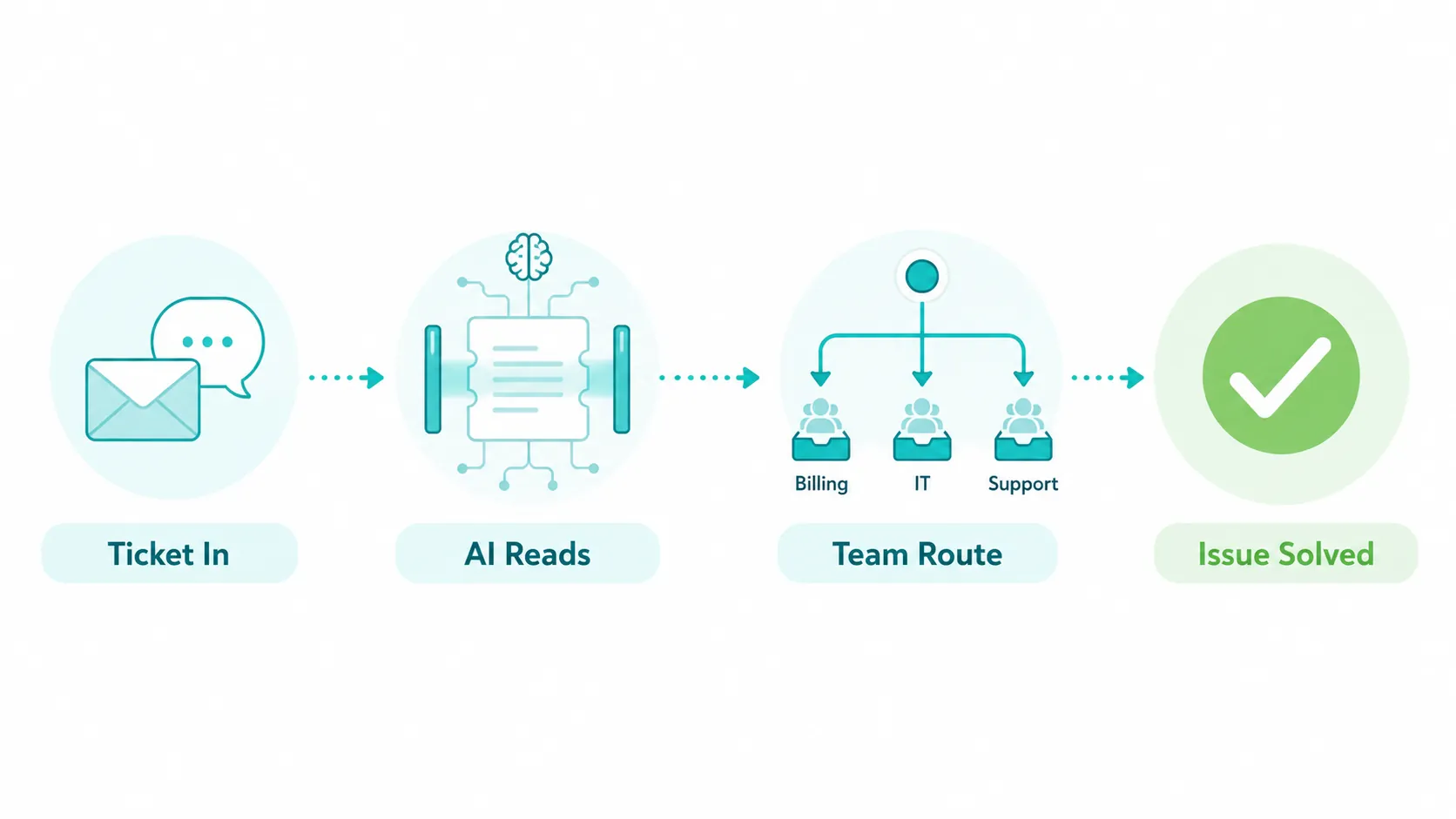
The process follows a clear path, and it happens in seconds. Here is the journey of a single ticket.
First, a request arrives by email, chat, or a web form, and becomes a ticket. Next, the system reads it using natural language processing, which is technology that understands human writing.
Then it decides the topic and urgency, and routes the ticket to the right person. Finally, it can suggest a reply and, once resolved, record the outcome for reporting.
Throughout, a human stays in control of the final answer. The AI handles the busywork, not the judgment.
Real-world examples
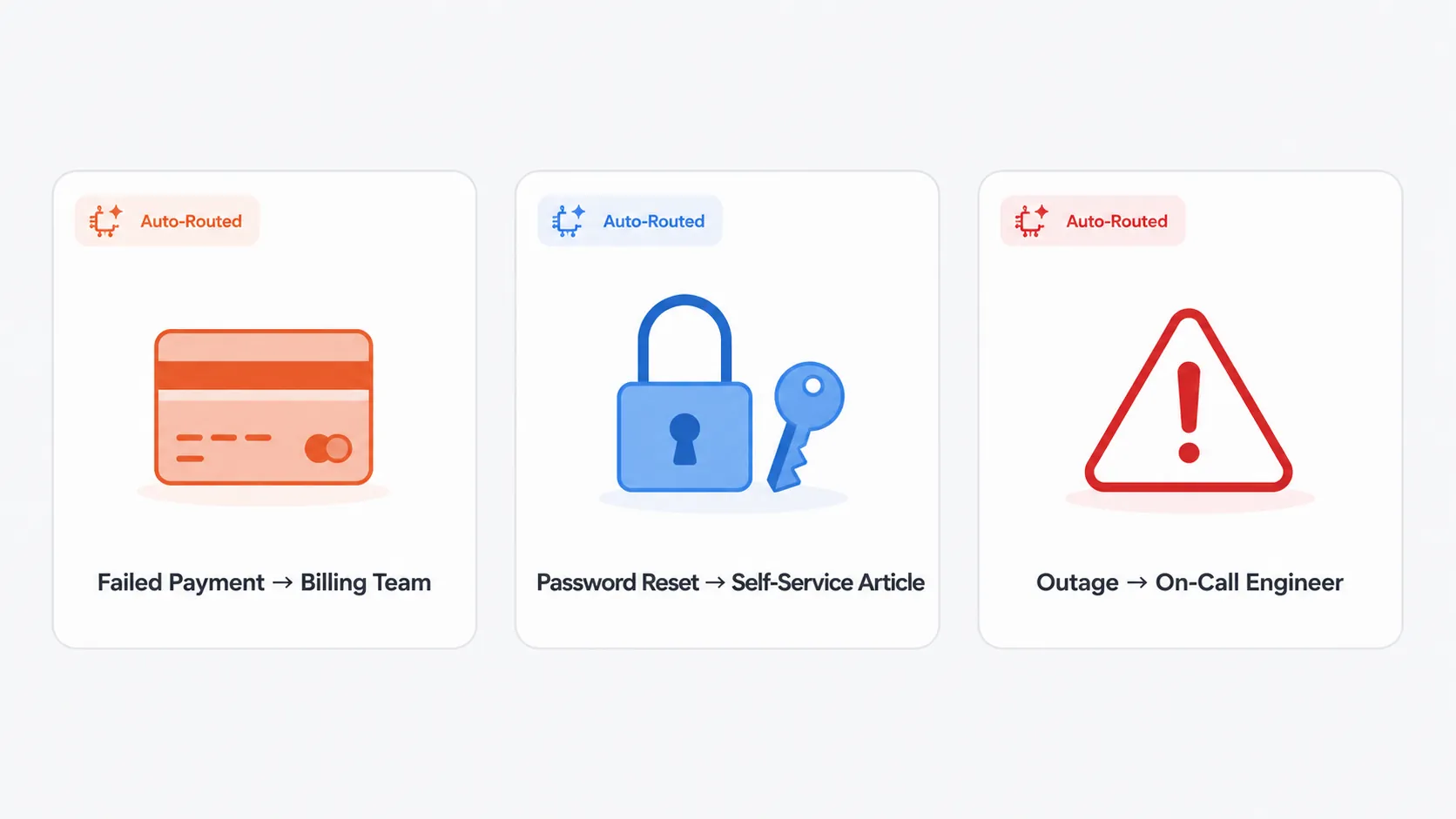
A few everyday scenarios make the idea concrete.
A customer emails about a failed payment. The system recognizes a billing issue, marks it high priority, and routes it to the billing team in seconds.
An employee asks how to reset a password. The system offers a self-service article, solving the request without an agent.
A user reports a complete outage. The system flags it as critical and escalates it straight to the on-call engineer.
In each case, the request reaches the right place faster than manual sorting would allow.
The benefits for a support team
The advantages are practical, not abstract. They map directly to common support headaches.
Faster responses come first, because routing is instant. Customers are not left waiting while a ticket sits unsorted.
Lower workload follows, since self-service and automation handle routine requests. Agents focus on the cases that truly need a person.
More consistency is the quiet benefit. Every ticket gets the same careful sorting, so nothing slips through because the queue was busy.
Is it right for your team?
AI ticketing helps most when volume is growing. If your team spends real time sorting and routing requests by hand, automation frees that time.
Very small teams with a handful of tickets a day may not need it yet. As requests climb, the case for it grows quickly.
A good first step is to look for a tool with a free tier. You can adopt the basics, see the value, and expand as you grow.
What to look for in your first tool
When you are new to AI ticketing, a few qualities matter more than a long feature list.
Look for an easy setup, so you can start in days rather than weeks. A minimal learning curve keeps your team from resisting the change.
Check for no-code automation, so business users can build rules without a developer. This is what keeps the system flexible as your needs evolve.
Finally, choose a tool that grows with you. A free tier to start and clear upgrade paths mean you add features instead of switching systems later.
How Hengine fits in
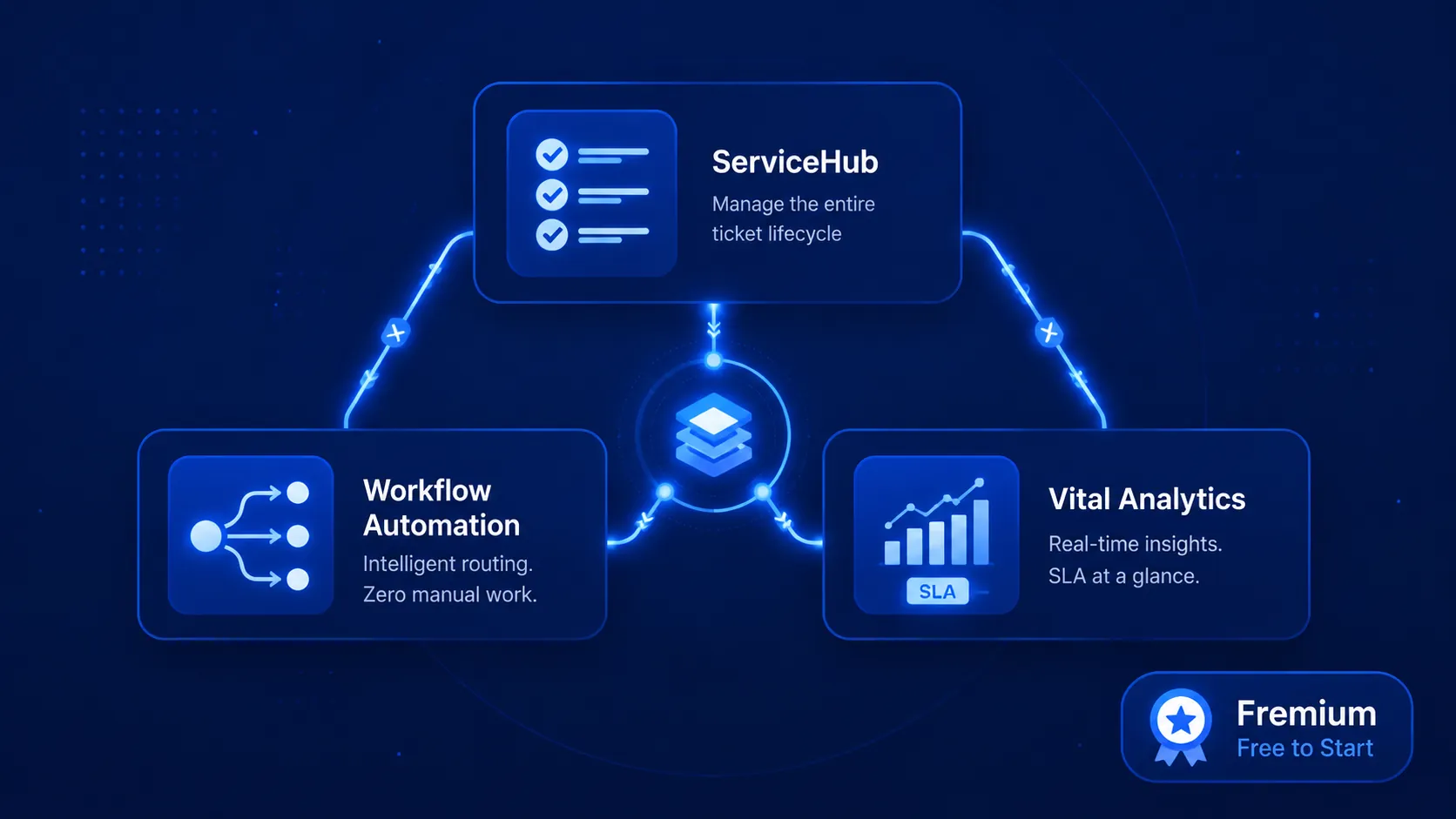
Hengine SDP is a service management platform that brings these capabilities together. Its ServiceHub engine handles the ticket lifecycle, while Workflow Automation routes and assigns tickets by rule.
Its Vital Analytics module adds the smart layer, with SLA risk prediction and trend forecasting. A free Fremium plan lets a small team start without upfront cost.
[INTERNAL LINK OPPORTUNITY] Link up to the pillar “The Complete Guide to AI Ticketing Systems” and across to “How AI Ticket Routing & Auto-Assignment Works.”
Next step: Want to see AI ticketing in action? Start with Hengine’s free Freemium plan or book a demo to watch it sort and route your tickets automatically.
Frequently asked questions
Is an AI ticketing system the same as a chatbot?
No. A chatbot is one feature that chats with customers. An AI ticketing system is the wider platform that captures, sorts, routes, and tracks every request across channels.
Do I need technical skills to use one?
Usually not. Modern tools are built for business users, with no-code rules and a simple interface. You configure how tickets are handled without writing software.
Will it replace my support agents?
No. It removes repetitive sorting and routing, but people still handle complex and sensitive cases. The goal is to make agents faster, not to replace them.
Can it handle internal requests too?
Yes. The same system can manage IT, HR, and facilities requests from employees, not just customer questions. Each team keeps its own categories and rules.
AI Ticketing pillar and across to “AI Helpdesk vs Traditional Helpdesk.”