
HR software for manufacturing: how to choose the right system

HR software for manufacturing should fit the way people actually work across plants, shifts, roles, and employment types.
The right system connects workforce records with daily actions. It should also make exceptions visible before they affect employees or payroll.
However, a long feature list does not prove plant fit. Buyers need live evidence from realistic workflows, failures, and corrections.
This guide explains how to define requirements, compare vendors, run plant tests, and plan a controlled rollout.
Read HR in Manufacturing for the wider operating model. This guide focuses on software selection and implementation.
Important: This guide provides general US business information, not legal advice. Requirements can vary by location, contract, and workforce.
Confirm current obligations with qualified advisers and official agencies. Source review date: September 2, 2026.

What HR software for manufacturing should manage
Manufacturing HR software should provide a controlled environment for workforce records, requests, approvals, and reporting.
It should reflect plants, departments, production areas, shifts, supervisors, worker types, and effective dates.
The platform may support several parts of the employee journey:
- Recruiting candidates for specific plants, roles, and shifts
- Creating employee records from approved hiring information
- Coordinating onboarding tasks and responsible owners
- Maintaining current locations, departments, roles, and supervisors
- Publishing schedules and recording approved changes
- Organizing attendance events, corrections, and approvals
- Routing leave requests and displaying their status
- Recording employee transfers and other lifecycle changes
- Coordinating offboarding tasks and required handoffs
- Preparing approved information for payroll review or export
- Providing dashboards, reports, and controlled data exports
These functions also appear in general HR Management Software. Manufacturing changes the conditions under which they must work.
A plant may run overnight, share devices, use several time sources, and rely on temporary workers.
Software must represent those conditions without hiding manual work. It must also preserve history when records change.
The buying team should identify the authoritative system for every shared field. It should also name the owner for every exception.
Payroll processing may remain in another platform. Safety, production planning, maintenance, and learning functions may also remain elsewhere.
Decide whether benefits, performance, documents, and employee relations belong here. Otherwise, define their connected systems and owners.
Do not assume an HR platform replaces those systems. Confirm every boundary during selection.
Why factory HR software needs plant-level configuration
Factory HR software can fall short when setup follows office assumptions. Plants need more detailed structures, timing rules, and access controls.
Multiple plants and reporting structures
Manufacturers may group workers by entity, site, department, area, line, team, shift, and supervisor.
Software should represent the required relationships without forcing every plant into one model. It should preserve earlier assignments after changes.
Test an employee moving between plants. Confirm that the earlier location, supervisor, dates, and approvals remain available.
Also test temporary assignments. A temporary move should not overwrite the worker’s permanent position.
Fixed, rotating, and overnight shifts
Office calendars usually follow a standard day. Plant shifts may rotate, split, cross midnight, or change after publication.
Test every pattern used by the business. Include weekends, holidays, shutdowns, and temporary coverage arrangements.
The system should keep planned schedules separate from actual time. A schedule shows intended work, not completed work.
Test what happens when an approver is absent. Pending actions should reach an authorized replacement through a documented process.
Hourly, salaried, temporary, and contract workers
One plant may use several workforce categories. Each category may need different records, workflows, approvals, and access.
Do not force every person into one employee template. Document which processes apply to each worker group.
Temporary-worker records may need an agency, assignment dates, plant, supervisor, orientation, and time approval route.
Contractor records may require different access and retention rules. Their permissions should match a defined business purpose.
Effective-dated workforce changes
Plant assignments often change on a specific date. Future changes should not rewrite today’s records or earlier reports.
Test promotions, transfers, supervisor changes, department moves, schedule changes, and employment status updates.
Every correction should preserve the earlier value. It should also record the reason, actor, approval, and timestamp.
Plant-specific permissions
Access should follow job responsibilities. Convenience does not support broad visibility into sensitive workforce data.
Test permissions using employee, supervisor, plant HR, corporate HR, payroll, and administrator accounts.
Then transfer a supervisor to another plant. Confirm that an approved process changes access at the expected time.
Software may coordinate this work. It does not prove that every external account, badge, or device permission changed.
How product labels affect the shortlist
Vendors use HRIS, HRMS, and HCM labels inconsistently. An HRIS for manufacturing usually centers on structured employee records.
An HRMS for manufacturing may add recruitment, attendance, leave, approvals, and other workflows. Neither label confirms plant fit.
Use HRIS vs HRMS vs HCM for a fuller comparison. During selection, focus on demonstrated functions.
For every capability, confirm its module, configuration, integration, services, and manual work. Record each dependency in writing.
Build a cross-functional buying team
Plant HR can coordinate selection, but it should not represent every function. Plant software decisions create shared dependencies.
Include these roles when their work is affected:
- Plant HR for workforce records, policy, and employee processes
- Operations for shifts, assignments, exceptions, and supervisor work
- Payroll for pay inputs, deadlines, corrections, and reconciliation
- IT and security for access, integrations, devices, and risk controls
- Finance for budgets, cost assumptions, and approval limits
- Procurement for contract, service, renewal, and exit terms
- EHS or quality for training and qualification requirements
Add labor relations or counsel when collective bargaining rules apply. Test seniority, bidding, premiums, notices, and approval requirements.
Standard scheduling logic may not reflect a local agreement. Treat every applicable rule as a separate acceptance condition.
Map requirements before viewing demonstrations
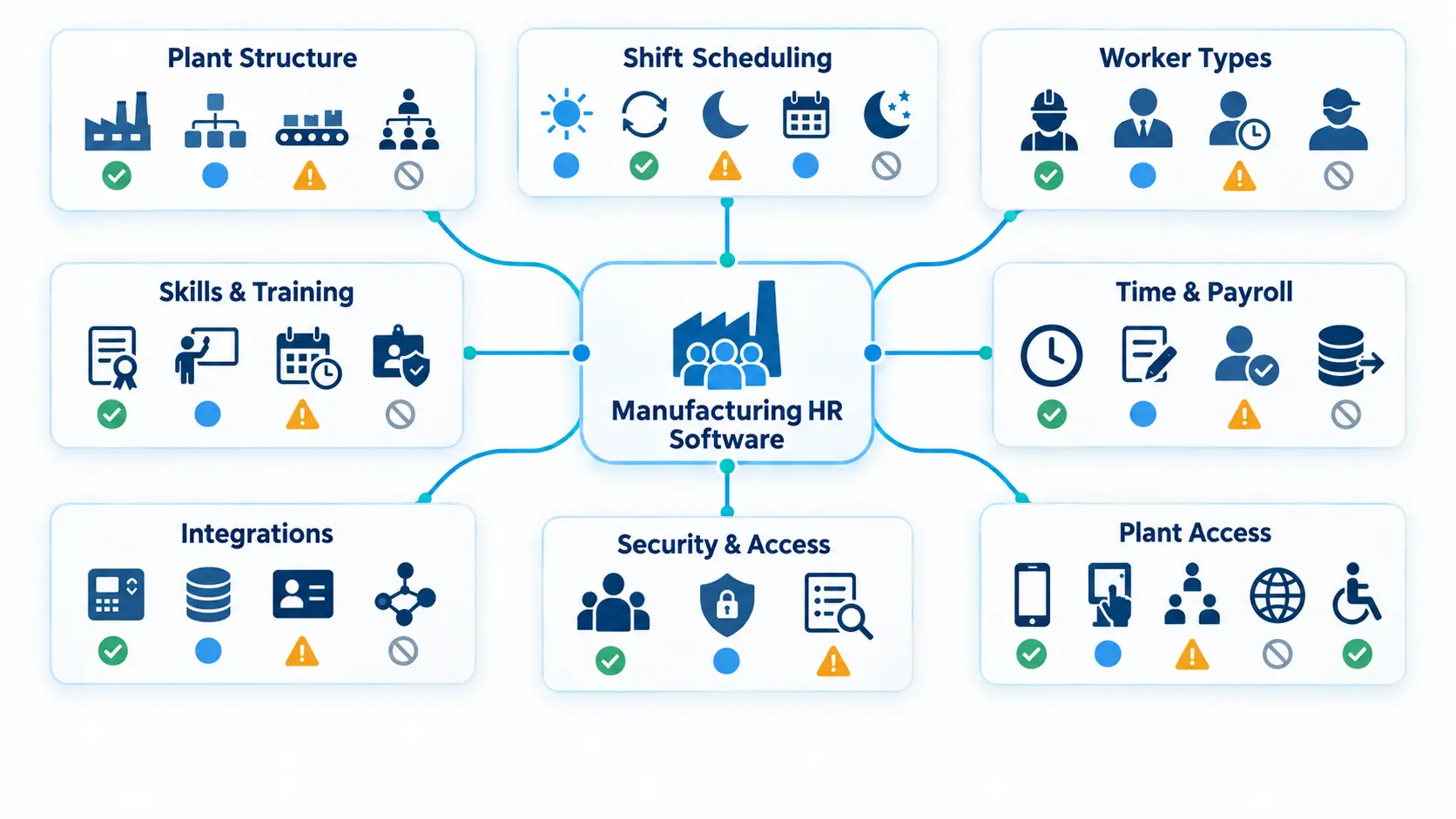
Start with the plant’s work, not a vendor’s menu. A clear requirement pack keeps every demonstration comparable.
Human Resource Planning helps translate business demand into workforce needs. The software requirement pack translates those needs into testable behavior.
Document these operating conditions:
- Every legal entity, plant, department, and production area
- Fixed, rotating, split, overnight, and weekend shifts
- Employee, temporary-worker, contractor, and other worker groups
- Jobs, assignments, skills, qualifications, and responsible owners
- Schedule creation, call-offs, swaps, and replacement coverage
- Time sources, corrections, approvals, and payroll deadlines
- Leave requests, attendance rules, and schedule conflicts
- Employee, supervisor, HR, payroll, and administrator permissions
- Shared devices, kiosks, mobile use, languages, and accessibility needs
- Payroll, time-clock, identity, and other required connections
- History, exports, audit evidence, and outage procedures
Mark each requirement as required, preferred, later, or outside scope. Give every required item a clear rejection condition.
For example, overnight shifts may be mandatory. A vendor fails if approved time cannot cross midnight correctly.
Avoid vague requirements such as “easy reporting.” Name the report, audience, fields, filters, timing, and allowed access.
Also record the current problem. Include its frequency, owner, delay, correction work, and operational effect.
That baseline helps the team judge value after launch. It also prevents attractive features from replacing the actual buying case.
Core manufacturing HR software capabilities
Feature names vary across products. Buyers should evaluate the records, actions, controls, and evidence behind each name.
Employee and organization records
Each employee profile should connect with a plant, department, job, supervisor, worker type, and current status.
The organization model should support effective dates. It should also keep job definitions separate from individual assignments.
Test a new hire, future transfer, temporary assignment, return, and corrected earlier record.
Sensitive information needs narrower access than general workforce information. The system should support that separation.
Recruitment and onboarding
Recruitment should connect approved openings with roles, plants, shifts, and responsible managers.
Candidate stages should be understandable. Hiring teams should see pending actions without viewing unnecessary private data.
Onboarding should assign tasks, owners, due dates, and completion status. Required tasks may differ by plant or worker type.
Follow one candidate into the employee record. Confirm which data transfers, which needs review, and which remains separate.
Task completion does not always prove verification. Identify the evidence required for each important step.
Scheduling and coverage
Scheduling should distinguish proposed, approved, and published shifts. It should retain changes across rotations, swaps, temporary assignments, and overnight work.
Schedule availability does not prove qualification. Keep that decision with authorized operations and safety owners.
Attendance and time corrections
Attendance should connect recorded events, corrections, approvals, and payroll inputs. The detailed proof tests appear below.
Software can organize time records. Employers remain responsible for applicable pay rules and final review.
Leave and absence workflows
Leave workflows should connect employee requests with balances, dates, approvals, and schedule information.
Test partial days, repeating absences, overlapping requests, changed return dates, and cancelled requests.
Sensitive medical information should remain restricted. Managers should receive only the information needed for assigned duties.
Legal leave rules vary by employer, employee, and location. Configuration requires qualified review.
Requests, approvals, and employee changes
Every request needs a status, owner, approval path, and escalation route. Delegation should work when the assigned approver is unavailable.
Common workflows include time corrections, leave, schedule changes, transfers, employee updates, and offboarding tasks.
Test future-dated changes and cancellations. Both paths should preserve complete history.
Employee Lifecycle explains how these changes connect across employment stages. Software should keep those stages linked without erasing context.
Reports and exports
Useful reports begin with consistent definitions and reliable sources. A polished dashboard cannot correct weak records.
Test plant, department, shift, worker type, and date filters. Verify data timing and permission limits.
Also test complete exports. The company should be able to retrieve usable records when needed.
Review detailed HR Software Features after establishing these plant requirements. This order keeps evaluation tied to operating needs.
Test scheduling, time, and payroll handoffs
Time data can affect employee pay and business records. These workflows deserve more testing than a standard sales demonstration.
The Department of Labor manufacturing fact sheet identifies work that may occur around production shifts.
Examples include setup, cleanup, instructions, and equipment-related duties. Whether specific time is compensable depends on the facts.
Federal hours-worked guidance also explains that a workday may extend beyond scheduled hours.
Software should not decide these questions without approved rules and human review. It should preserve the records needed for that review.
Separate schedule records from time records
A published schedule shows planned work. A time record should show recorded events and approved corrections.
Never replace a time exception with the planned schedule silently. Route the difference to an authorized reviewer.
Test realistic exceptions
Ask every vendor to demonstrate these cases:
- An overnight shift crossing midnight
- A worker assigned to two locations during one pay period
- A missing or duplicate punch
- Work recorded outside the published schedule
- A late supervisor approval
- Leave approved after schedule publication
- A shift differential
- A transfer during the pay period
- A retroactive correction
- A rejected payroll export record
- A corrected and resubmitted export
- A time-clock or network outage
For each case, inspect the original event, correction, reason, approver, status, and downstream result.
Confirm which system calculates wages. Also confirm which system files taxes, initiates payments, and owns corrections.
Payroll visibility does not prove payroll processing. Put every responsibility in the proposed scope.
Check recordkeeping needs
Covered employers must retain specified wage, hours, and payroll records under 29 CFR Part 516.
No single retention period applies to every HR record. State rules, contracts, and other federal requirements may add obligations.
Ask whether the system preserves required fields, changes, approvals, and exports. Confirm how records remain available after contract termination.
Use an applicable HR Compliance Checklist to coordinate review. Software cannot guarantee legal compliance.
Review skills, training, and qualification records
Confirm whether the product stores training, assessment, qualification, restriction, expiration, and authorization as separate fields.
Relevant records may include a task, machine, area, assessor, date, evidence, and status.
Use an upcoming expiration as the vendor test. Observe whether the system warns, blocks, or only displays the gap.
Do not assume a warning prevents an assignment. Authorized managers remain responsible for qualification decisions.
Some buyers need a connected learning, safety, quality, or skills system. Confirm the source and exchange behavior.
Include temporary workers and staffing partners
Temporary-worker records may need an agency, assignment dates, plant, supervisor, access, orientation, and time approval route.
Test a first assignment, extension, transfer, return, and departure. Preserve the staffing affiliation and assignment history.
The OSHA temporary-worker guidance says staffing agencies and host employers share workplace safety responsibilities.
Their roles should be coordinated before work begins. HR software does not replace site-specific safety duties.
Record ownership for orientation, training, time approval, incident communication, access, and departure updates.
When needed, link production-pay review with Apparel Piece-Rate Overtime. Confirm applicable rules before configuration.
Verify every integration and failure path
An advertised connection does not prove complete field coverage. It also does not prove immediate or error-free transfers.
Build a field-level specification for each connection. Include the source, destination, direction, timing, format, and owner.
Important fields may include employee identifiers, status, plant, job, shift, pay codes, leave, and approved time.
For every shared field, identify one authoritative source. Two systems should not silently overwrite each other.
Test the complete exchange
Use realistic sample records. Inspect what happens after each system accepts the exchange.
Test these conditions:
- A successful new record
- A future-dated change
- A rejected record
- A partial batch failure
- A duplicate message
- A delayed transfer
- A changed identifier
- A corrected and retried record
- A destination outage
- A source outage
Require an error queue with a named owner. A successful transfer status does not confirm correct business data.
Reconcile totals and sample fields. Repeat testing after material configuration or integration changes.
Define support ownership
Confirm whether the connection is native, partner-built, or custom. Name the party responsible for each component.
Document escalation routes, supported versions, change notices, maintenance duties, and response expectations.
HR Automation can reduce repetitive routing. It still needs exception ownership, monitoring, and safe manual fallbacks.
Test deskless access and plant conditions
Production employees may not have company computers or email accounts. Access design must reflect the actual workplace.
Test mobile access, kiosks, shared devices, account recovery, and available languages. Use the devices and networks found in the plant.
Protect shared-device sessions
Confirm that one worker cannot view another worker’s data. Test abandoned sessions, logout behavior, browser storage, and account recovery.
Unique accounts should remain the default. Shared administrator accounts weaken accountability.
Test accessibility
Covered employers may need accessible tools or effective alternatives for qualified people with disabilities, absent undue hardship.
Test keyboard access, screen readers, zoom, color contrast, and clear error messages.
The EEOC’s visual-disability guidance discusses accessibility concerns with workplace software.
Employers may need an accessible accommodation or alternative process. Human review alone does not remove accessibility risk.
Verify offline claims
Ask for a disconnected demonstration before relying on offline use. Test local storage, synchronization, duplicate prevention, and conflict handling.
Maintain a documented outage process. Later records should reconcile without hiding missed or duplicated events.
Review security, privacy, and audit controls
HR systems contain identity, employment, pay, leave, and other sensitive information. Security review belongs in the buying process.
The NIST Cybersecurity Framework 2.0 provides voluntary guidance for managing cybersecurity risk.
It can help organize a vendor review. It does not certify a product or prescribe one implementation.
Identity and access
Require unique user accounts and role-based permissions. Test access by tenant, plant, department, role, and record type.
Use multi-factor authentication for administrators and other sensitive access. NIST authentication guidance explains its protective value.
Review session controls for shared devices. Confirm how access changes after transfers, extended leave, and departures.
Data separation and privacy
Identify every sensitive data category. Record why it is collected, where it goes, who can use it, and when it expires.
Medical and accommodation information may require separate, confidential handling. The EEOC’s small-business ADA guide explains this federal baseline.
Review tenant separation when the product serves several customers. Ask how tests verify that one tenant cannot reach another tenant’s data.
The NIST Privacy Framework can support lifecycle-based privacy review. It is voluntary guidance, not an employee privacy law.
Audit evidence
Audit records should cover sensitive actions, not only successful sign-ins. Buyers should test how logs are searched and exported.
Useful events may include:
- Sign-ins, failed attempts, and password resets
- Permission and administrator changes
- Employee record edits
- Time corrections and approvals
- Report and data exports
- Integration and API actions
- Configuration changes
- Decision-support recommendations and overrides
Each important entry should identify the actor, time, original value, new value, and reason.
Audit logs can support investigation. They do not establish compliance by themselves.
Backup and recovery
Ask for backup scope, frequency, retention, restoration targets, and test evidence.
A backup has limited value until recovery is tested. Confirm which party owns each recovery step.
Also review incident notices, subprocessors, data locations, vulnerability handling, and product retirement terms.
Review AI features only when they are in scope
AI-assisted features require the same scrutiny as other employment tools. A convenient score can still affect a person.
The EEOC’s explanation of its AI role confirms that federal employment discrimination laws still apply.
The federal guidance names recruiting, hiring, monitoring, pay, promotion, and termination. Review every proposed use before activation.
Scheduling and discipline tools also need review when they influence employment decisions.
For each feature, document:
- The employment decision it may influence
- The input data and its source
- The output and intended purpose
- Vendor testing and known limits
- The authorized human reviewer
- Available accommodations or alternatives
- The correction and challenge process
- Whether the feature can be disabled
Do not let a score create an automatic rejection, approval, discipline, or termination.
Keep the tool version, input, recommendation, reviewer, override, and final decision. Human review should be meaningful and documented.
Define reporting before buying dashboards
Reports should answer a specific operational question. Each measure needs a definition, source, owner, timing, and allowed audience.
Useful manufacturing views may include:
- Headcount by plant, department, shift, or worker type
- Open positions and candidate stages
- Schedule assignments and coverage gaps
- Attendance exceptions and unresolved corrections
- Pending leave and approval status
- Training or qualification record gaps
- Payroll input acceptance and rejection status
- Integration failures and delayed records
- Pending lifecycle actions
- Access and permission exceptions
For each report, test filters, refresh timing, missing records, permissions, and exports.
People Analytics can support pattern review. A metric should not become an unsupported conclusion about one employee.
Use aggregate measures to improve workflows. Route individual decisions through approved human processes.
Choose configurable or specialized software
Some manufacturers can use a configurable HR platform. Others need specialist workforce, payroll, learning, safety, or production connections.
Choose a configurable platform when common workflows fit approved setup. Confirm that plant exceptions still work.
Choose specialist tools when required rules exceed the HR platform’s scope. Define how those tools exchange authoritative data.
Avoid overlapping systems without clear ownership. Duplicate records increase correction work and reporting disputes.
The best fit may connect an HR platform with specialist systems. Proven exchanges matter more than the architecture label.
Run a plant-day vendor demonstration
Prepared demonstrations usually follow the easiest product path. Your script should follow one realistic plant day.
Use the same script for every shortlisted vendor. Provide sample records before the session.
Start with an overnight absence
Create a scheduled overnight shift with one absent employee. Have a supervisor review available replacement options.
Check how the system displays plant, shift, job, and qualification information. Do not assume the display authorizes an assignment.
Record the schedule change after publication. Confirm the approval, notification, effective time, and history.
Add a time exception
Give the replacement worker a missing punch. Have the employee or supervisor submit a correction.
Confirm that the original event remains visible. Inspect the reason, approval, status, and payroll handoff.
Then reject one transferred record. Ask the vendor to find, correct, retry, and reconcile it.
Add a workforce change
Transfer the worker to another department on a future date. Confirm that current reports remain unchanged until that date.
Cancel the change and inspect its history. Then assign a temporary supervisor during the original approver’s absence.
Add an outage
Disconnect the device or test environment. Ask users to follow the proposed fallback.
Restore service and reconcile the delayed records. Check for duplicates, missing data, or unexplained status changes.
Use real user roles
Run the script through employee, supervisor, HR, payroll, and administrator accounts.
An administrator-only demonstration cannot prove normal permissions. Each role should see only its required information.
Save screenshots, exports, logs, and written answers. Those records support later contract and acceptance decisions.
Compare vendors using observed evidence
Separate proven behavior from sales statements. Use the same evidence labels throughout evaluation.
- Observed: Your team completed the scenario during a live test.
- Documented: Current contract material defines the capability.
- Configurable: The function needs agreed setup before use.
- Custom: The function needs development, added cost, or added support.
- Unverified: The vendor did not provide enough evidence.
Record conditions beside every result. Include modules, services, integrations, permissions, limits, and manual steps.
Do not average away a failed requirement. One broken payroll handoff may outweigh several useful reports.
Create one proof record for every important scenario:
- Vendor and product edition
- Plant scenario and tested roles
- Sample records and expected result
- Observed result and evidence
- Required module and configuration
- Required integration and manual steps
- Exception behavior
- Open question and decision owner
- Acceptance status
Complete the record during the session. Memory becomes unreliable after several similar demonstrations.
Small manufacturers should still use disciplined tests. Best HR Software for Small Business adds broader selection guidance for smaller teams.
Review total cost and contract terms
Subscription charges show only part of the cost. Manufacturing deployments also require internal labor, testing, devices, and ongoing administration.
Request written costs for the proposed plants, workers, users, modules, and service level.
Review these cost areas:
- Subscription charges and included modules
- Employee, user, administrator, plant, or device limits
- Implementation and configuration services
- Data preparation, migration, and validation
- Payroll, time-clock, identity, and other integrations
- Reports, exports, forms, and workflow setup
- Kiosks, scanners, clocks, or other hardware
- Employee, supervisor, administrator, and support training
- Pilot, cutover, and stabilization support
- Ongoing administration and data correction
- New plant, entity, shift, or worker-type setup
- Support plans and service hours
- Custom work and future maintenance
- Renewal, transition, and exit work
Include internal labor from plant HR, operations, payroll, IT, and supervisors. Record each estimate’s scope and assumptions.
Confirm how pricing changes with growth, inactive workers, temporary workers, additional plants, storage, support, and integrations.
Clarify implementation duties
The agreement should identify who completes discovery, migration, configuration, integration, testing, training, and cutover.
Define acceptance criteria before configuration begins. Link payment milestones to agreed deliverables where appropriate.
Document how scope changes affect cost, timing, testing, and support. Verbal expectations are difficult to enforce.
Review support terms
Plant work may continue beyond normal office hours. Support coverage should match the shifts using the system.
Review channels, after-hours coverage, severity levels, escalation, and restoration commitments.
Check uptime calculations, exclusions, maintenance windows, recovery targets, and backup testing.
Also review release notices, integration versions, testing environments, security notices, and named support roles.
Protect exit rights
Test complete data exports before signing. Repeat the test before renewal.
Confirm ownership, formats, identifiers, history, attachments, approval evidence, retention, deletion, and transition support.
Do not wait for termination to learn that an export is incomplete. Exit readiness belongs in initial selection.
Implement manufacturing HR software in controlled phases
A phased rollout protects workforce records, employee access, and payroll handoffs. Each phase needs acceptance conditions.
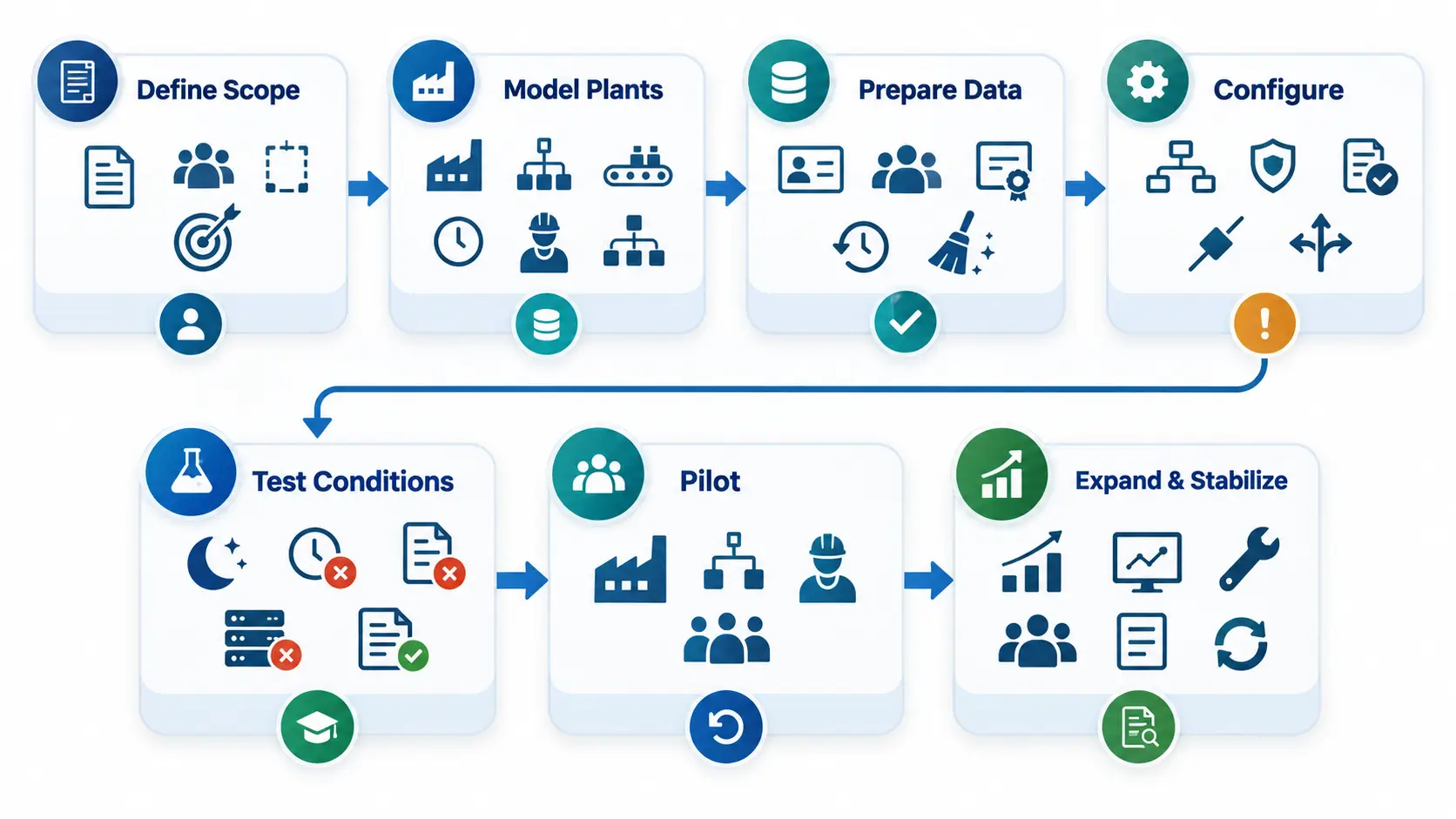
Phase 1: define scope and ownership
Choose the plants, shifts, workers, records, and workflows entering the first release.
Name owners for data, permissions, integrations, testing, training, support, and scope approval.
Record excluded work as clearly as included work. This prevents unsupported expectations during launch.
Phase 2: model plant structures
Configure sites, departments, production areas, jobs, shifts, and reporting lines from approved source records.
Keep jobs separate from employees and assignments. Use effective dates for future changes.
Test whether historical reports preserve earlier structures. A current change should not rewrite the past.
Phase 3: prepare workforce data
Remove duplicates and resolve conflicting identifiers before migration. Do not move every old error into the new platform.
Validate employment status, assignment, plant, shift, manager, and payroll identifiers.
Route uncertain records to named owners. Keep migration decisions and reconciliation evidence.
Phase 4: configure workflows and connections
Set permissions using real plant roles. Avoid broad access created only to accelerate setup.
Configure requests, approvals, corrections, notices, and escalation routes. Every exception state needs an owner.
Test connections in a controlled environment. Document any remaining manual step.
Phase 5: test real conditions
Run normal, late, duplicate, cancelled, corrected, and failed cases. Test every important user role.
Include night and weekend shifts. Test the devices and network conditions found in each location.
Use acceptance results to resolve defects. Do not approve a workflow based only on a sales demonstration.
Phase 6: pilot a contained area
Choose one manageable plant, department, or shift. Include real integrations and common exceptions.
Run approved parallel checks where necessary. Reconcile schedules, time records, approvals, and payroll inputs.
Record every workaround. Repeated workarounds may expose missing data, poor setup, or unsupported functions.
Do not expand with unresolved high-impact failures. Responsible owners should accept the pilot results.
Phase 7: expand and stabilize
Release by planned plant groups, shifts, or workflows. Provide support when each group first uses the system.
Monitor corrections, failures, access problems, and support requests. Give each serious issue a named owner.
Control configuration changes after launch. Test updates before they affect workforce or payroll records.
Retire earlier tools only after required data is reconciled. Preserve approved records and fallback procedures.
Avoid common rollout mistakes
Launching every plant together
A wide launch multiplies the effect of one setup error. Pilot a contained area first.
Designing around office hours
Plants may operate overnight, on weekends, or across time zones. Test access and support during those periods.
Importing stale records
Old shifts, managers, jobs, and statuses create immediate confusion. Validate current records before migration.
Treating schedules as actual time
A schedule records planned work. Time records should capture reported events and approved corrections.
Treating training as authorization
Course completion does not always prove competence or permission. Keep each record and decision separate.
Testing only administrator accounts
Administrators can bypass restrictions that normal users face. Test every important role with realistic permissions.
Ignoring temporary workers
Temporary workers may use different assignments, records, and access. Include them in scope and tests.
Hiding manual work
A workflow may show completion while people still have tasks. Record each manual action and owner.
Automating sensitive decisions
Rules should not make unreviewed pay, accommodation, discipline, or termination decisions.
Leaving payroll boundaries unclear
Payroll visibility does not prove calculation, filing, payment, or correction. Document every system responsibility.
Skipping outage procedures
Plants need safe processes when a device, network, or integration fails. Test the fallback and reconciliation.
Measuring logins instead of results
Login counts show access, not process quality. Measure record accuracy, exception handling, and completed handoffs.
Measure results after launch
Post-launch measures should reveal weak records and handoffs. They should not become shortcuts for employee surveillance.
Define every metric before reporting it. Record its formula, source, owner, review timing, and expected response.
Useful measures include:
- Required field completion for current employee assignments
- Unresolved schedule and time differences
- Missing, duplicate, late, or corrected time events
- Payroll records prepared, accepted, rejected, and corrected
- Open workflow volume by owner, status, and age
- Successful, rejected, delayed, or duplicated integration records
- Training or qualification record gaps
- Excessive, dormant, failed, or overdue access changes
- Support demand by plant, shift, role, device, and workflow
- Report freshness and failed source feeds
A complete field can still be wrong. Validate samples against approved sources.
A successful transfer status can still hide incorrect data. Reconcile important totals and fields.
Every measure needs a response rule. A dashboard without ownership becomes another reporting task.
How OryxBlue may support manufacturing HR teams
Editorial disclosure: OryxBlue is the publisher’s product. This section reflects supplied product information, not independent testing.
OryxBlue is described as a multi-tenant HR and workforce platform. It may help organize people data and routine plant administration.
Its stated scope includes these areas:
- Employee profiles connected with departments, locations, roles, and lifecycle status
- Recruitment records and visibility into candidate stages
- Onboarding and offboarding task coordination
- Shift, schedule, rotation, attendance, and leave information
- Employee requests, approval routes, and status visibility
- Workforce dashboards, reports, and payroll-related visibility
- Roles, permissions, and seat-based account administration
This scope may help plant HR organize information across sites and shifts. Actual fit depends on modules, setup, and integrations.
Request a live test with real plant conditions. Use an overnight shift, missed punch, leave conflict, unavailable approver, and rejected payroll handoff.
Ask OryxBlue to show the approval, schedule action, attendance result, payroll handoff, access boundary, and final report.
Confirm which steps are native, configured, integrated, or manual. Also confirm current plan limits and support coverage.
The supplied scope does not establish payroll processing, tax filing, production planning, safety management, or qualification control.
It also does not establish predictive staffing, autonomous employment decisions, automatic compliance, or automatic external access removal.
Physical asset recovery remains an operational task. Employers also remain responsible for policy, payroll, safety, and final employment decisions.
Before selection, verify:
- Plant structures, shifts, rotations, overnight work, and corrections
- Permissions, audit history, tenant separation, retention, and backups
- Payroll boundaries and available time-clock, payroll, identity, or ERP connections
- Training, qualification, mobile, kiosk, language, accessibility, and offline scope
- Report definitions, exports, seat rules, support terms, and exit rights
This proof process shows whether OryxBlue matches the selected manufacturing workflows.
Copy-ready manufacturing HR software buying checklist
Use this checklist to prepare selection, demonstrations, contracting, and rollout.
Define the buying case
- Document the plant problem and required business result.
- Name the owner for each process and final decision.
- List plants, departments, shifts, roles, and worker types.
- Separate required, optional, later, and excluded capabilities.
- Record current delays, errors, corrections, and unresolved work.
- Calculate subscriptions, setup, devices, services, training, and internal labor.
Test plant workflows
- Test recruitment through creation of the employee record.
- Test onboarding for different plants, shifts, and worker types.
- Publish a schedule and confirm access for every intended role.
- Test rotations, overnight shifts, swaps, breaks, and changes.
- Test missed punches, corrections, approvals, and preserved history.
- Test leave that conflicts with a published shift.
- Test temporary-worker and contractor workflows when required.
- Test transfers, status changes, departures, and remaining manual work.
Verify controls and connections
- Verify permissions by tenant, plant, department, role, and responsibility.
- Confirm effective dates, correction history, approvals, and audit records.
- Check report definitions, filters, timing, permissions, and exports.
- Reconcile payroll-related information against an approved sample.
- Test each failure, retry, duplicate, and reconciliation process.
- Test mobile, kiosk, language, accessibility, and offline needs.
Plan implementation and exit
- Clean, map, migrate, sample, and reconcile each approved dataset.
- Review security, privacy, tenant isolation, retention, backups, and incident response.
- Confirm implementation duties, training, support, limits, and seat rules.
- Test complete exports, deletion terms, transition support, and exit rights.
Frequently asked questions
What is HR software for manufacturing?
HR software for manufacturing organizes employee records and recurring people processes within plant operations.
It may support recruitment, onboarding, shifts, attendance, leave, approvals, payroll inputs, and reporting. Exact scope varies by product.
How does manufacturing HR software differ from general HR software?
General platforms may assume predictable schedules and individual computer access.
Manufacturers often manage several plants, overnight shifts, hourly time, shared devices, qualifications, and temporary workers.
The difference lies in proven workflow support. A general system may still fit after careful configuration and testing.
Which manufacturing HR software features matter most?
Start with employee records, plant structures, permissions, scheduling, attendance, leave, approvals, history, reports, and exports.
Add skills, learning, safety, payroll, or production connections only after confirming their scope.
Can factory HR software manage shifts and attendance?
It can when the product supports the plant’s shift rules, time sources, corrections, and approvals.
Test rotations, overnight work, breaks, swaps, missed punches, late changes, and payroll handoffs.
Can manufacturing software track training and qualifications?
Some products record training, assessments, qualifications, restrictions, and expiration dates. Others need a connected specialist platform.
Test the records and alerts directly. Training completion does not prove competence or work authorization.
Can HR software guarantee manufacturing compliance?
No. Software can support configured rules, documented workflows, controlled records, and audit review.
Organizations remain responsible for applicable laws, agreements, policies, configuration, and qualified review.
Does manufacturing HR software replace payroll or ERP systems?
Only when the contracted product scope includes those functions.
An HR platform may provide payroll inputs, exports, or visibility. Confirm who calculates wages, files taxes, sends payments, and resolves errors.
How should a factory choose the best HR software?
Map one costly or risky workflow before comparing vendors. Give every vendor the same normal, exception, correction, and failure tests.
Score observed evidence, complete cost, security, contract duties, support, and exit rights.
How long does manufacturing HR software implementation take?
Timing depends on plants, data quality, modules, integrations, devices, testing, training, and change scope.
Ask vendors for a milestone plan based on approved requirements. Do not rely on a generic duration.
What should a manufacturing HR software demonstration include?
Include real plant structures, overnight shifts, missing punches, leave conflicts, transfers, approval delegation, integration failures, and outages.
Use employee and supervisor accounts, not only administrator access. Save evidence for acceptance and contracting.
How can OryxBlue support manufacturing HR operations?
Based on supplied information, OryxBlue is described as supporting employee records, workflows, payroll visibility, reports, roles, and permissions.
Manufacturers should test shift rules, integrations, qualification needs, security controls, and current module boundaries.
Choose software that works on every shift
Manufacturing HR software should work during difficult plant cases. A smooth sales demonstration proves only the path shown.
Start with one recurring workforce problem. Map its records, roles, decisions, exceptions, and system handoffs.
Turn that path into a vendor test and acceptance condition. Keep the resulting evidence for contracting and rollout.
Compare complete cost, data rights, security, support, and exit terms. Treat each uncertain point as an open condition.
Expand only after a controlled pilot produces reconciled records. Keep approved fallback procedures during stabilization.
Software can organize evidence and route defined work. People remain responsible for qualification, safety, payroll, and employment decisions.